Affinity
2.0
Additional Information Page 32
1.7.5.3 Speech Testing with a Microphone
1) Affinity
2.0.
/Equinox
2.0
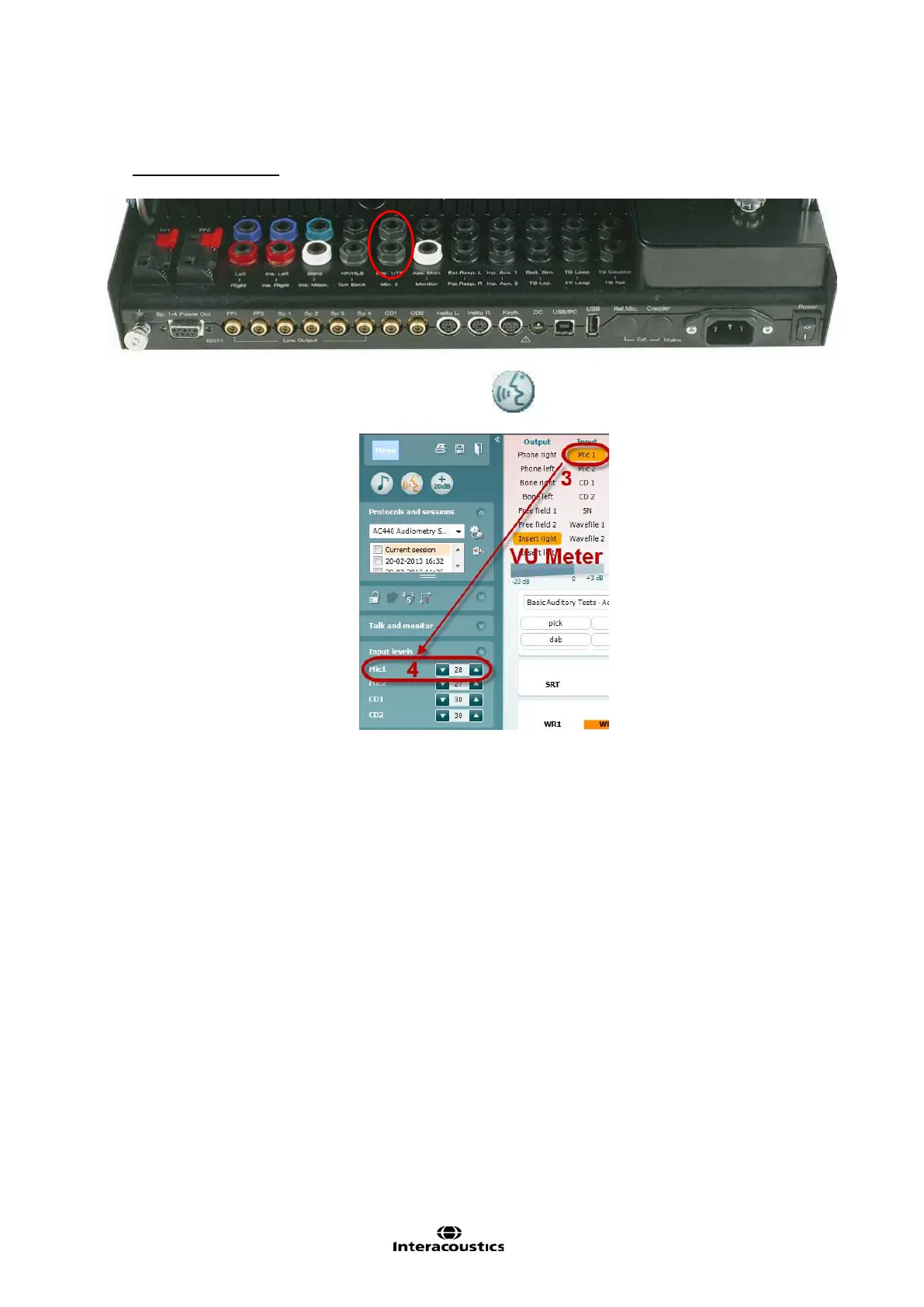
Connect the microphone to the Mic1 or Mic2 input on the on the hardware.
2) Open the AC440 software, go to the Speech screen .
3) Choose Mic1 or Mic2 in the input channel 1 list.
4) Adjust the input levels for the Mic1 or Mic2 until you reach an average of approximately 0 dB VU on
the VU meter while speaking into the microphone at a normal conversation level.
5) When the VU meter is adjusted the microphone input is ready for use. Perform the speech audiometry
as described in section 1.6.5.5.














 To Next Page