Affinity
2.0
Additional Information Page 110
1.8.3 Finishing the Test Protocol
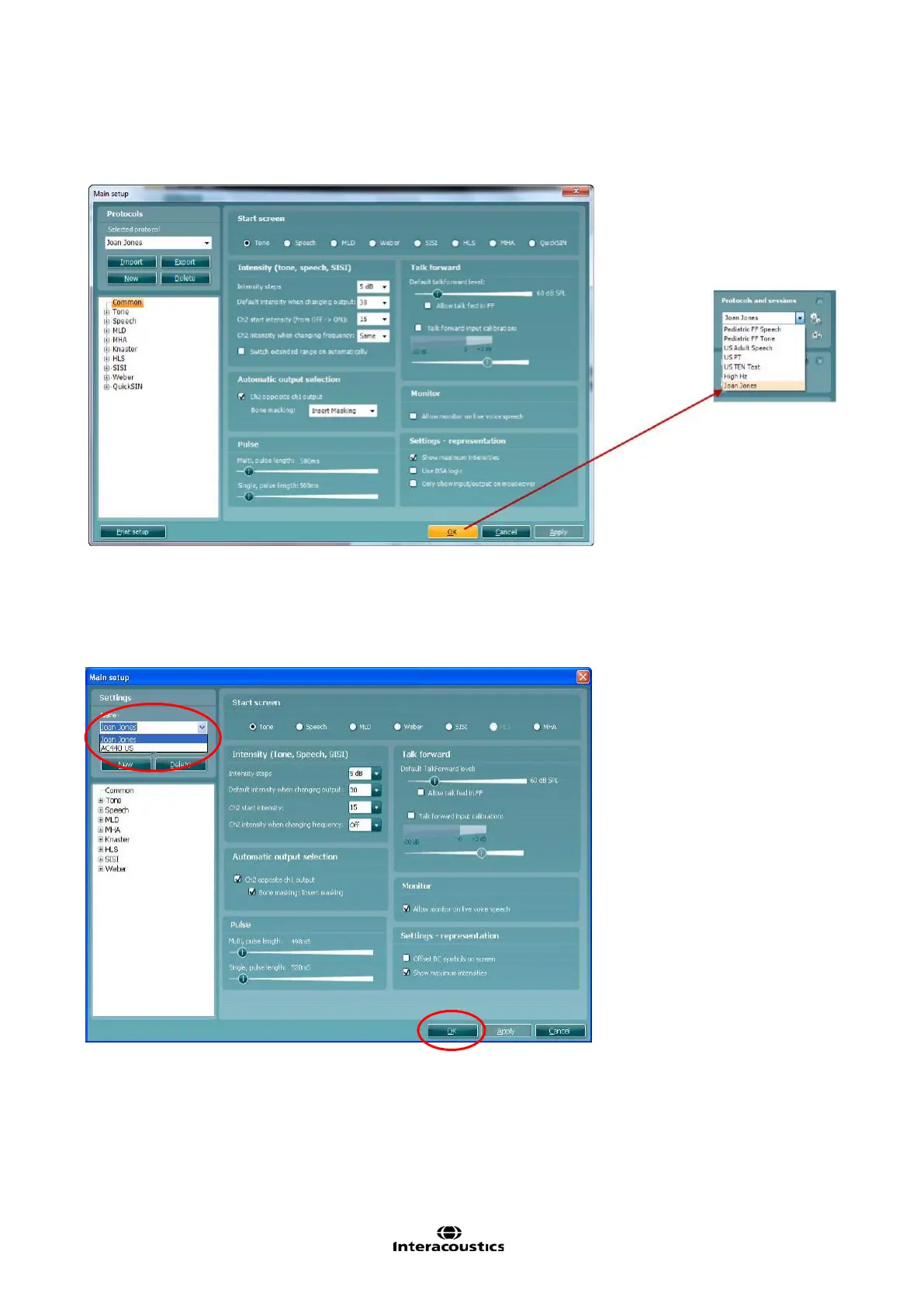
Press OK in the lower right hand corner of the AC440 setup screen to save the customized test protocol.
The test protocol can then be found in the Protocols and sessions dropdown list in the front screen.
1.8.4 Changing a Test Protocol Permanently
You can at any time make changes to an individual test protocol by entering the AC440 setup again as when
creating the test.
1) Under Settings find the test protocol using the Name dropdown list.
2) Browse the setup options as if creating a test protocol (see section 1.7) and amend as desired.
When finished click OK (or Apply) to save the changes.














 To Next Page