Affinity
2.0
Additional Information Page 299
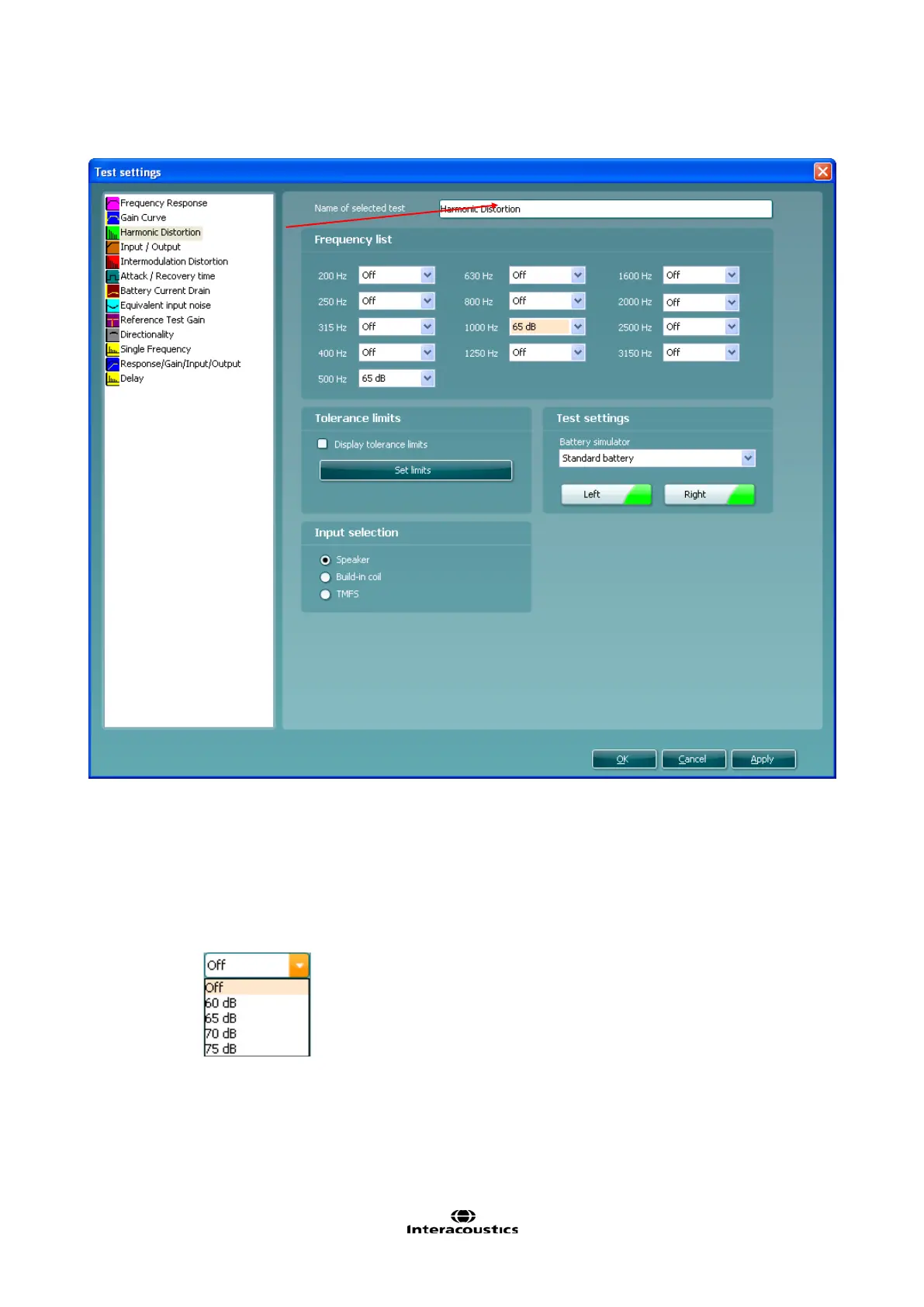
3.8.2.3 Harmonic Distortion Settings
1) Ensure that Harmonic Distortion is marked in the left hand side of the screen. The name of the test
will then appear in the Name of selected test section. Note the option to write a new name for the
test in this section (e.g. “Harmonic Distortion 500 and 1000 Hz”)
2) Frequency List:
Frequency dropdown lists: Select the frequencies to be included in the distortion measure.
Open the dropdown lists of the preferred frequencies and select at which input level the test
is to be performed from the selection list.














 To Next Page