–
138
–
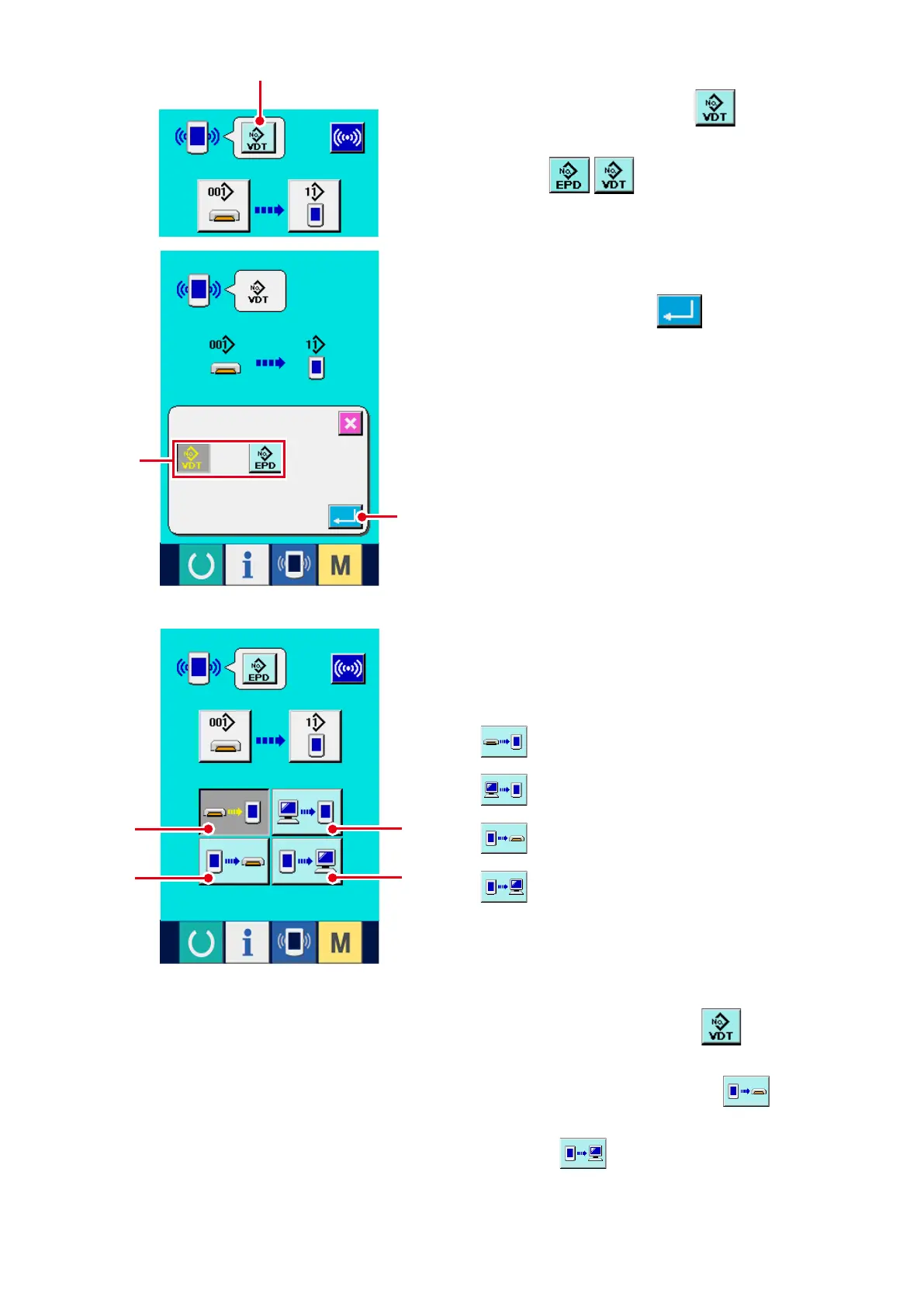
4) Select the communication procedure.
There are four communication procedures as
described below.
2) Select the kind of data.
When data selection button
2
is pressed,
the data selection screen is displayed.Select
button
3
of kind of data to be com-
municated. The selected button is displayed in
reverse video.
3) Determine the kind of data.
When ENTER button
4
is pressed, the
kind of data selection screen is closed and the
selection of the kind of data has been complet-
ed.
4
3
2
7
5
6
8
5
Writing data from media to panel
6
Writing data from personal computer
(server) to panel
7
Writing data from panel to media
8
Writing data from panel to personal
computer (server)
Select the button of communication procedure
you desire.
* When the vector format data
2
is select-
ed in the kind of data, it cannot be selected to
write the data to the media from
7
panel,
and to write the data to personal computer (serv-
er) from
8
panel.
Vector format data is converted to the parameter
data at the time of writing the data to the panel.



 To Next Page