–
139
–
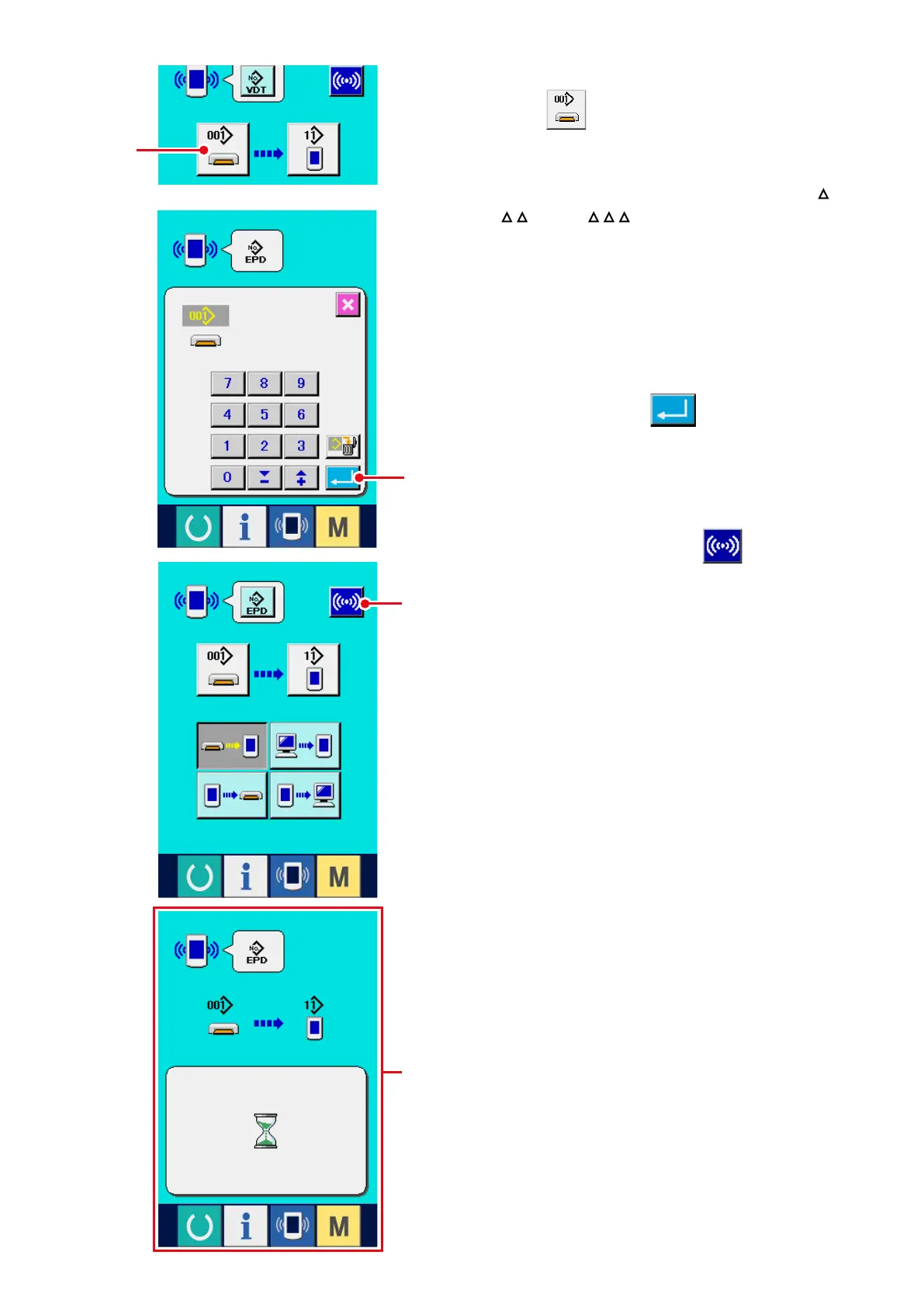
5) Select the data No.
When
9
is pressed, the writing le
selection screen is displayed.
Input the le No. of the data you desire to write.
For the le No., input the numerals of the part
of VD00
.vdt of the le name.
Designation of the pattern No. of writing
destination can be performed in the same
way. When the writing destination is the panel,
pattern Nos. which have not been registered are
displayed.
6) Determine the data No.
When ENTER button
!0
is pressed, the
data No. selection screen is closed and the
selection of the data No. has been completed.
7) Start communication.
When communication button
!1
is
pressed, the data communication starts. The
communication screen
A
is displayed during
communication and the screen returns to
the communication screen after the end of
communication.
* Do not open the cover during reading the data.
Data may not be read in.
A
9
!0
!1



 To Next Page