120 | 10 Creating your own styles
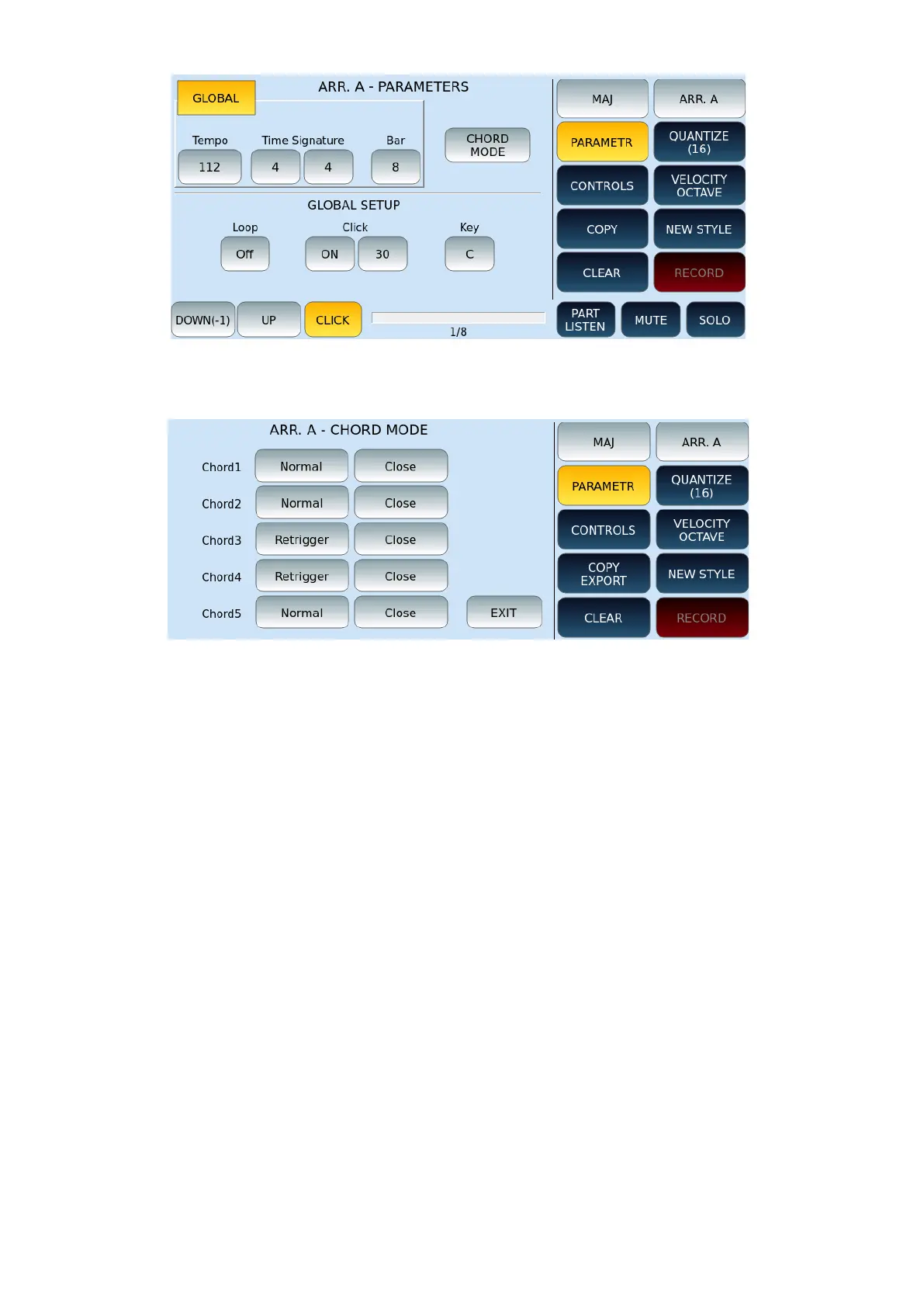
The CHORD MODE button is essential for your arrangement's "musicality" success. As you
can see from the image, each chord (CHORD1/5) has its selectable mode.
The mode on the left selects precisely how the chord is played:
• NORMAL: Every note that has been programmed within the chord is executed for
its actual duration.
• RETRIGGER: the notes programmed inside are repeated at each chord change,
during real-time execution.
The mode on the right instead selects the harmonic conversion mode of the chord
performed:
• PARALLEL: Notes are transformed in a parallel or diatonic way relative to the
programming scale.
• CLOSE: the notes programmed inside are adjusted through an intelligent
algorithm so that they are the most harmonically correct in the case of chords
alterations.
Recording the various style parts
Now, once we have set the main parameters, we can proceed with the recordings of the
parts of each pattern.



 To Next Page