10 Creating your own styles | 125
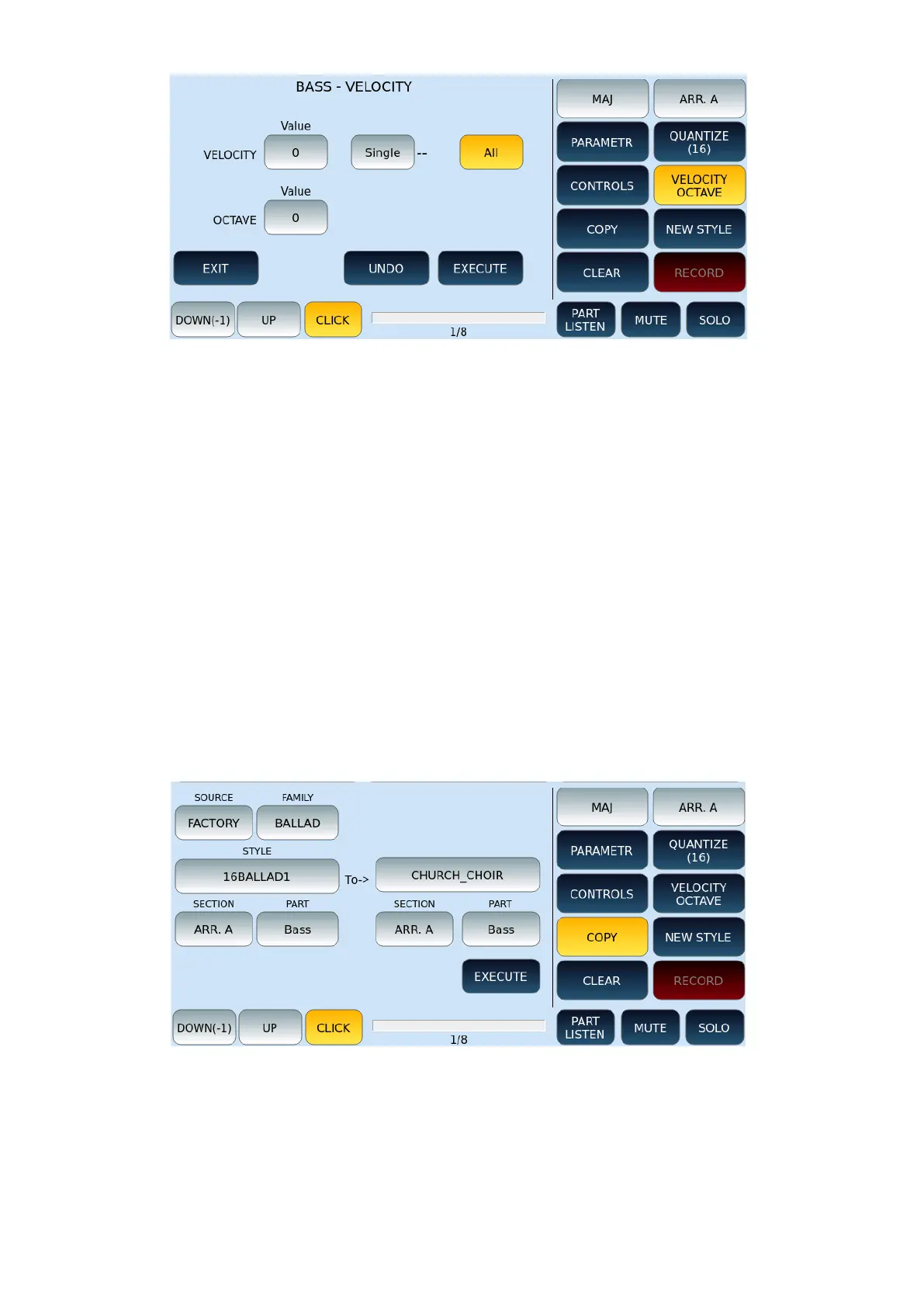
This screen refers to the BASS track and, in detail, we find the following commands:
• VELOCITY: You can change the dynamic variations of a previously recorded event
(or several). The available values are: -63/+63.
• SINGLE: The SINGLE button (when active) allows the selection of the note to be
edited. Press the note affected from the keyboard and then change the desired
value. The change will affect all previously recorded notes when the ALL button is
active.
• OCTAVE: This button when active allows you to change the octave of the selected
track. The range of action is +2/-2-
Press EXIT, UNDO and EXECUTE buttons behave as we saw above.
COPYING STYLE PARTS
This feature allows you to copy patterns between different elements of an accompanying
style.
Options:
• SOURCE: Select FACTORY to copy from a factory style or USER to copy from a style
in the user area.
• FAMILY: Select the category to which the source style belongs.
• STYLE: Press this button and then move the UP/DOWN buttons to find the style
you want to copy from.



 To Next Page