136 | 12 Effects
• Waveform: Select the waveform type of the Chorus between Sinus, Async. Sinus
and Triangle.
• Feedback: Select the Feedback value, between 0 and 127.
• Delay: The value assumed by default is 64. You can change it to a value between 0
and 127.
• SAVE: Save changes.
• FACTORY RESTORE: Restores previously saved changes to their original factory
values.
EVM also provides more simplified management of Insert effects within EFX Edit. We
described it in the chapter Voice Edit. Keep an eye on the writing at the top right of the
effects pages on the screen: you will see VOICE or CHAIN. In this chapter, we deal with
CHAIN, where the number of control parameters of each effect is larger than what is visible
in Voice Edit.
EDIT | VOICE 1 EFX Rack
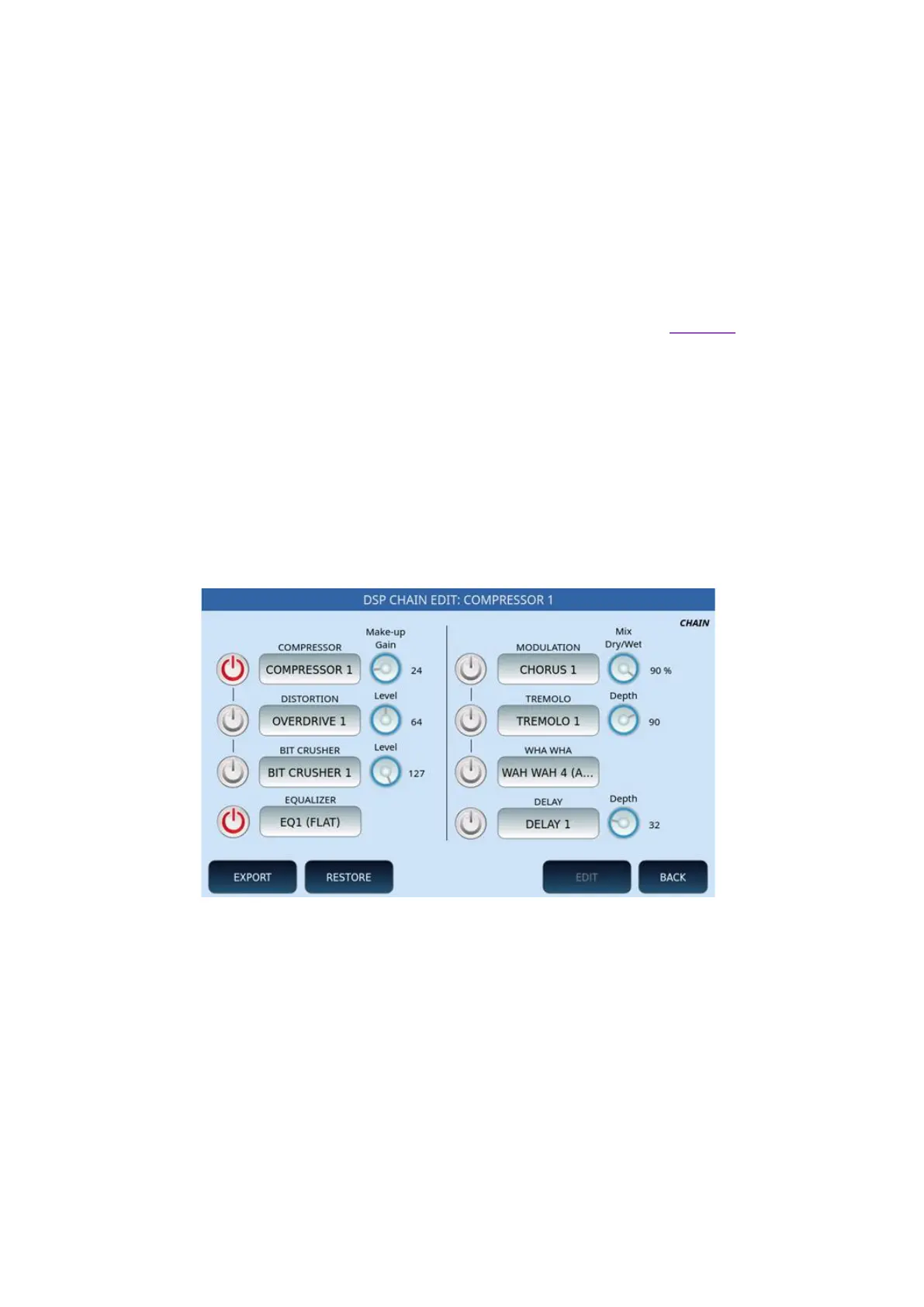
Depending on the INSERT effect type, the EDIT page may have different selections. In the
following example, COMPRESSOR 1 is active with EQ1 equalization of type FLAT. You can
change the parameters on the screen.
On this page you can activate/deactivate the different effects using the ON/OFF buttons on
the screen, in the two columns.
• COMPRESSOR, DISTORTION and BIT CRUSHER can be selected alternatively and,
for each of them, customize the Make-Up Gain or the level through the dedicated
knob on the screen.
• EQUALIZER: At the bottom of the screen, you can activate the equalizer by
selecting one of the available settings.
• MODULATION, TREMOLO, WHA WHA and DELAY can be selected alternatively
and, for each of them, you can customize the Dry/Wet mix and depth using a
knob.



 To Next Page