Keysight E5260/E5270 User’s Guide, Edition 6 6-25
Function Details
Auto Power Off Function
Auto Power Off Function
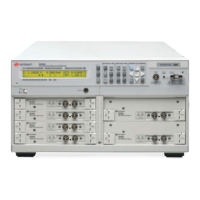
If an abnormal voltage or current is detected in the Keysight E5260/E5270, the
Keysight E5260/E5270 automatically turns off to prevent damage.
If this function is activated, the Keysight E5260/E5270 is turned off, but the Line
switch is left ON. Perform the following steps to turn the Keysight E5260/E5270 on
again.
1. Press the Line switch to set it to the OFF position.
2. Wait for 10 seconds or more.
3. Press the Line switch to set it to the ON position.
Abnormal voltage or current can be caused by incorrect connections of the Keysight
E5260/E5270 to the test device, excess voltage or current input, momentary power
loss, defects of the instrument, and so on.
If no cable is connected to the measurement terminals of the Keysight
E5260/E5270, and the line voltage is correct, the Keysight E5260/E5270 may have
a defect. Contact the nearest Keysight Technologies Service Center for assistance.










 To Next Page