Konica Minolta 240f 5-35
5.5 Security functions
5
5.5.2 Checking the destination machine's number before transmission
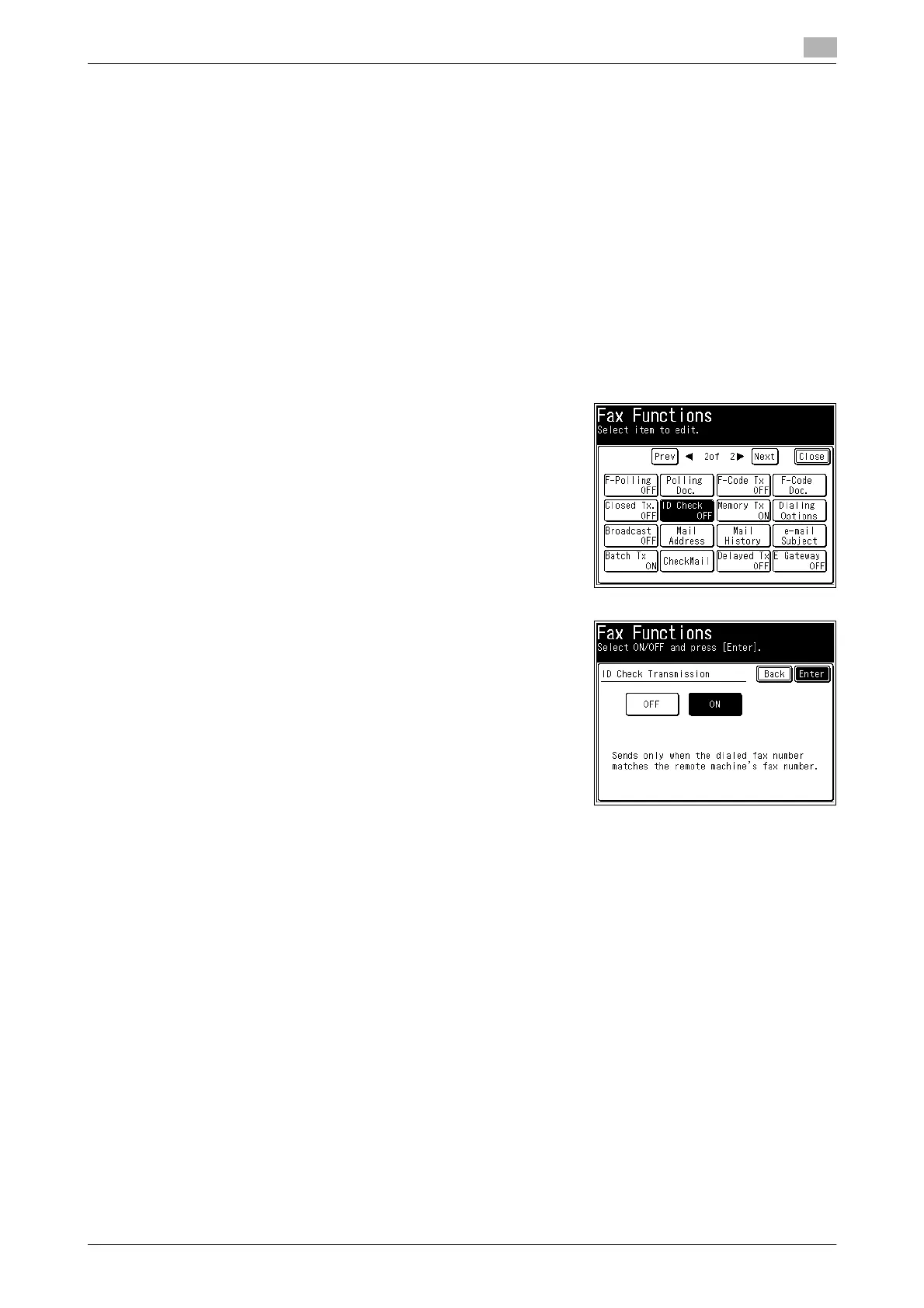
ID check transmission limits fax transmission to when the lower four digits of the fax number you dialed and
those registered in the destination machine match. Transmission is allowed only when the passcodes are
matched.
d
If a fax number is not registered for the destination, a communication error occurs and transmission fails.
You can also set to always enable ID check transmission. For details, refer to Chapter 3, "Setting ID Check
Transmission" in the User's Guide Administrator Operations.
When using manual transmission (transmission using a handset of an external phone or the [Monitor] func-
tion), the ID check transmission function is disabled, even if you set it to ON.
1 Load the document, and press <Fax>.
2 Press [Advanced].
3 Press [ID Check].
4 Select [ON] and press [Enter].
% Press [OFF] to disable the ID check transmission setting.
5 Press [Close].
6 Specify the destination, and press <Start>.
% For details on specifying the destination, refer to page 6-3.














 To Next Page