Basic faxing
4
4-20 Konica Minolta 240f
4.2
Dialing options
You can insert dialing options when entering fax numbers or when registering address book destinations.
*1 To enter dialing options in PC faxes or in Message Board, enter the options indicated in the Option column.
1 Load the document, and press <Fax>.
2 Press [Advanced].
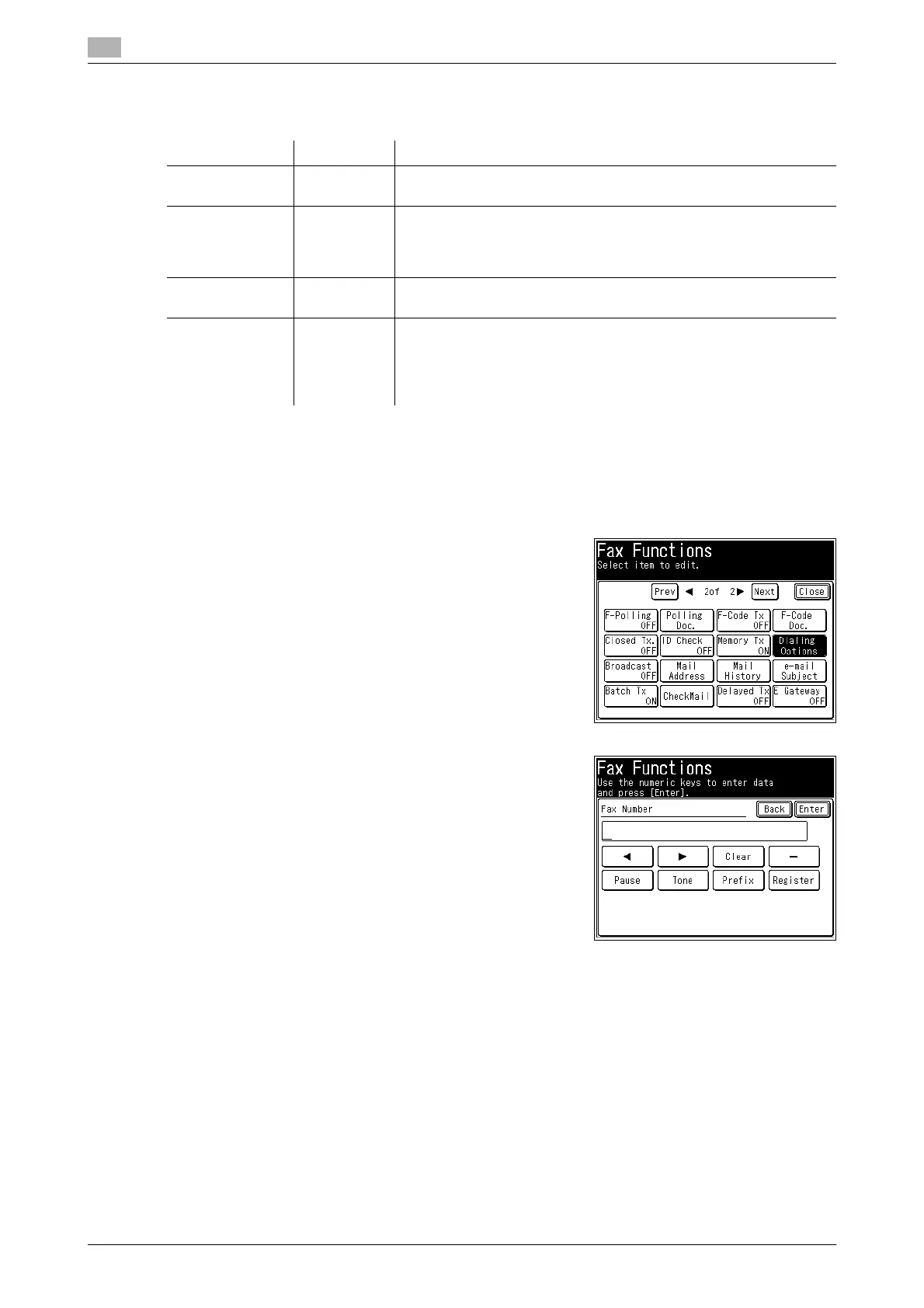
3 Press [Dialing Options].
4 Enter the desired dialing option.
% Dialing options can also be inserted from the fax number
entry screen.
5 Specify the destination, and press <Start>.
% For details on specifying the destination, refer to page 6-4.
% If you loaded the document in the ADF, this concludes the procedure.
% If you loaded the document on the document glass, load the next document, and press [Next Doc].
Press [Tx Start] to start transmission.
Name Option
*1
Functions and Applications
Hyphen — Makes the entered fax number easier to see.
(Example) 111-1111-1111
Pause /P This is used to open a space between dials. To increase the pause
time, enter multiple pause options. The time for each pause can also
be changed in the settings. For details, refer to page 8-39.
(Example) 2/P222-2222-2222
Tone /T This is used to switch from pulse-dialing to tone-dialing. This option
may not be available in some countries and regions.
Prefix /N This is used to enter a prefix number. A prefix number can only be
used when specifying the destination using the numeric keys. To use
a prefix number, it is necessary to register it in advance. For details,
refer to page 8-39.
(Example) /N333-3333-3333














 To Next Page