Konica Minolta 240f 8-45
8.3 Registering other settings
8
8.3.4 Registering/editing domain names
The domain name buttons displayed in the "Alphanumeric Display" screen on the character entry screen can
use registered domain names. You can register up to 10 types of domain names in advance.
Registering/editing
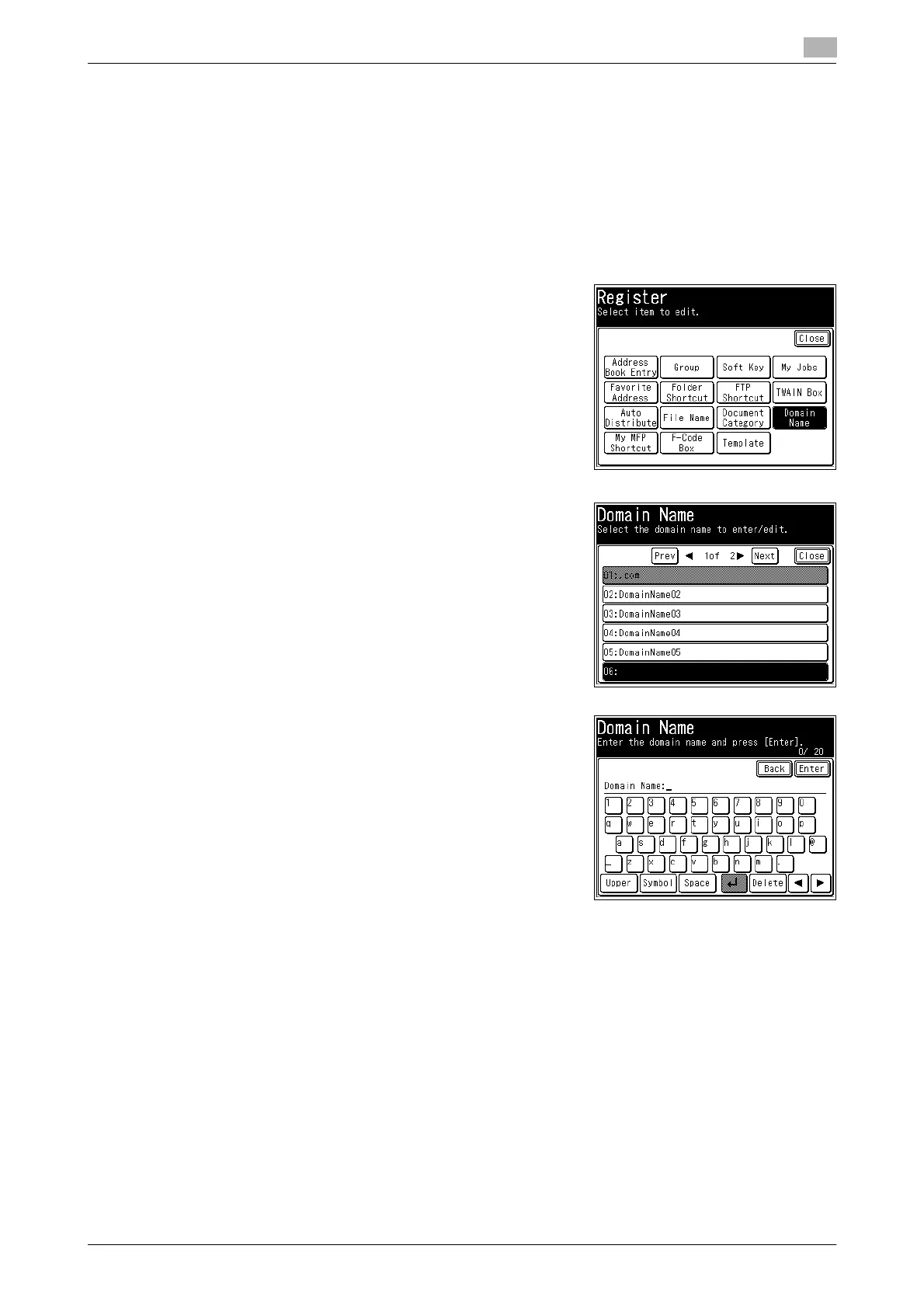
1 Press <Setting>.
2 Press [Register].
3 Press [Domain Name].
4 Select a new button.
% To change a domain name that is already registered, select
the domain name you want to change.
5 Enter or edit the domain name, and press [Enter].
% Up to 20 characters can be entered.
% For details on entering characters, refer to Chapter 2, "En-
tering Characters" in the User's Guide Administrator Oper-
ations.
% To continue to register or edit domain names, repeat the
procedure in steps 3 to 4.
Deleting
Delete all the characters in step 4 of the section above, and press [Enter].














 To Next Page