Konica Minolta 240f 2-17
2.2 Basic scan settings
2
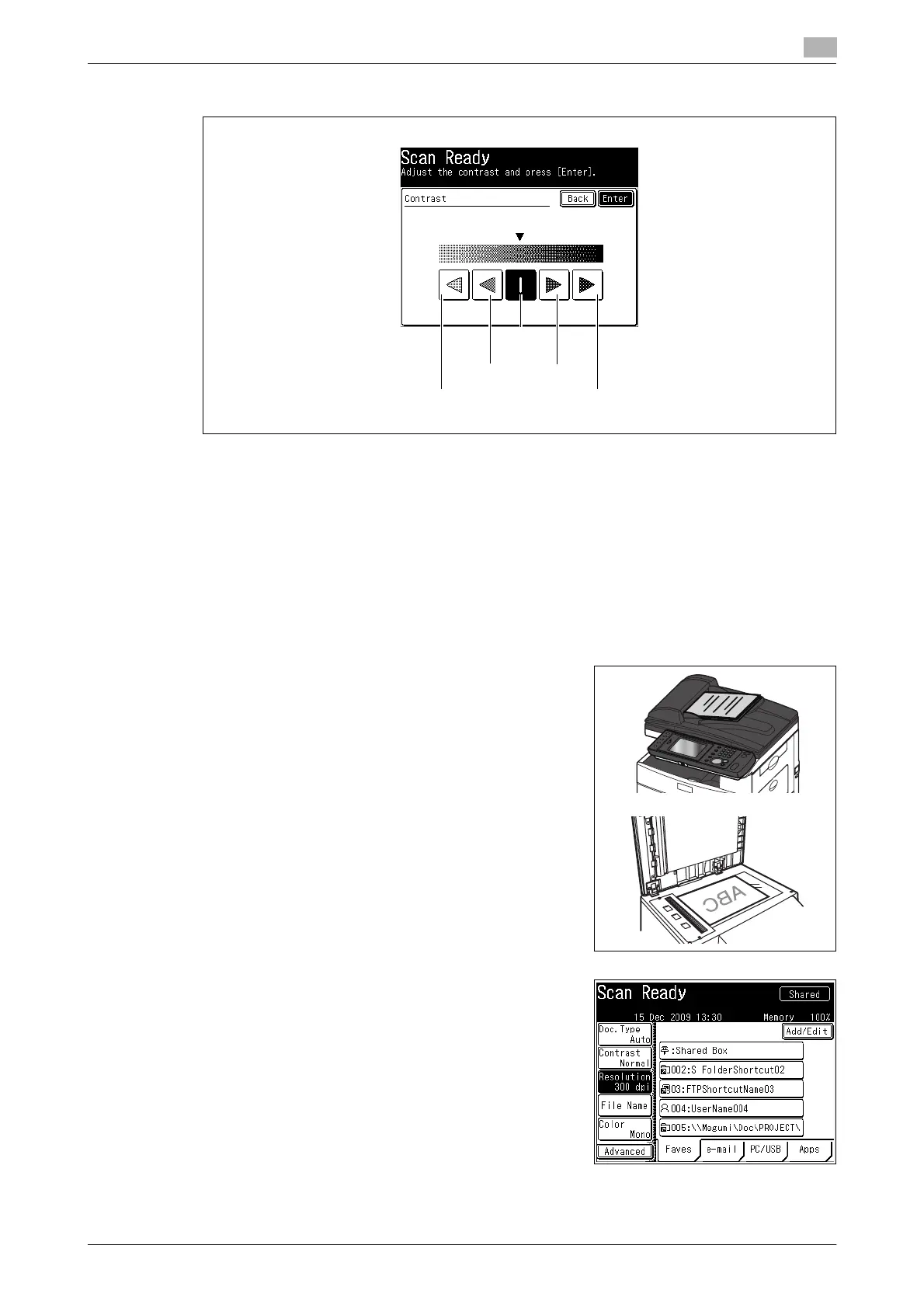
3 Select the desired contrast, and press [Enter].
4 Specify the destination, and press <Start>.
% For details on the procedure, refer to page 2-3.
% If you loaded the document in the ADF, this concludes the procedure.
% If you loaded the document on the document glass, load the next document, and press [Next Doc].
To finish scanning, press [Complete].
2.2.3 Setting the resolution
You can set the resolution for scanning. If you set a high resolution, the document will be scanned clearly,
but the size of the created data will be large.
1 Load the document, and press <Scan>.
% For details on loading documents, refer to Chapter 2,
"Loading Documents" in the Quick Guide.
2 Press [Resolution].
% If [Resolution] is not displayed, press [Advanced] and then
select [Resolution].
Normal
Lighter Dark
Lightest Darkest














 To Next Page