Konica Minolta 240f 5-31
5.4 F-code communications
5
Printing stored documents
Print out security reception documents, documents received in the bulletin boxes and documents stored in
the bulletin boxes.
If documents have been received in the F-code boxes, F-code reception information will be printed out.
Check the box number listed and print out the stored documents.
1 Press <Fax>.
2 Press [Advanced].
3 Press [F-Code Doc.].
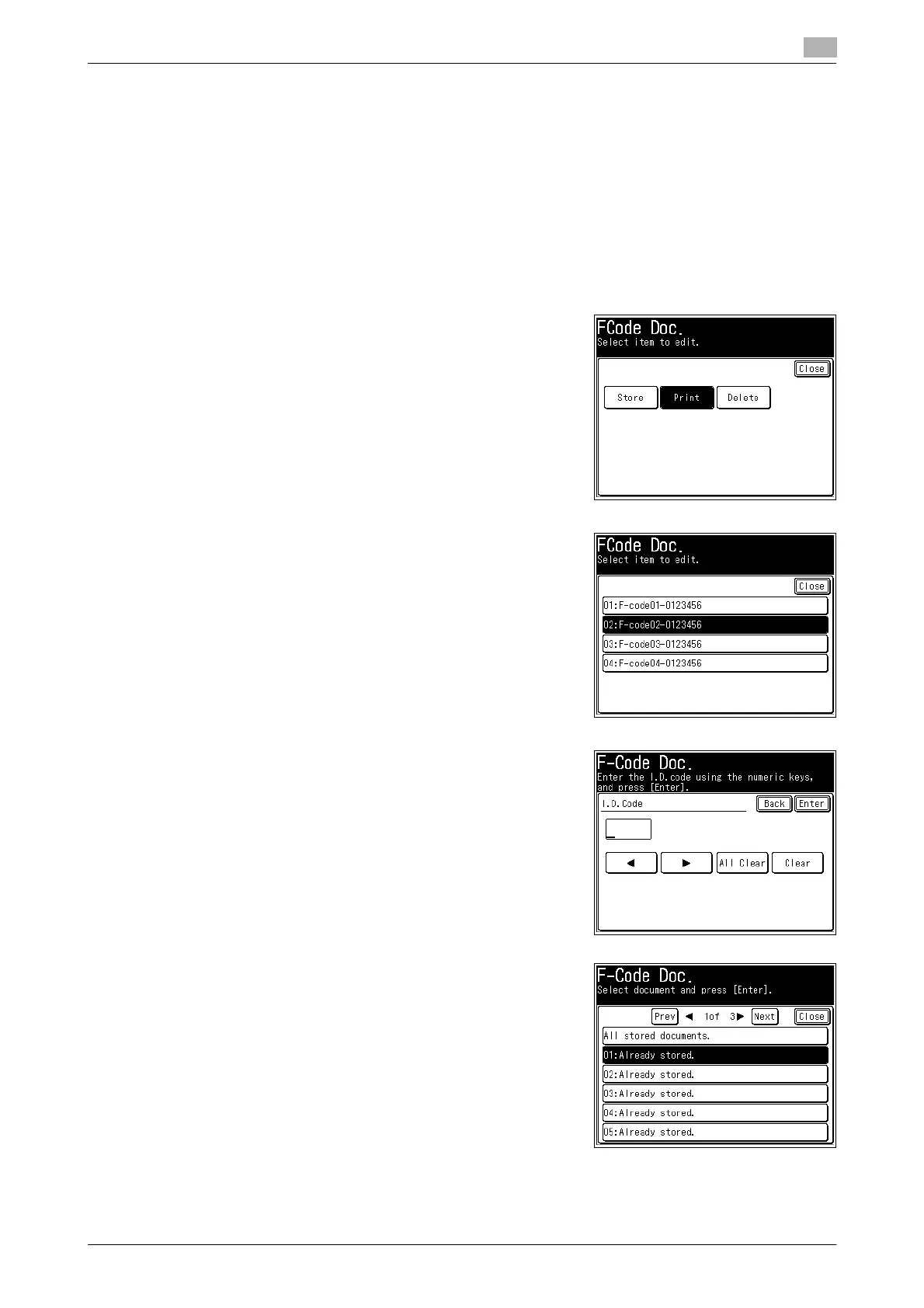
4 Press [Print].
5 Select the F-code box in which the documents you want to
print are stored.
6 If an I.D. code is set, enter the I.D. code using the numeric
keys, and press [Enter].
% If a password is not set, proceed to the next step.
7 Select the file.
% Press [All stored documents] to print all the documents
stored in the F-code box.
% This step is not required for a secure box.














 To Next Page