Useful reception functions
5
5-50 Konica Minolta 240f
5.6
5.6.2 Setting the separator page
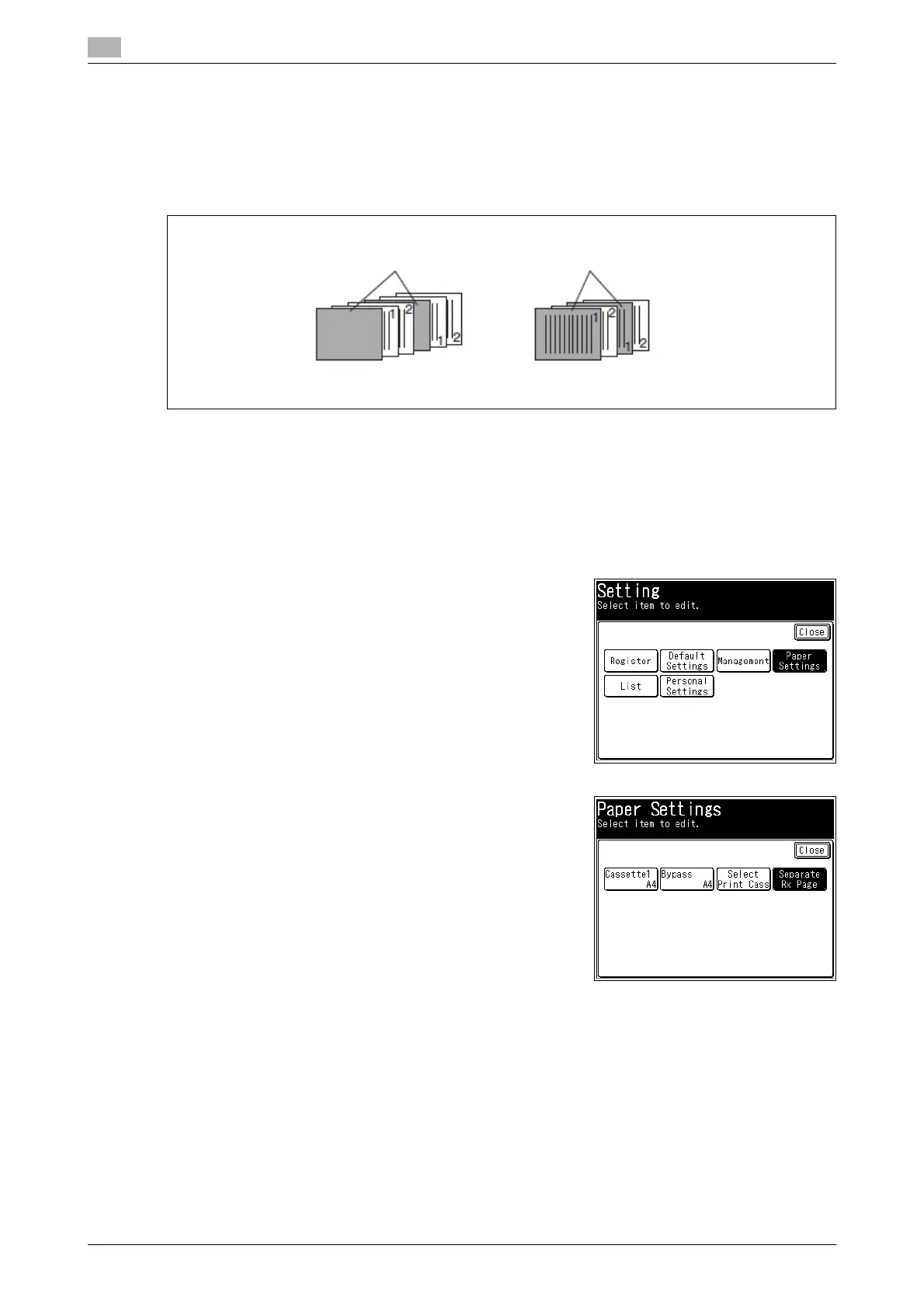
You can change the first sheet of paper with another type of paper to make it easier to separate received
documents. For example, if you use colored paper for the separator page, it is easy to identify each individual
fax job.
- Separator Cassette: Select the cassette or tray to use for the first sheet of paper.
- Print On Separator Page: Set whether to insert a blank page in the start of the received document.
d
Paper sources will only appear on the control panel if they have been installed.
If a cassette is set to not be used for the fax function, you cannot set it as the separator cassette. For details
on paper settings, refer to Chapter 2, "Specifying Paper Settings" in the User's Guide Administrator Opera-
tions.
1 Press <Setting>.
2 Press [Paper Settings].
3 Press [Separate Rx Page].
4 Press [Setting].
Separator page separates each received document
Print on the separator page: [OFF] Print on the separator page: [ON]














 To Next Page