Konica Minolta 240f 5-51
5.6 Useful reception functions
5
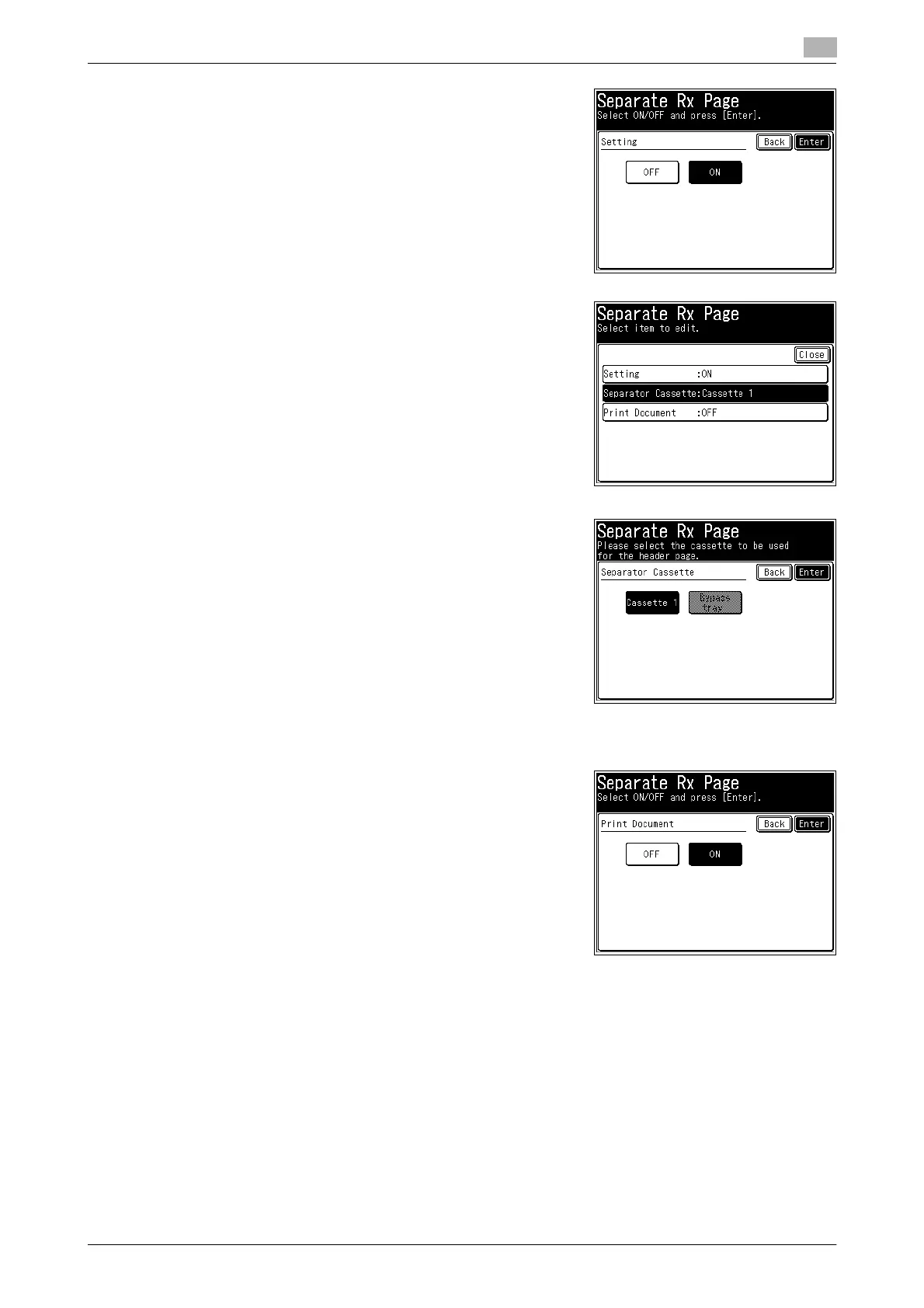
5 Select [ON] and press [Enter].
% Press [OFF] to disable the separator page function.
6 Press [Separator Cassette].
7 Select the paper source to print the separator page, and press
[Enter].
8 Press [Print Document].
9 Select [ON] to print on the first page or [OFF] to insert a blank
page, and press [Enter].









 To Next Page