Initial setup (User install)
4
4-4 Konica Minolta 240f
4.1
Time zone
A time zone is a region that adopts the same time differences as the ones from the Royal Observatory, Green-
wich, England (within ± 12 hours), usually regarded as standard time around the world. For details, refer to
page 4-13.
These settings can be changed at any time.
d
You can also register or edit "User Install" using a web browser. For details, refer to Chapter 3, "Specifying
Device Settings" in the User’s Guide Message Board Operations.
Print out the "Settings List" to insure that your settings are correct. For the procedure for printing, refer to
Chapter 3, "Checking Device Information" in the User's Guide Administrator Operations.
4.1.1 Registering the user install
Setting the language
Select the language on display. The selected language will be applied to the list printouts as well.
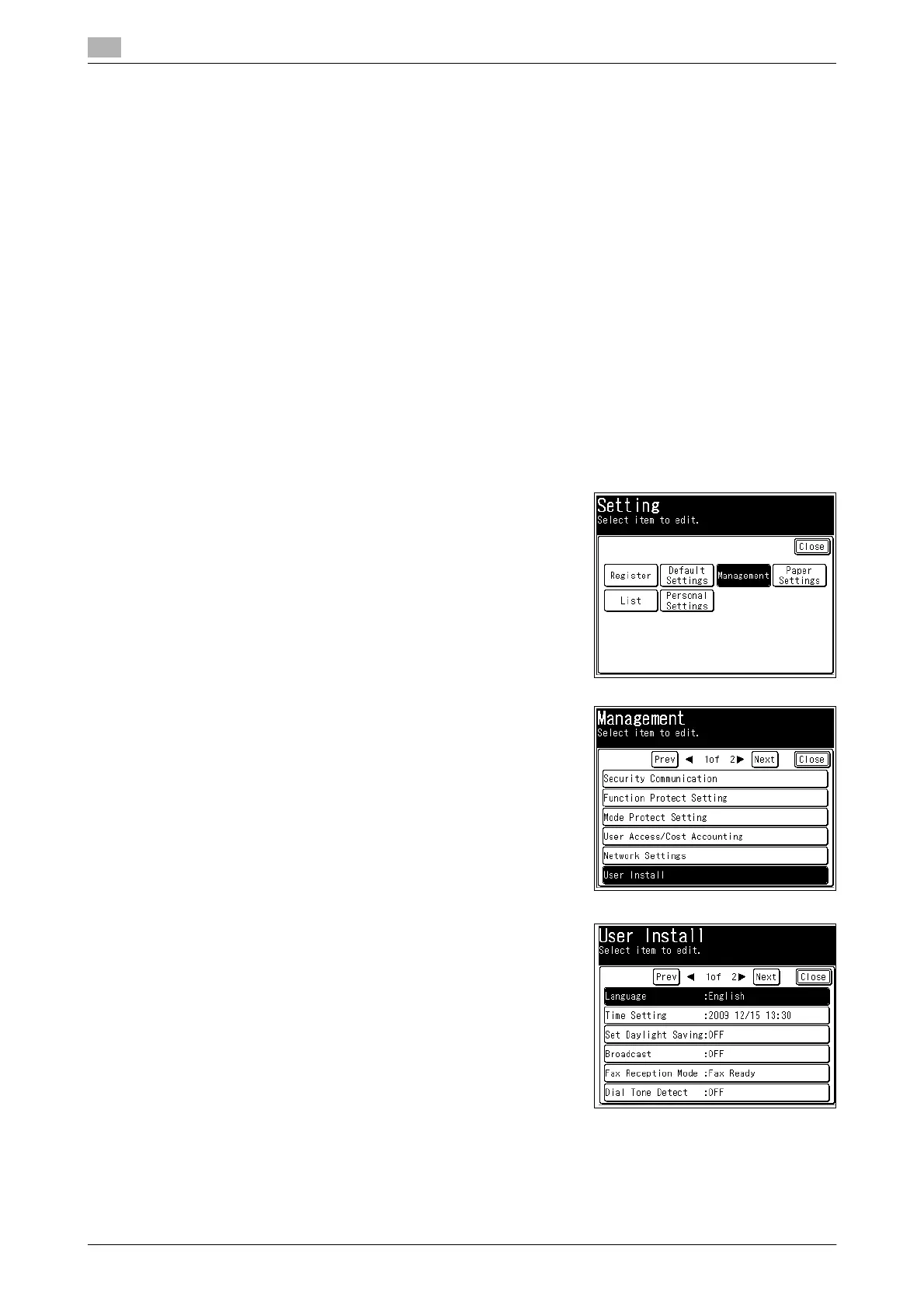
1 Press <Setting>.
2 Press [Management].
% If an administrator password is set, enter the password
and press [Enter].
3 Press [User Install].
4 Press [Language].














 To Next Page