Konica Minolta 240f 4-13
4.1 Initial setup (User install)
4
Time zone
"Time zones" refer to the difference in time (up to ±12 hours) between countries from the Greenwich Obser-
vatory in England, which is taken to be standard time, and to regions that use the same difference.
1 Press <Setting>.
2 Press [Management].
% If an administrator password is set, enter the password and press [Enter].
3 Press [User Install].
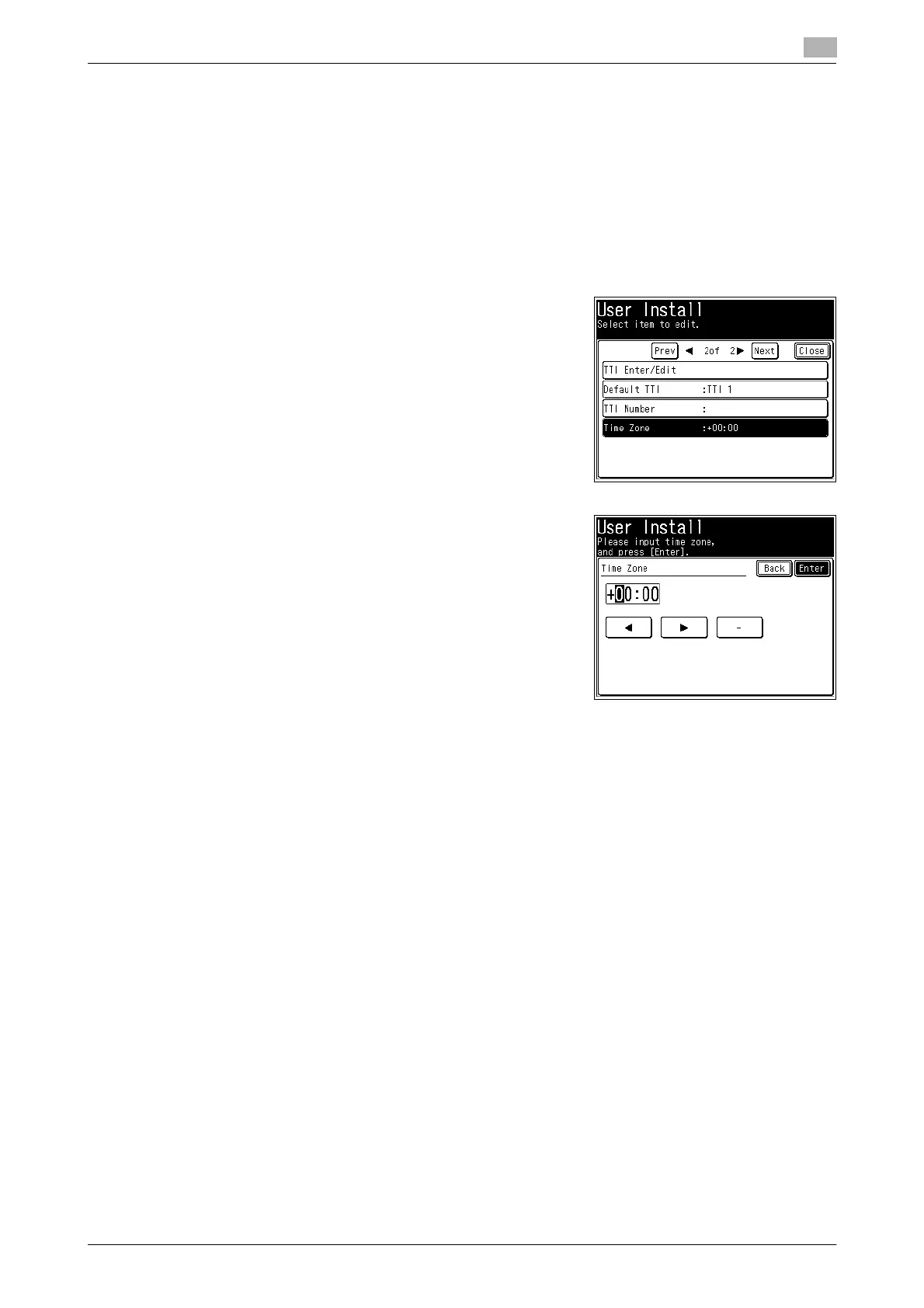
4 Press [Time Zone].
5 Use the numeric keys to enter your time zone, and press [En-
ter].
d
Example of Time Zone:
(GMT –11:00) Midway Island
(GMT –10:00) Hawaii
(GMT –09:00) Alaska
(GMT –08:00) Pacific Time (US & Canada)
(GMT –07:00) Mountain Time (US & Canada)
(GMT –06:00) Central Time (US & Canada)
(GMT –05:00) Eastern Time (US & Canada)
(GMT –04:00) Atlantic Time (Canada)
(GMT –03:30) Newfoundland
(GMT) Greenwich Mean Time: Dublin, Edinburgh, Lisbon, London
(GMT +01:00) Amsterdam, Berlin, Bern, Rome, Stockholm, Vienna
(GMT +01:00) Belgrade, Bratislava, Budapest, Ljubljana, Prague
(GMT +01:00) Brussels, Copenhagen, Madrid, Paris
(GMT +09:00) Osaka, Sapporo, Tokyo, Seoul
(GMT +10:00) Guam














 To Next Page