Konica Minolta 240f 3-21
3.2 Advanced scan features
3
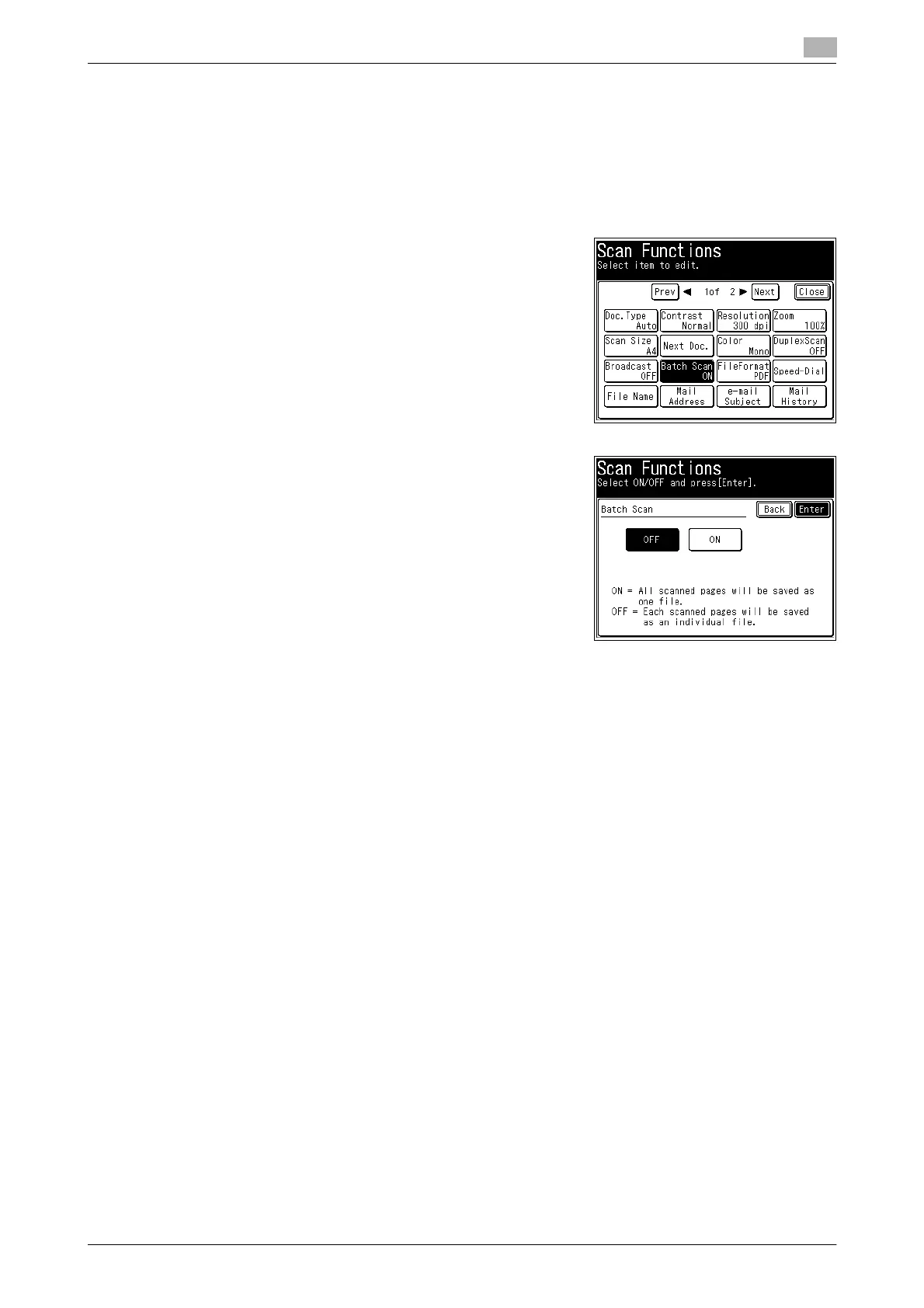
3.2.9 Transmitting scanned data as individual files (Batch Scan)
When the "Batch Scan" function is on, it means that all scanned pages will be saved as one file. If you turn
this function off, each scanned page will be saved as an individual file.
1 Load the document, and press <Scan>.
2 Press [Advanced].
3 Press [Batch Scan].
4 Select [OFF], and press [Enter].
% If you select [ON], the batch scan setting is enabled.
5 Press [Close].
6 Specify the destination, and press <Start>.
% For details on the procedure, refer to page 2-3.














 To Next Page