Managing the communication history
7
7-8 Konica Minolta 240f
7.2
7.2.2 Automatically printing journal reports
You can set to print the report when there is transmission history for 100 jobs, or set to print the transmission
history every day at a set time (for a daily communication report).
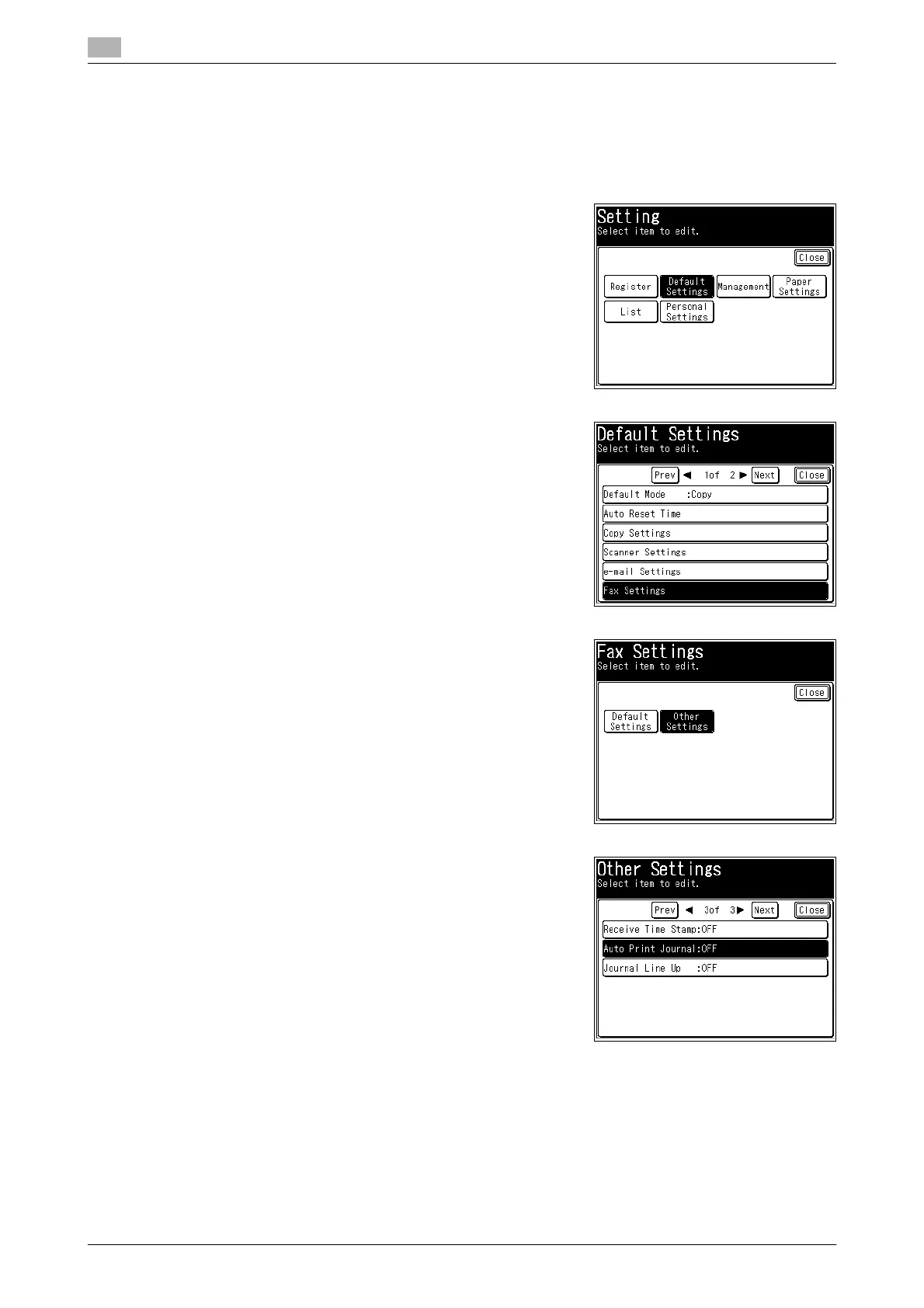
1 Press <Setting>.
2 Press [Default Settings].
3 Press [Fax Settings].
4 Press [Other Settings].
5 Press [Auto Print Journal].














 To Next Page