Konica Minolta 240f 7-9
7.2 Managing the communication history
7
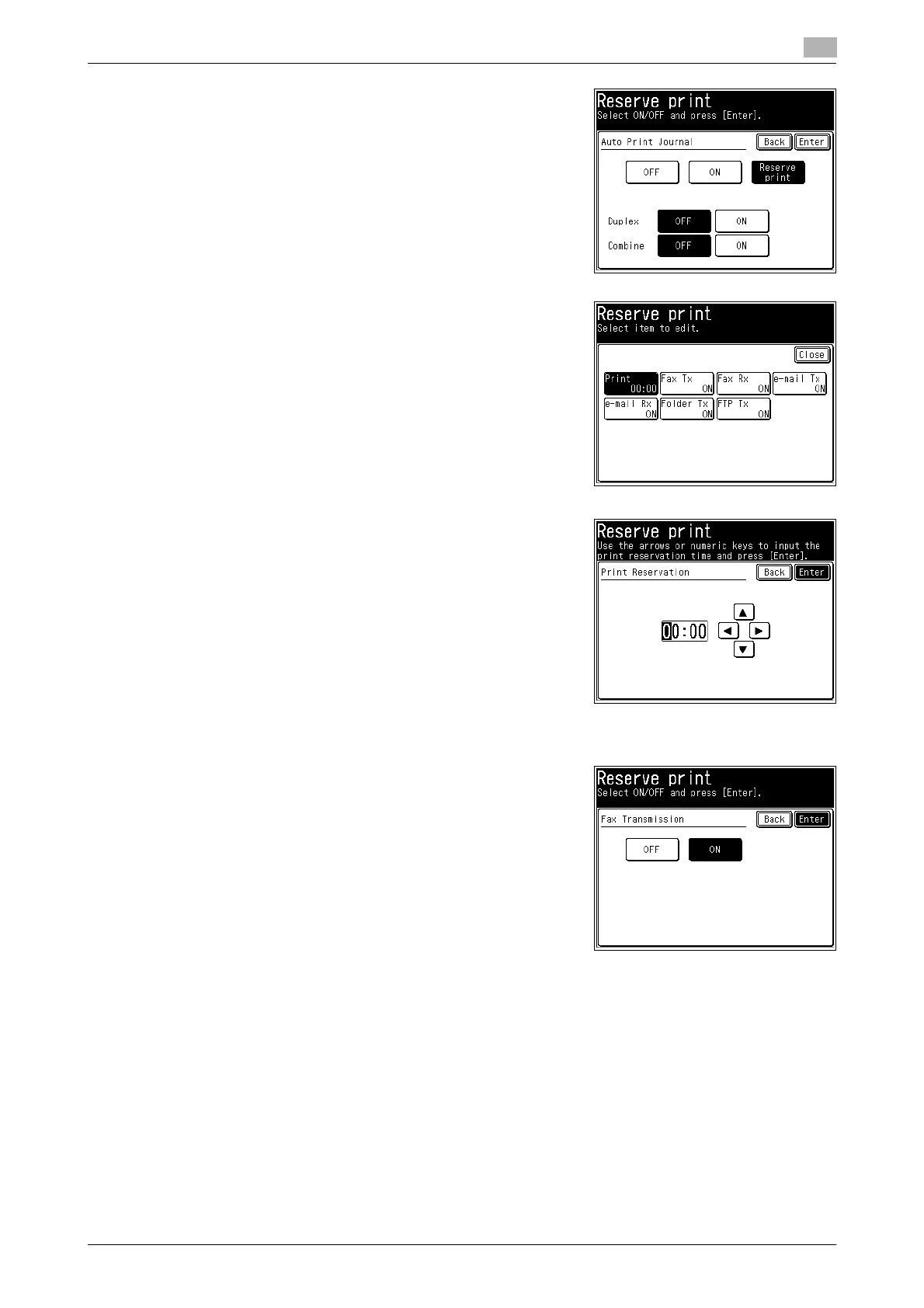
6 To set to automatically print the journal report, press [ON]. To
set the printing time, press [Reserve print].
% If you selected [ON], proceed to step 12.
% If you selected [OFF], the procedure is complete when you
press [Enter].
7 Press [Print].
8 Enter the printing time, and press [Enter].
% You can use [+], [,], and the numeric keys.
% Enter the time in the entry box in the 24 hour format.
9 Select the type of communication to print the journal report for.
10 Select [ON], and press [Enter].
% If you select [OFF], the print setting is disabled.
% To continue selecting types of communication, repeat the
operation in steps 9 and 10.
11 Press [Close].
12 Select [ON] to enable duplex printing, or [OFF] to disable it.
13 Select [ON] to enable combined printing, or [OFF] to disable it.
14 Press [Enter].














 To Next Page