Specifying destinations
6
6-12 Konica Minolta 240f
6.1
6.1.4 Specifying using search numbers
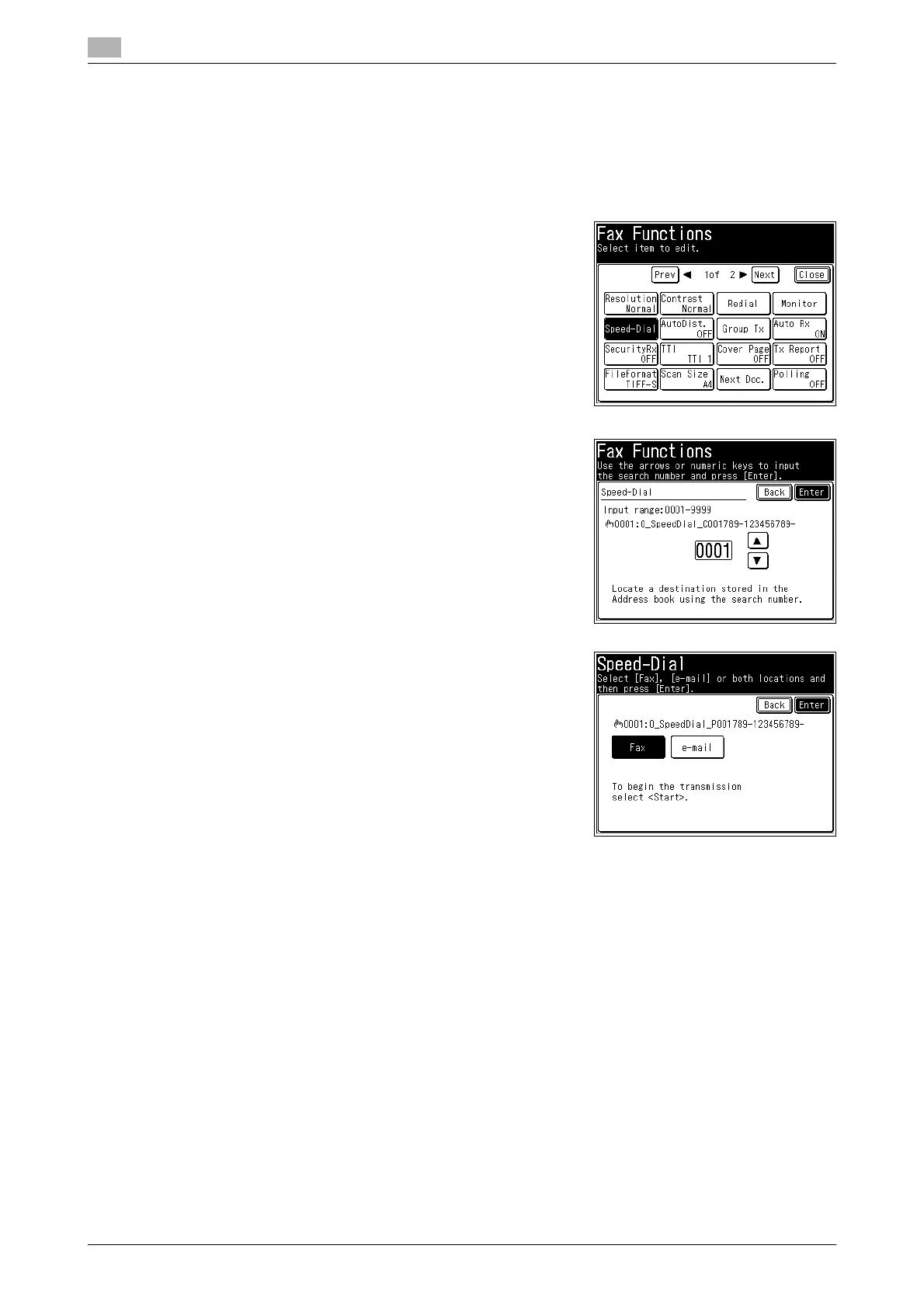
You can enter destinations by specifying registered search numbers.
1 Press <Scan> or <Fax>.
2 Press [Advanced].
3 Press [Speed-Dial].
4 Enter the search number using the numeric keys, and press
[Enter].
% You can also enter the search number using [+] and [,].
% If you pressed <Scan> in step 1, proceed to step 6.
5 Select [Fax] if transmitting a fax or
[e-mail] if transmitting an internet fax, and press [Enter].
This screen is only displayed if both a fax number and e-mail
address are registered in the address book.
6 When there are multiple destinations, repeat steps in 3 to 5.
d
You cannot use prefixes when selecting a destination using the search number.














 To Next Page