Registering other settings
8
8-44 Konica Minolta 240f
8.3
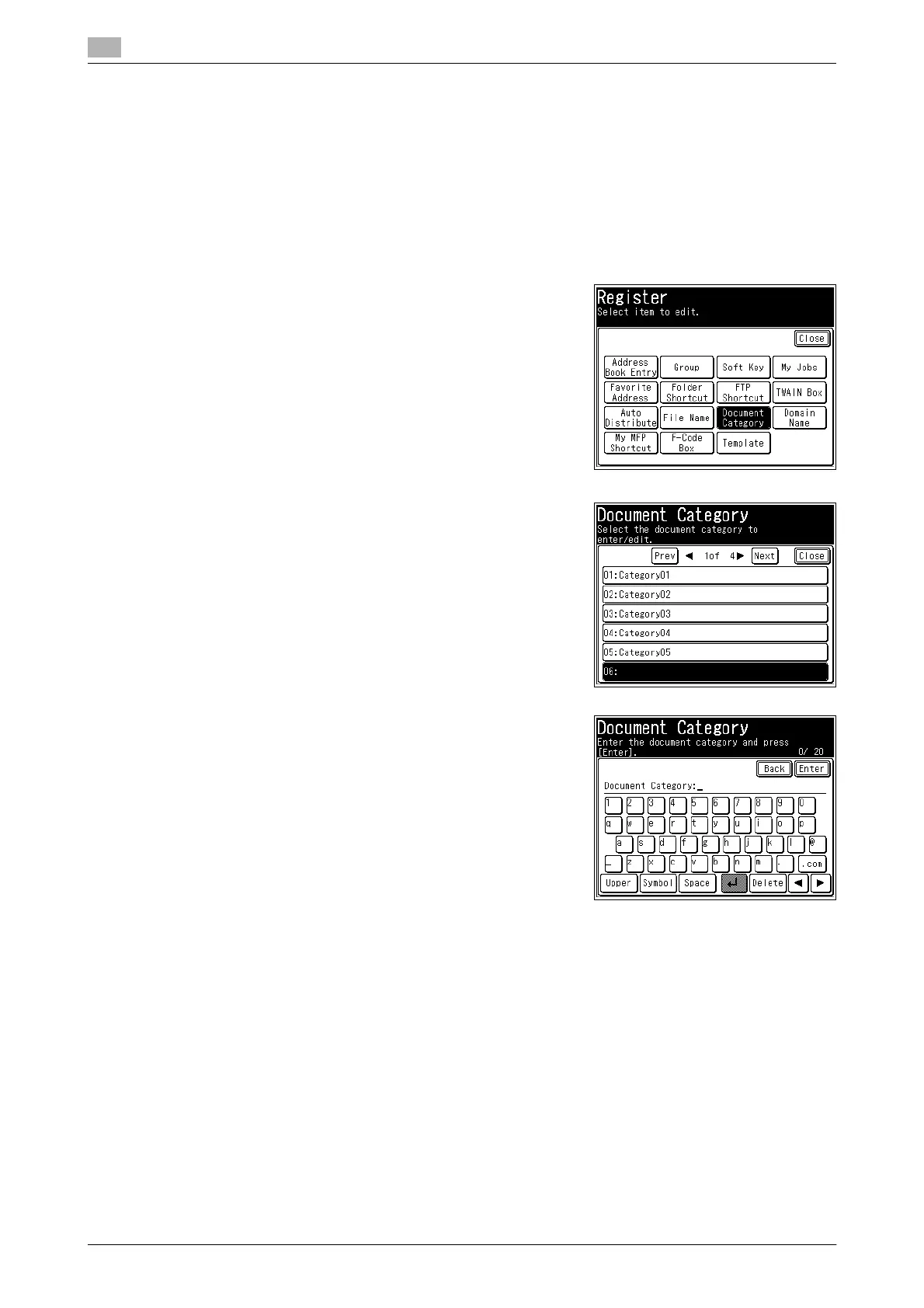
8.3.3 Registering/editing document categories
You can register up to 20 document categories to use when saving scanned documents in the box in ad-
vance.
Registering/editing
1 Press <Setting>.
2 Press [Register].
3 Press [Document Category].
4 Select a new button.
% To change a document category that is already registered,
select the document category you want to change.
5 Enter or edit the document category, and press [Enter].
% Up to 20 characters can be entered.
% For details on entering characters, refer to Chapter 2, "En-
tering Characters" in the User's Guide Administrator Oper-
ations.
% To continue to register or edit document categories, repeat
the procedure in steps 4 to 5.
Deleting
Registered document categories can be deleted from Message Board. For details, refer to Chapter 3, "Set-
ting Templates" in the User’s Guide Message Board Operations.














 To Next Page