Transmitting faxes from a computer
4
4-36 Konica Minolta 240f
4.4
4.4 Transmitting faxes from a computer
Documents created with application software can be transmitted by fax or attached to
e-mail without printing them.
The machine has the following two transmission modes:
d
Install the KONICA MINOLTA Fax to the computer before using this function. For details on installing the driv-
er, refer to Chapter 3, "Installing to Windows" in the User’s Guide Print Operations.
4.4.1 Transmitting with the simple mode
The procedure for a document created with Microsoft Office Word 2007 is described here as an example.
1 Create and edit the document to transmit.
2 Execute a print command in the application software.
% When using Microsoft Office Word 2007, click [Print(P)].
3 Select "KONICA MINOLTA Fax" as the printer.
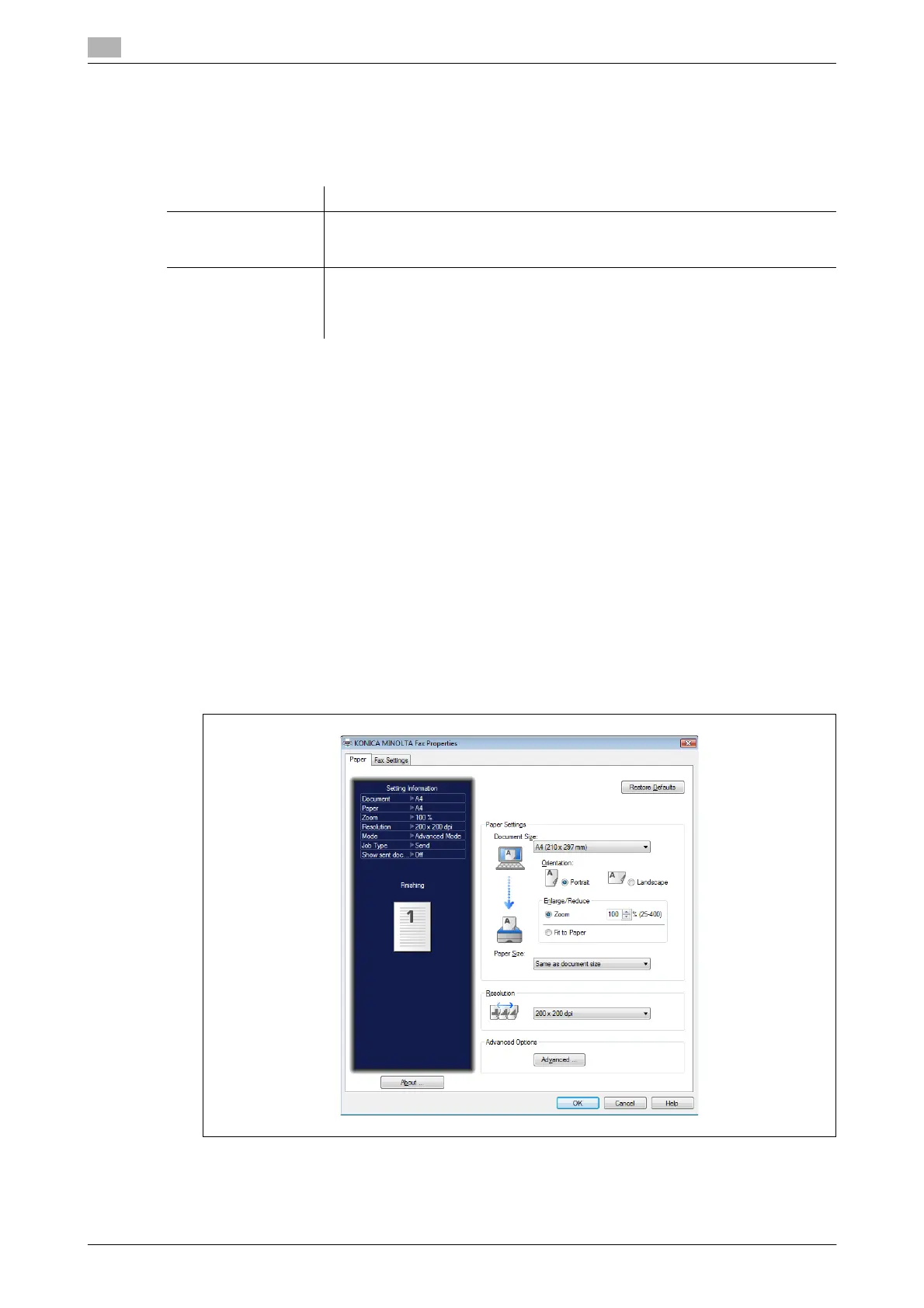
4 Open the detailed settings screen.
% When using Microsoft Office Word 2007, click [Printing Preferences].
The fax settings are displayed.
Option Description
Simple Mode In addition to specifying the destination, enables you to set the paper and reso-
lution, a cover page, the format of the file to attach to the e-mail, and transmis-
sion report settings.
Advanced Mode In addition to what can be set with the simple mode, enables you to specify the
fax transmission time and edit the subject and text of the e-mail.
You can also save the created document in a user box in order to transmit it to-
gether with other documents later.





 To Next Page