Konica Minolta 240f 4-37
4.4 Transmitting faxes from a computer
4
5 Click the [Paper] tab, and specify the detailed settings, as necessary.
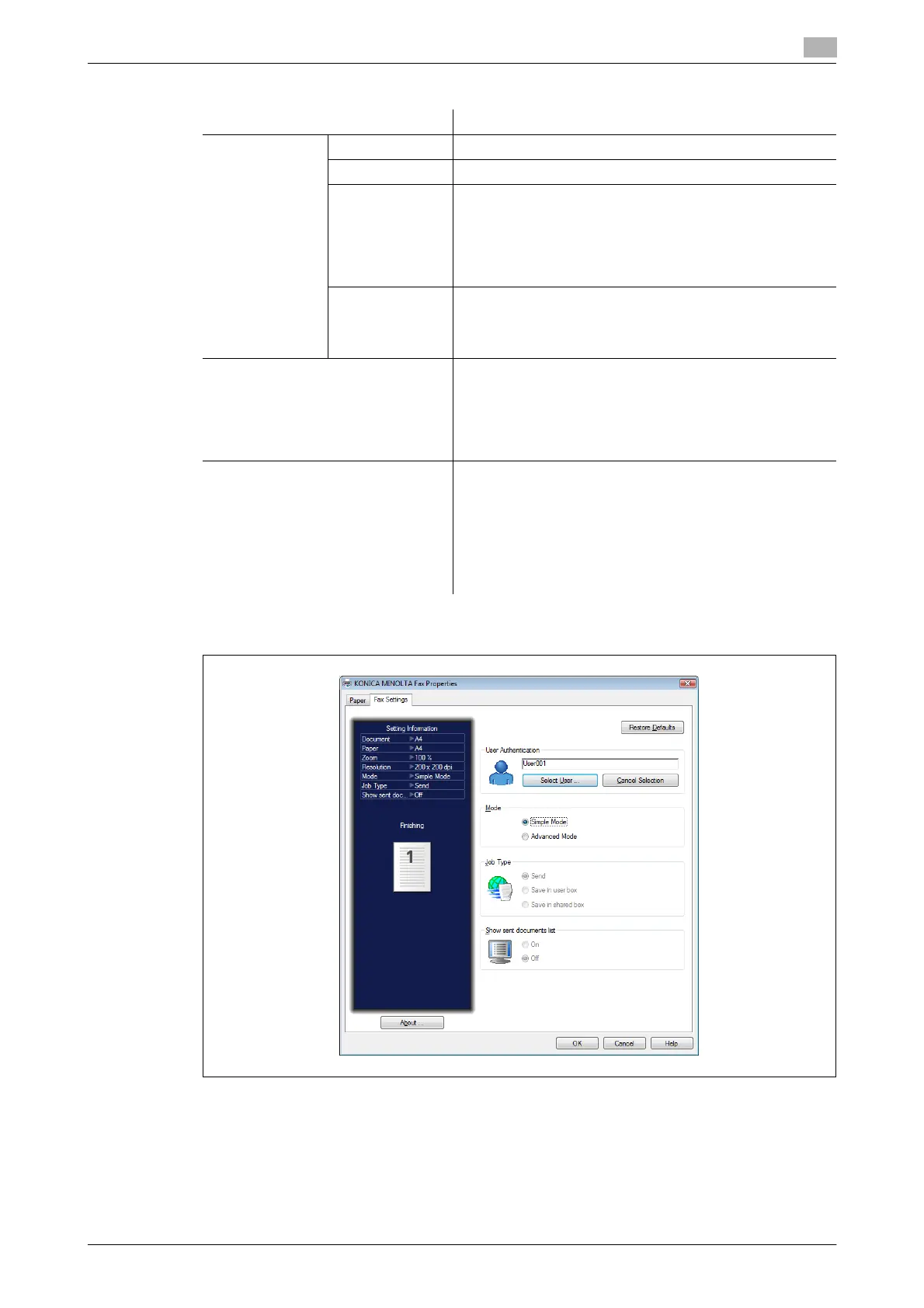
6 Click the [Fax Settings] tab.
7 If it is necessary to change the user information, click [Select User] and select the user.
Item Description
Paper Settings Document Size Select the size of the document you created.
Orientation Select the orientation of the document you created.
Enlarge/Reduce Change this setting to enlarge or reduce the document be-
fore transmitting it.
Zoom: Select the zoom ratio to specify, between 25% and
400%.
Fit to Paper: The zoom ratio is automatically set by speci-
fying the document size and paper size.
Paper Size Select the paper size to transmit with.
If you select "Same as document size," the document will
be transmitted with the same paper size as the document
size.
Resolution 200 e 200 dpi: Equivalent to setting the resolution to "Fine"
when transmitting from the machine.
400 e 400 dpi: Equivalent to setting the resolution to "Su-
per Fine" when transmitting from the machine.
600 e 600 dpi: Equivalent to setting the resolution to "Su-
per Fine" when transmitting from the machine.
Advanced Options The processing of the image data may become slower or
the printing may not be performed correctly, depending on
the application.
In such cases, printing may be able to be performed cor-
rectly by enabling this setting.
However, it is recommended that you usually use the ma-
chine with this setting disabled because it may cause print-
ing to not be performed correctly.





 To Next Page