Konica Minolta 240f 5-39
5.5 Security functions
5
5.5.5 PIN masking
To prevent unauthorized long-distance calls, some PBX (private branch exchanger) systems require a PIN
(personal identification number) entry when dialing a number.
Your machine's PIN masking feature helps you keep that PIN private.
With PIN masking activated, you can dial a number plus a PIN, but the PIN will not appear in the journal, error
message printout, delayed command list or transmission report. The PIN may contain up to eight characters
including the * or # symbols. You can enter them from the numeric keys.
d
Set the PIN mode in advance. For details on setting the PIN mode, refer to Chapter 3, "Activating the PIN
mask" in the User's Guide Administrator Operations.
Dialing in PIN mask mode 1
d
To set Mode 1, register the PIN to the fax number of the destination when registering the destination.
1 Load the document, and press <Fax>.
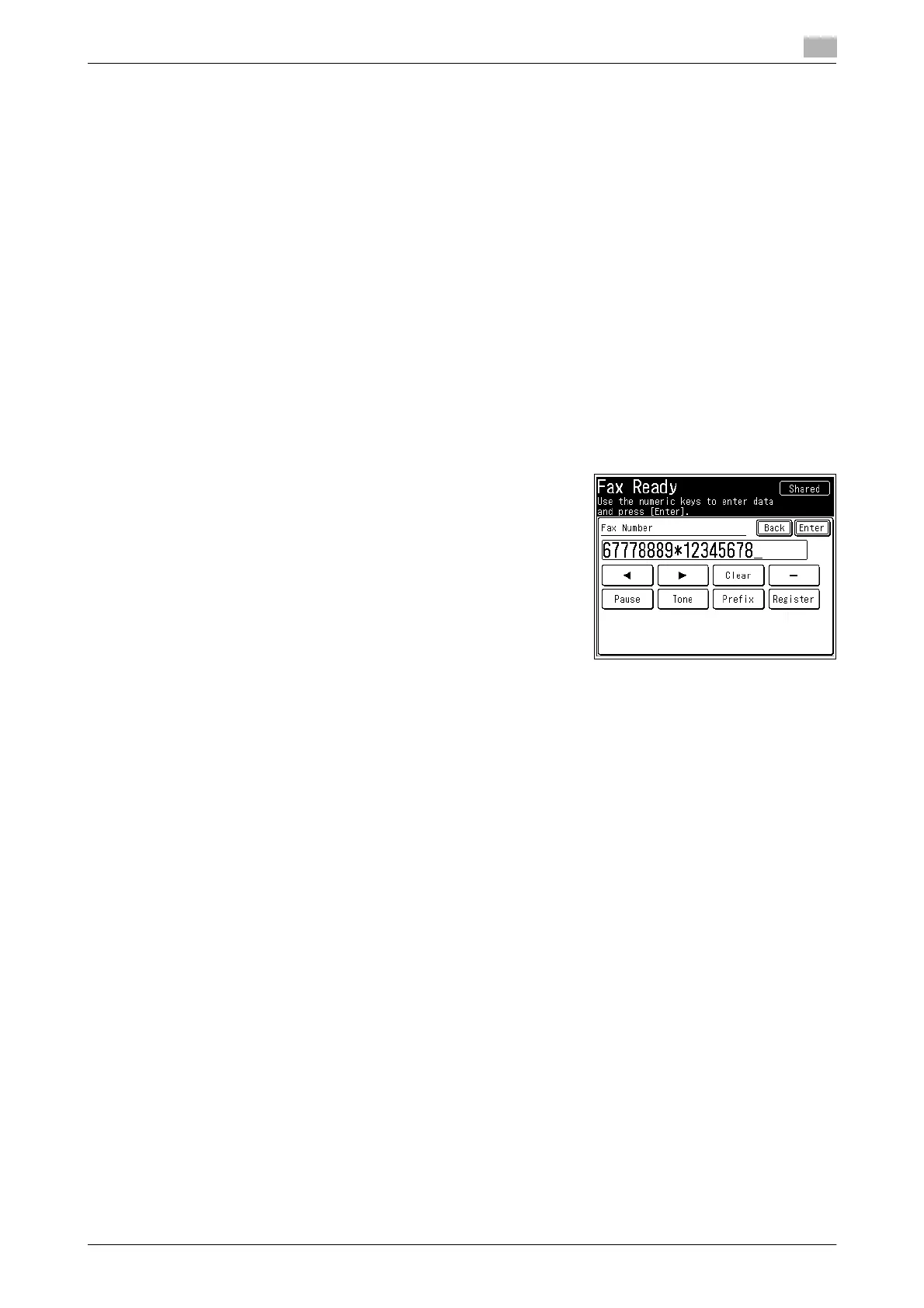
2 Enter the phone number, press * ("star") and enter the PIN.
% The PIN always follows the fax number. For example, to
dial 67778889 with a PIN of "12345678", enter
67778889*12345678.
3 Press [Enter].
4 Press <Start>.














 To Next Page