Useful internet fax functions
5
5-58 Konica Minolta 240f
5.8
5.8.3 Selecting the file format (File format)
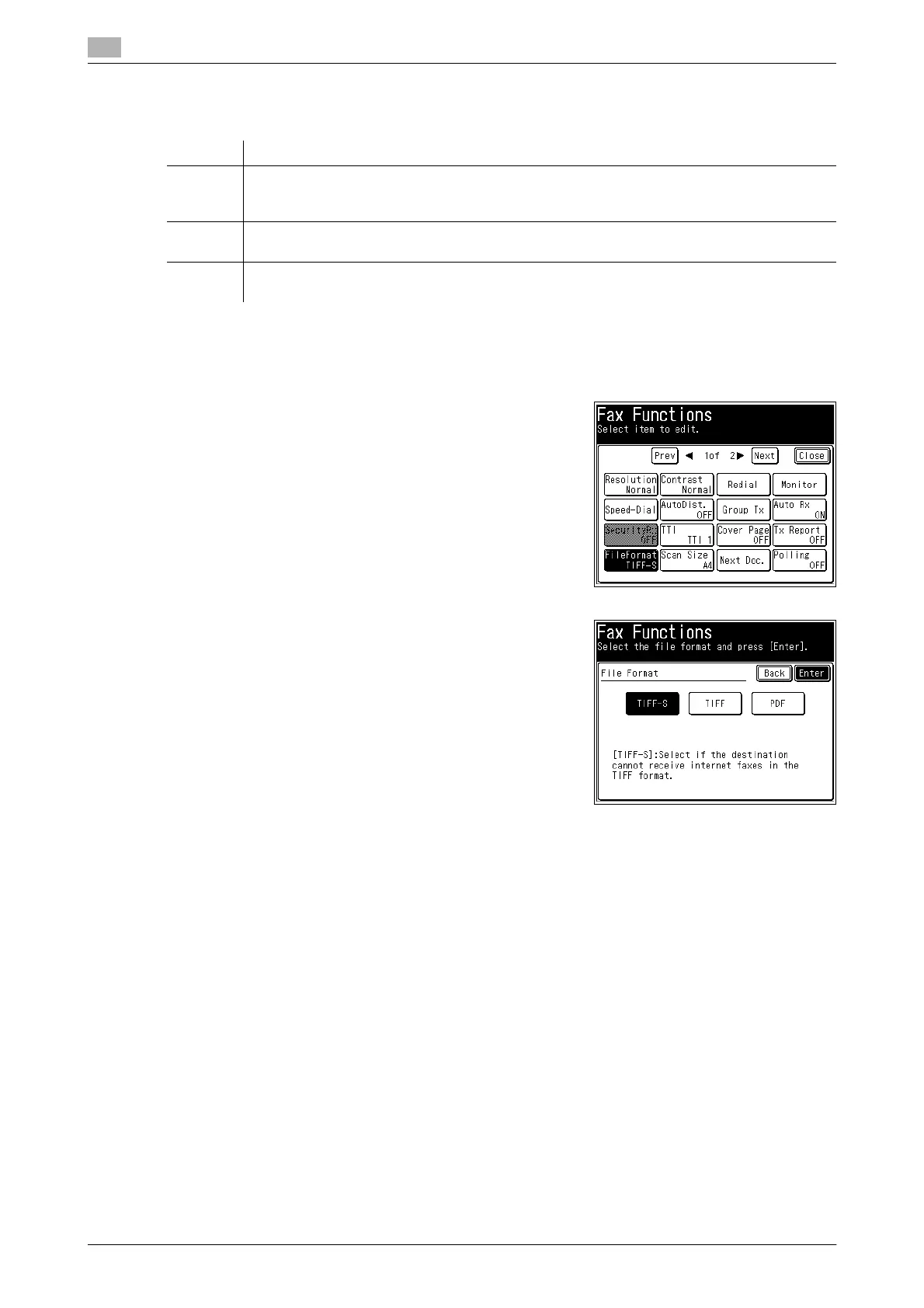
Select the file format for saving the file. You can use the following three file formats.
1 Load the document, and press <Fax>.
2 Press [Advanced].
3 Press [FileFormat].
4 Select the file format, and press [Enter].
5 Press [Close].
6 Specify the destination, and press <Start>.
% For details on specifying the destination, refer to page 6-3.
Item Description
TIFF-S The simple mode TIFF format.
Documents are all converted to A4 size, 200 dpi for transmission.
When the destination machine cannot receive TIFF files, use this file format.
TIFF The full mode TIFF format.
Documents are transmitted with the document size and resolution set when scanning.
PDF The PDF format.
Documents can be sent in this format when the destination is a computer or this product.














 To Next Page