Advanced scan features
3
3-6 Konica Minolta 240f
3.2
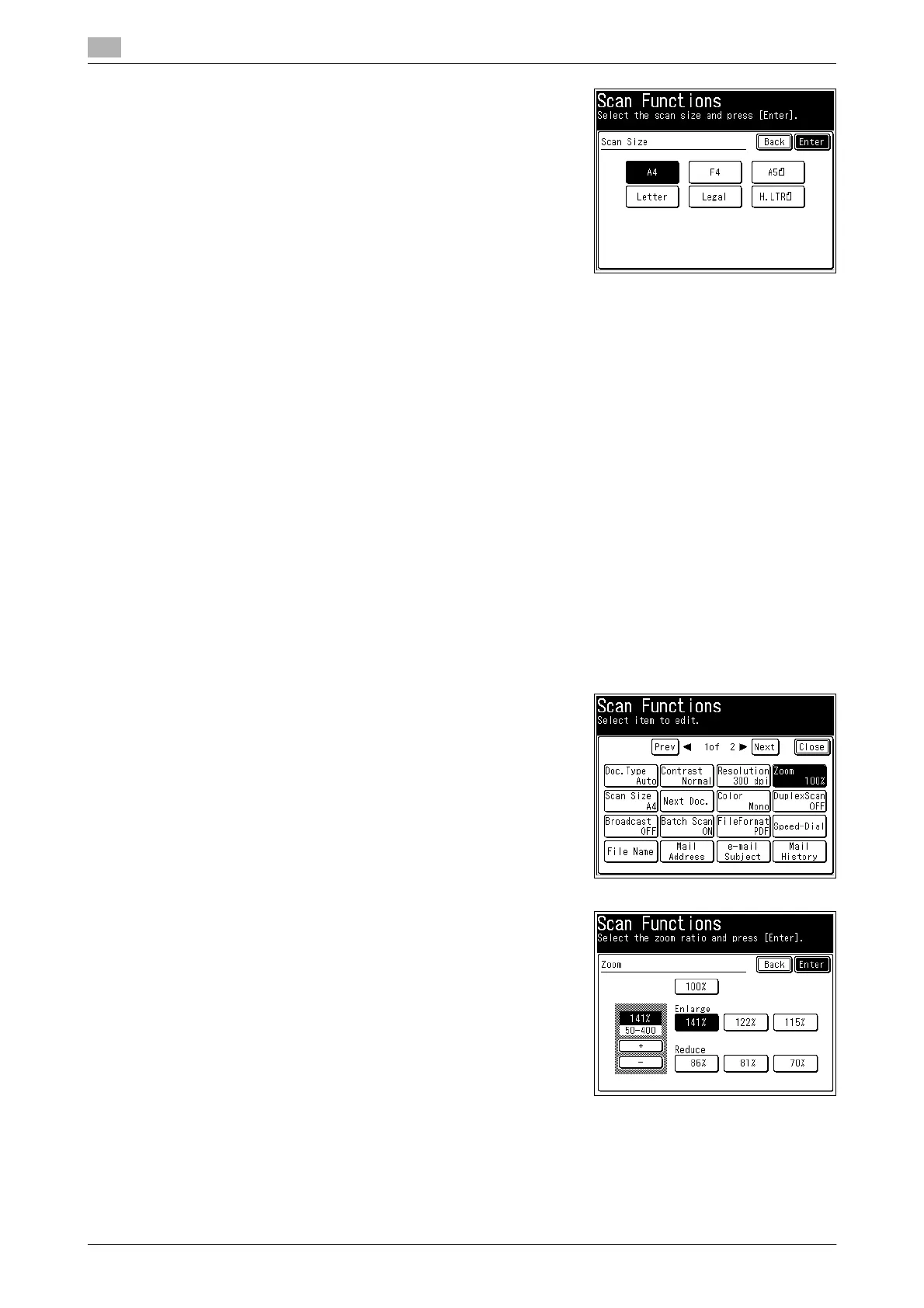
4 Select the scan size, and press [Enter].
5 Press [Close].
6 Specify the destination, and press <Start>.
% For details on the procedure, refer to page 2-3.
3.2.2 Zoom scanning (Zoom)
You can transmit or save an image scanned with an enlargement ratio or reduction ratio.
d
When enlarging the scan, you can only use the document glass.
You can set a zoom ratio between 50% and 400% when using the document glass and between 50% and
100% when using the ADF.
Depending on the selected zoom ratio, some of the image may be left out or there may be extra blank areas
on the paper.
1 Load the document, and press <Scan>.
2 Press [Advanced].
3 Press [Zoom].
4 Select an enlargement ratio or reduction ratio, and press [En-
ter].
% You can press [+] and [-] to set a free zoom ratio.
% You can use the numeric keys to set a free zoom ratio.
5 Press [Close].
6 Specify the destination, and press <Start>.
% For details on the procedure, refer to page 2-3.














 To Next Page