Konica Minolta 240f 2-9
2.1 Basic scanning
2
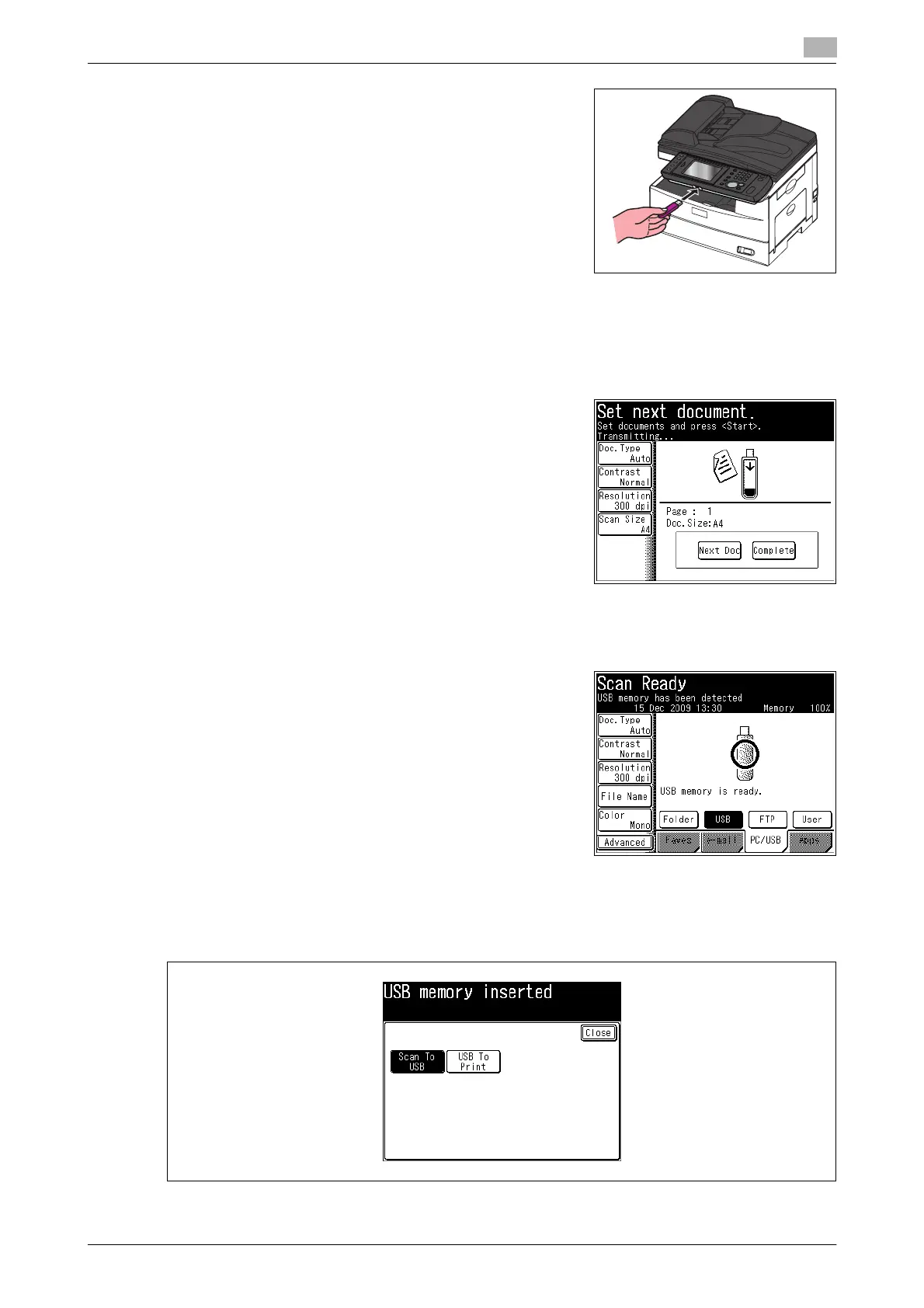
3 Connect the USB memory to the machine.
4 Specify advanced settings such as changing the file format, as necessary. For details, refer to page 3-5.
5 Press <Start>.
If you loaded the document in the ADF, this concludes the procedure.
6 If you loaded the document on the document glass, load the
next document, and press [Next Doc].
% To finish scanning, press [Complete]. Proceed to step 8.
7 Repeat step 6 to scan all the documents.
% To finish scanning, press [Complete].
8 When the message "Scan Ready" is displayed on the screen,
remove the USB cable.
d
If you connect USB memory when the machine is in the ready state, the [Scan To USB] and [USB To Print]
buttons are displayed.Press [Scan To USB], and perform the procedure in steps 4 to 7.














 To Next Page