Specifying destinations
6
6-14 Konica Minolta 240f
6.1
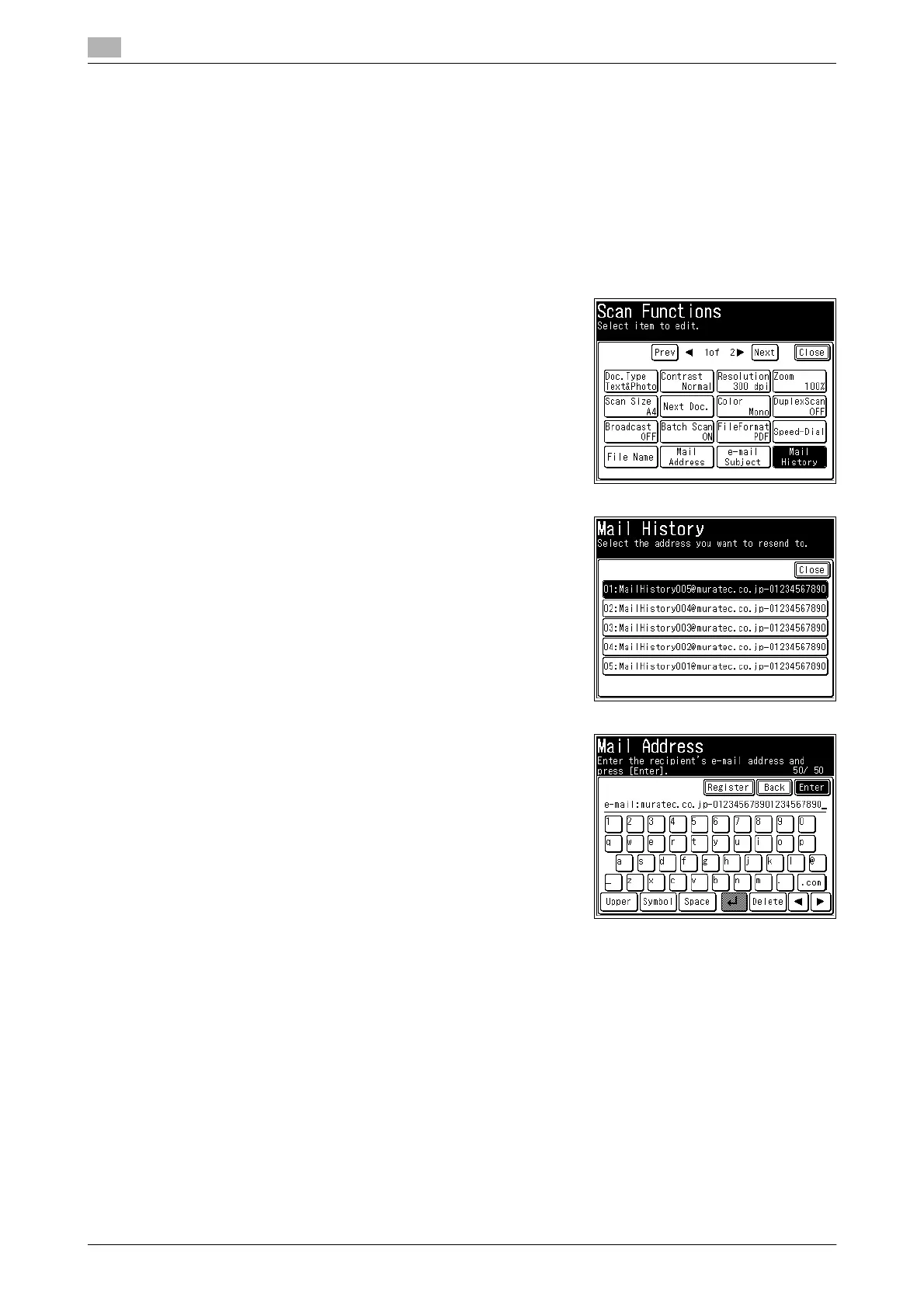
Selecting e-mail addresses from the transmission history
When transmitting an Internet Fax or using Scan to E-Mail, you can select a destination from the history of
the last 10 e-mail addresses entered. You can also edit the selected history before using it as a destination.
d
Transmission using destinations registered in the address book are not displayed in the e-mail history.
1 Press <Scan> or <Fax>.
2 Press [Advanced].
3 Press [Mail History].
4 Select the destination you want to specify.
5 To change the e-mail address, edit the address, and press
[Enter].
% To use the displayed e-mail address as it is, press [Enter]
without editing it.
% For details on entering characters, refer to Chapter 2, "En-
tering Characters" in the User's Guide Administrator Oper-
ations.
6 When there are multiple destinations, repeat steps 2 and 5.














 To Next Page