Konica Minolta 240f 8-41
8.3 Registering other settings
8
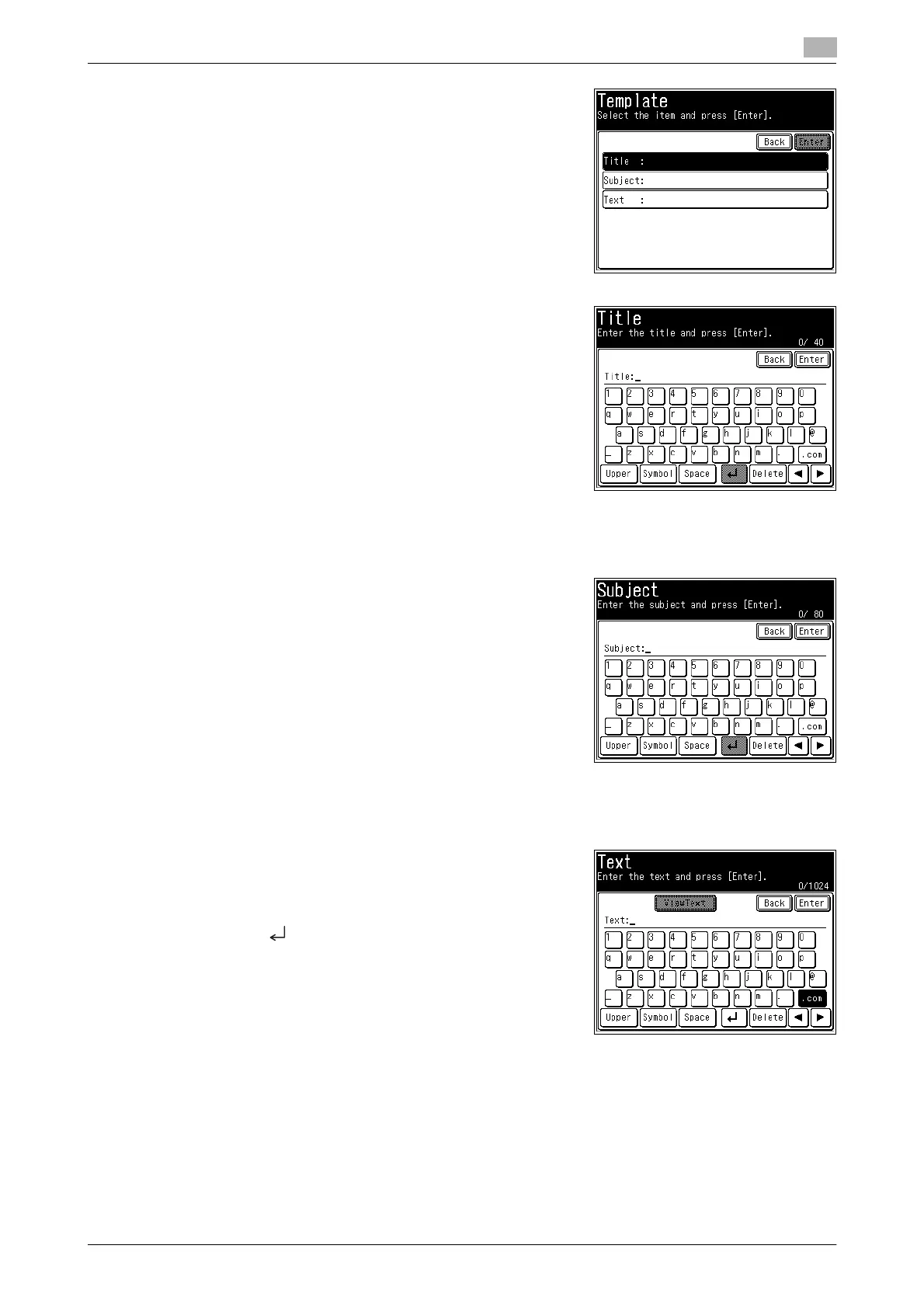
5 Press [Title].
6 Edit the title, and press [Enter].
% For details on entering characters, refer to Chapter 2, "En-
tering Characters" in the User's Guide Administrator Oper-
ations.
7 To enter a subject, press [Subject].
% If you do not want to enter a subject, proceed to step 8.
8 Enter or edit the subject, and press [Enter].
% For details on entering characters, refer to Chapter 2, "En-
tering Characters" in the User's Guide Administrator Oper-
ations.
9 To enter the message, press [Text].
% If you do not want to enter the message, proceed to step 10.
10 Enter or edit the message, and press [Enter].
% For details on entering characters, refer to Chapter 2, "En-
tering Characters" in the User's Guide Administrator Oper-
ations.
% Press [ ] to enter a line break. A line break takes up two
characters.
11 Press [Enter].
% To continue to register or edit templates, repeat the procedure in steps 4 to 1.














 To Next Page