Advanced scan features
3
3-24 Konica Minolta 240f
3.2
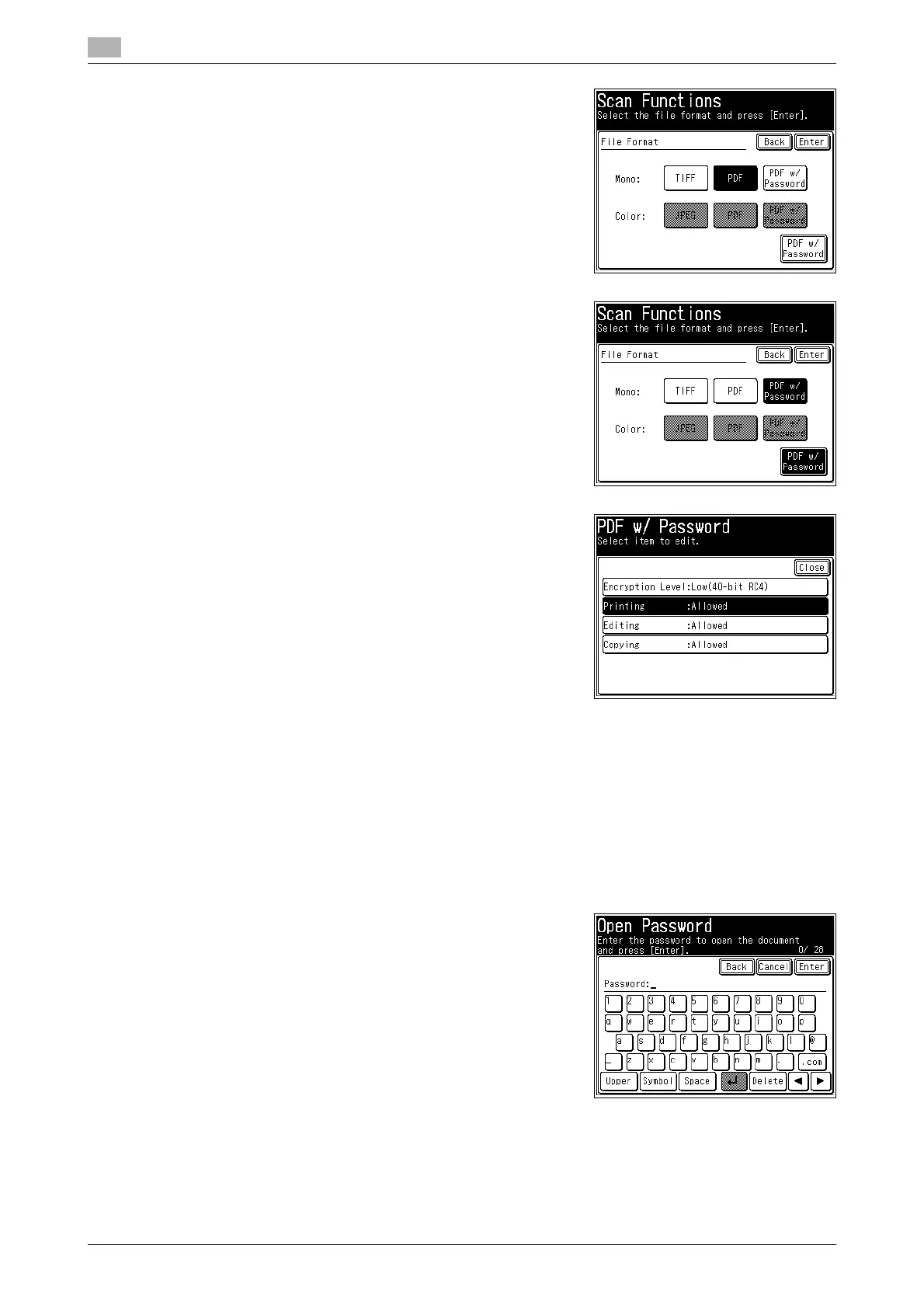
4 Select the file format.
% The selectable file formats differ according to the selected
scan format (color or monochrome).
5 If you selected encrypted PDF in step 4, press [PDF w/ Pass-
word] to change the encryption settings.
% Otherwise, proceed to step 8.
6 Set the detailed encryption settings, as necessary.
7 Press [Close].
8 Press [Enter].
9 Press [Close].
10 Specify the destination, and press <Start>.
% For details on the procedure, refer to page 2-3.
% If you selected a file format other than encrypted PDF, the procedure is complete.
11 To set a password for opening the document, enter the pass-
word and press [Enter].
% If you do not want to set a password for opening the doc-
ument, press [Enter] without entering a password.
12 Enter the password set in step 11 again, and press [Enter].
% If you did not enter a password in step 11, this screen is not displayed.














 To Next Page