Konica Minolta 240f 3-27
3.2 Advanced scan features
3
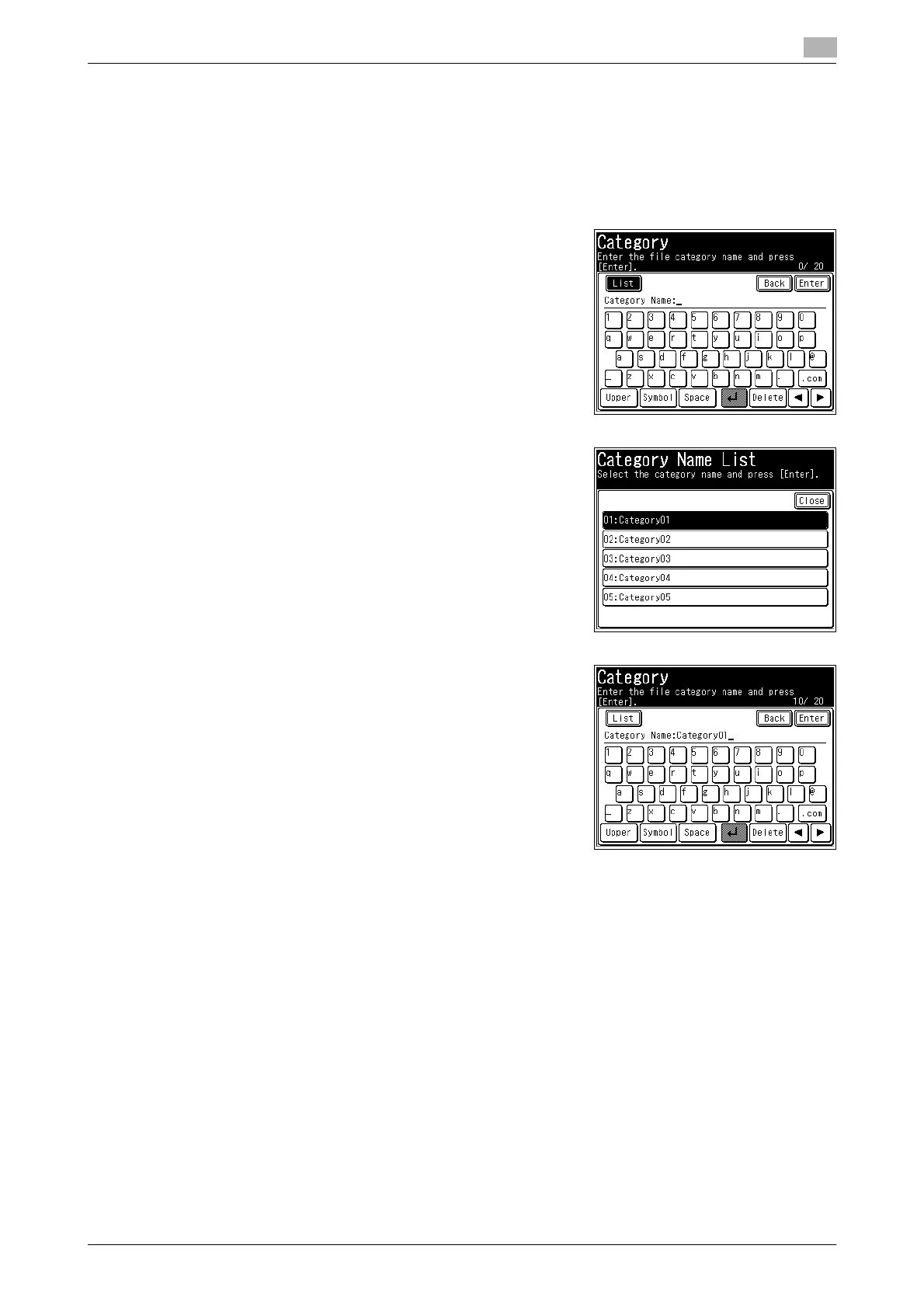
Using a document category
1 Load the document, and press <Scan>.
2 Press [Advanced].
3 Press [Category].
4 Press [List].
5 Select the document category that you want to use.
6 Edit the document category, as necessary, and press [Enter].
% For details on entering characters, refer to Chapter 2, "En-
tering Characters" in the User's Guide Administrator Oper-
ations.
% If you do not want to edit it, proceed to step 7.
7 Press [Close].
8 Specify the destination, and press <Start>.
% For details on the procedure, refer to page 2-6.














 To Next Page