Konica Minolta 240f 3-35
3.3 Scanning documents using a TWAIN box
3
5 If an I.D. code is set for the TWAIN box, enter the I.D. code and press [Enter].
% If no I.D. code is set, proceed to step 6.
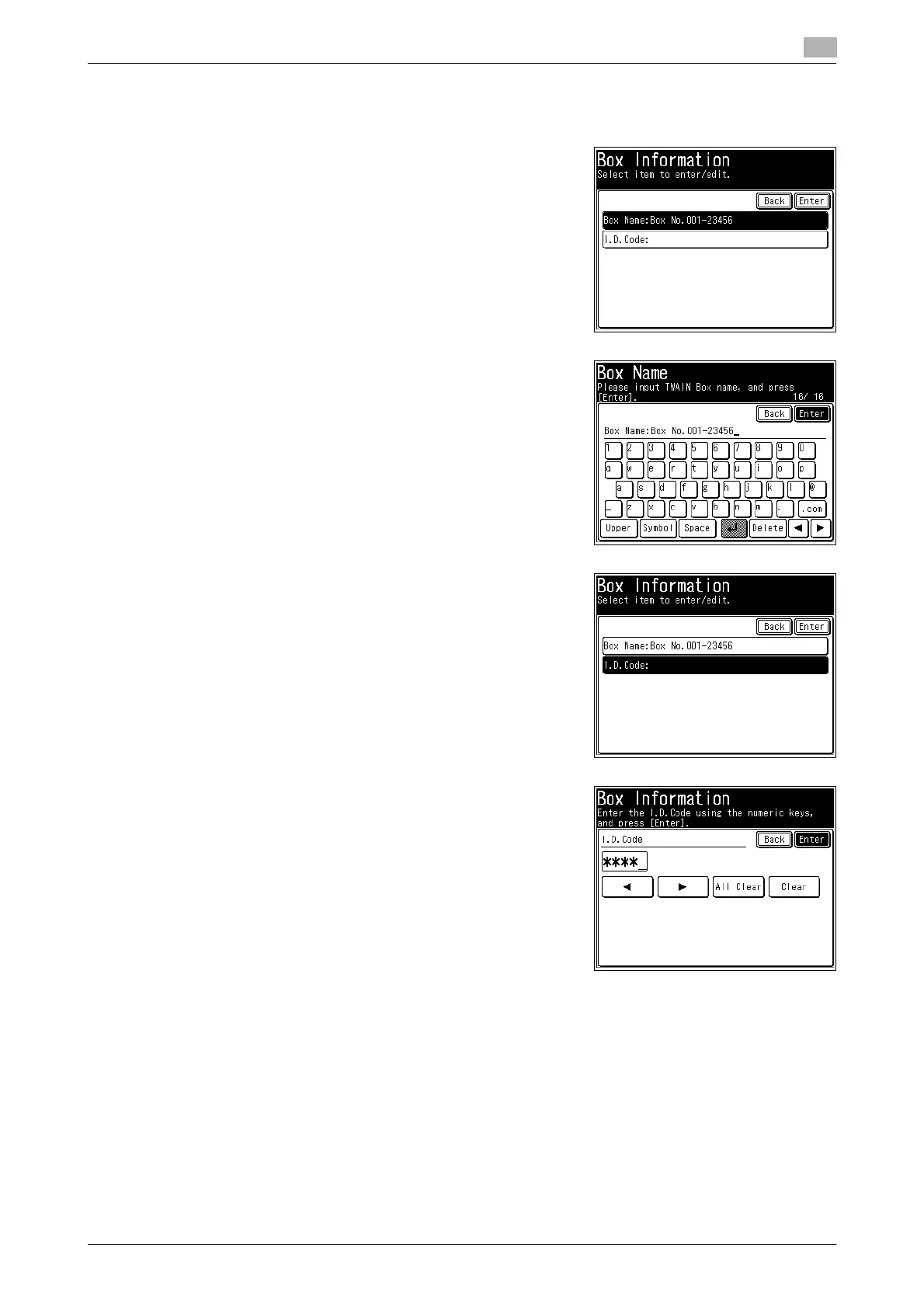
6 To register or edit the name, press [Box Name].
% If you do not want to register or edit the name, proceed to
step 8.
7 Register or edit the name, and press [Enter].
% Up to 16 characters can be entered.
% For details on entering characters, refer to Chapter 2, "En-
tering Characters" in the User's Guide Administrator Oper-
ations.
8 To register or edit the I.D code, press [I.D.Code].
% If you do not want to register or edit the I.D. code, proceed
to step 10.
9 Register or edit the I.D. code, and press [Enter].
% Up to 4 characters can be registered.
% To disable the I.D. code, enter "0000".
10 Press [Close].
% To continue to change other TWAIN box settings, repeat steps 3 to 10 of the operation.














 To Next Page