Initial setup (User install)
4
4-10 Konica Minolta 240f
4.1
Registering your name or company name (TTI)
You can register three TTI's (Transmit Terminal Identifier).
1 Press <Setting>.
2 Press [Management].
% If an administrator password is set, enter the password and press [Enter].
3 Press [User Install].
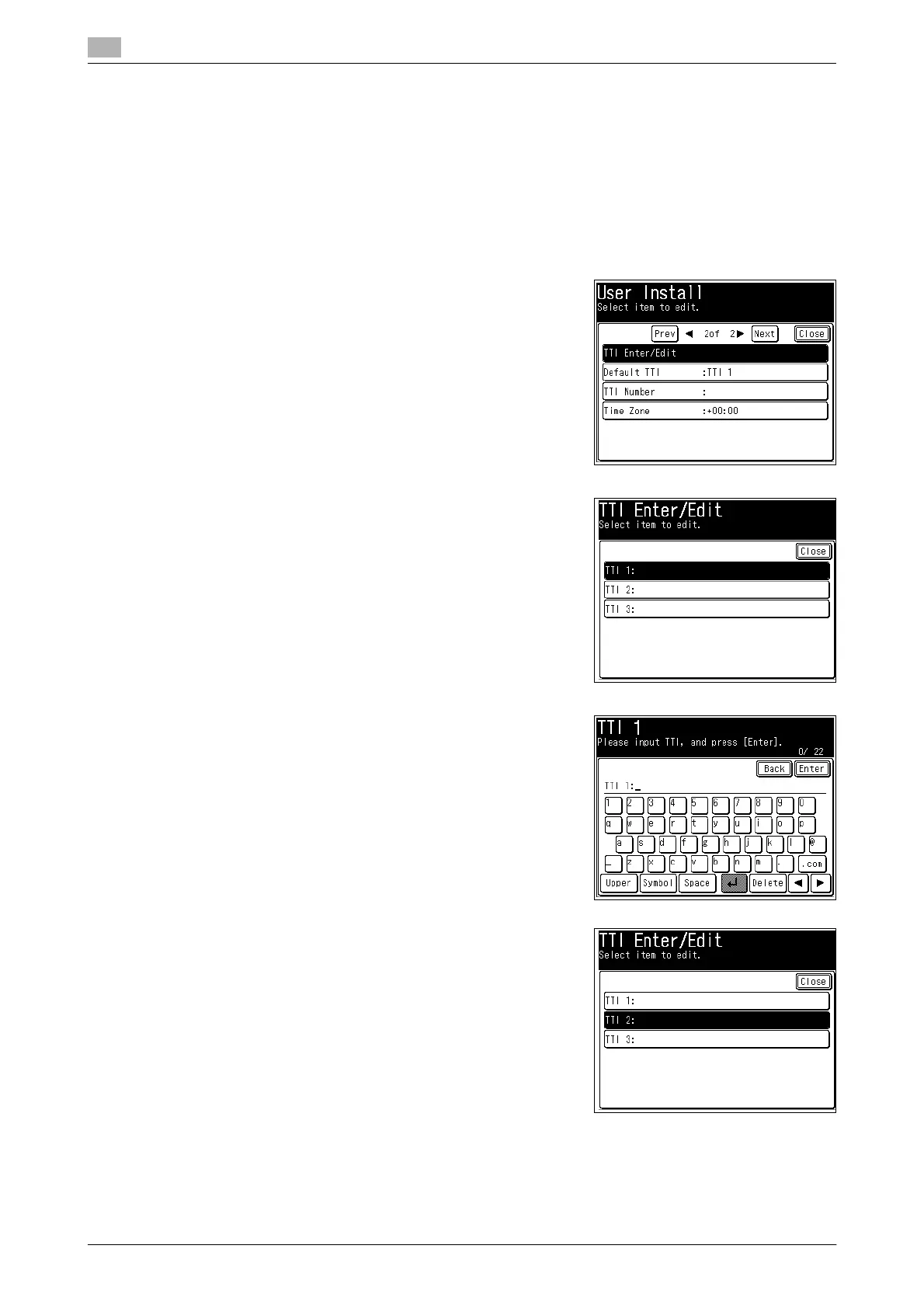
4 Press [TTI Enter/Edit].
5 Press [TTI 1].
6 Enter the sender name (your name or company name), and
press [Enter].
% You can enter up to 22 characters for the sender name.
% For details on entering characters, refer to Chapter 2, "En-
tering Characters" in the User's Guide Administrator Oper-
ations.
7 To register TTI2 and TTI3, press [TTI2] or [TTI3], and repeat the
operation in step 6.














 To Next Page