Konica Minolta 240f 4-17
4.2 Basic faxing
4
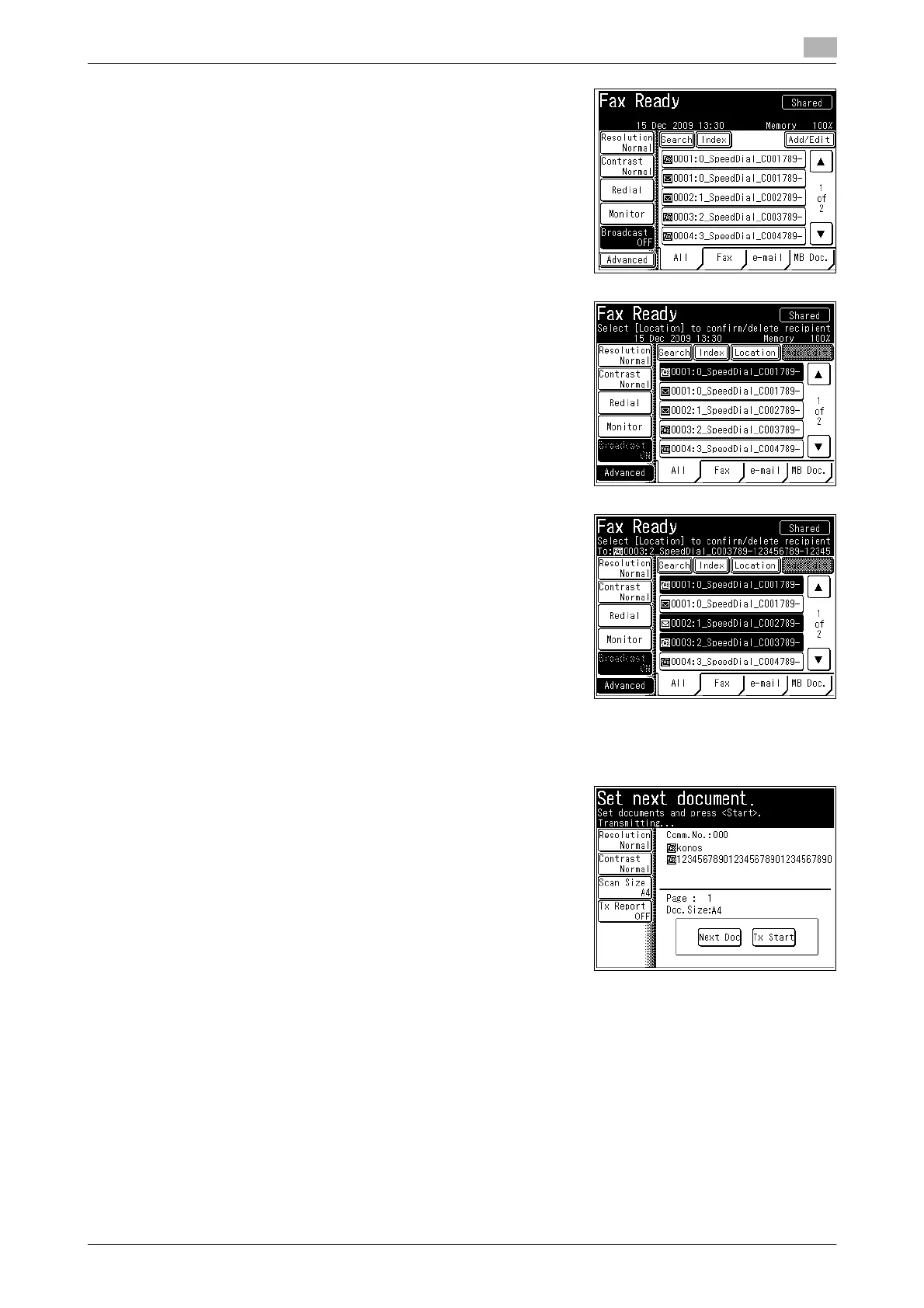
2 Press [Broadcast].
The broadcast function is enabled / disabled each time you
press [Broadcast].
3 Specify the destination.
% For details on specifying the destination, refer to page 6-4.
4 Repeat step 3 to specify all the destinations.
% If you specify a destination in the address book, that des-
tination will be canceled if you select it again.
% Press [Location] to confirm or delete the specified destina-
tions. For details, refer to page 6-15.
5 Press <Start>.
If you loaded the document in the ADF, this concludes the procedure.
6 If you loaded the document on the document glass, load the
next document, and press [Next Doc].
% Press [Tx Start] to start transmission.
7 Repeat step 6 to scan all the documents.
% To finish scanning, press [Tx Start].
d
For details on canceling transmission, refer to page 4-22.














 To Next Page