3
3-1. Key information
Before driving
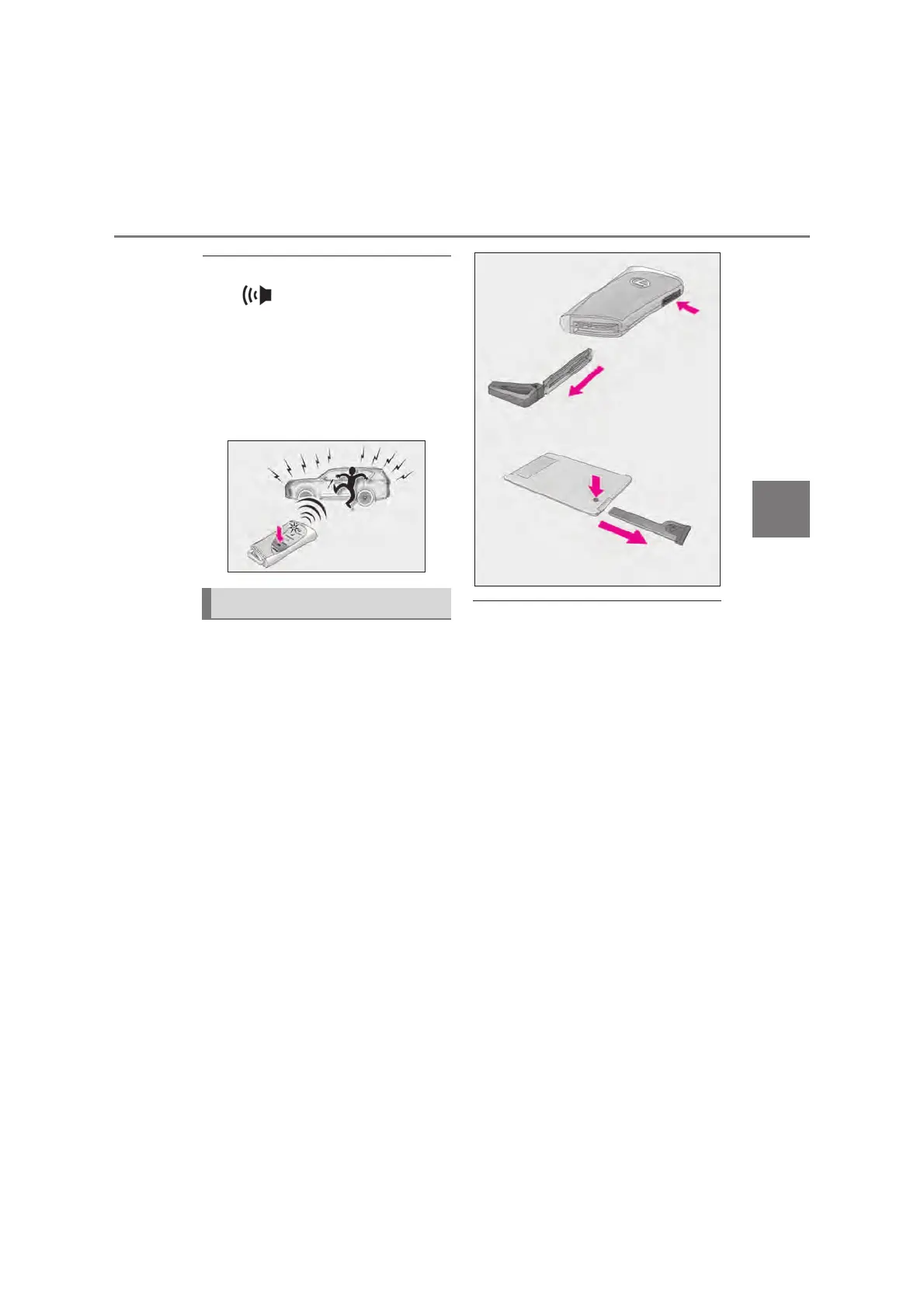
Q Panic mode (if equipped)
When is pressed for longer than
about 1 second, an alarm will sound inter-
mittently and the vehicle lights will flash to
deter any person from trying to break into
or damage your vehicle.
To stop the alarm, press any button on the
electronic key.
To take out the mechanical key, push
the release button and take the key out.
The mechanical key can only be inserted in
one direction, as the key only has grooves
on one side. If the key cannot be inserted in
a lock cylinder, turn it over and re-attempt
to insert it.
After using the mechanical key, store it in
the electronic key. Carry the mechanical
key together with the electronic key. If the
electronic key battery is depleted or the
entry function does not operate properly,
you will need the mechanical key.
(oP.609)
Q When required to leave the vehicle’s
key with a parking attendant
Lock the glove box (oP.480) as neces-
sary.
Remove the mechanical key for your own
use and provide the attendant with the elec-
tronic key only.
Vehicles with fingerprint authentication sys-
tem: To start the engine when the finger-
print authentication system is on, touch the
electronic key to the engine switch while
depressing the brake pedal, and then press
the engine switch. (oP.610)
Q If you lose your mechanical keys
oP.608
Using the mechanical key



 To Next Page