4
4-5. Using the driving support systems
Driving
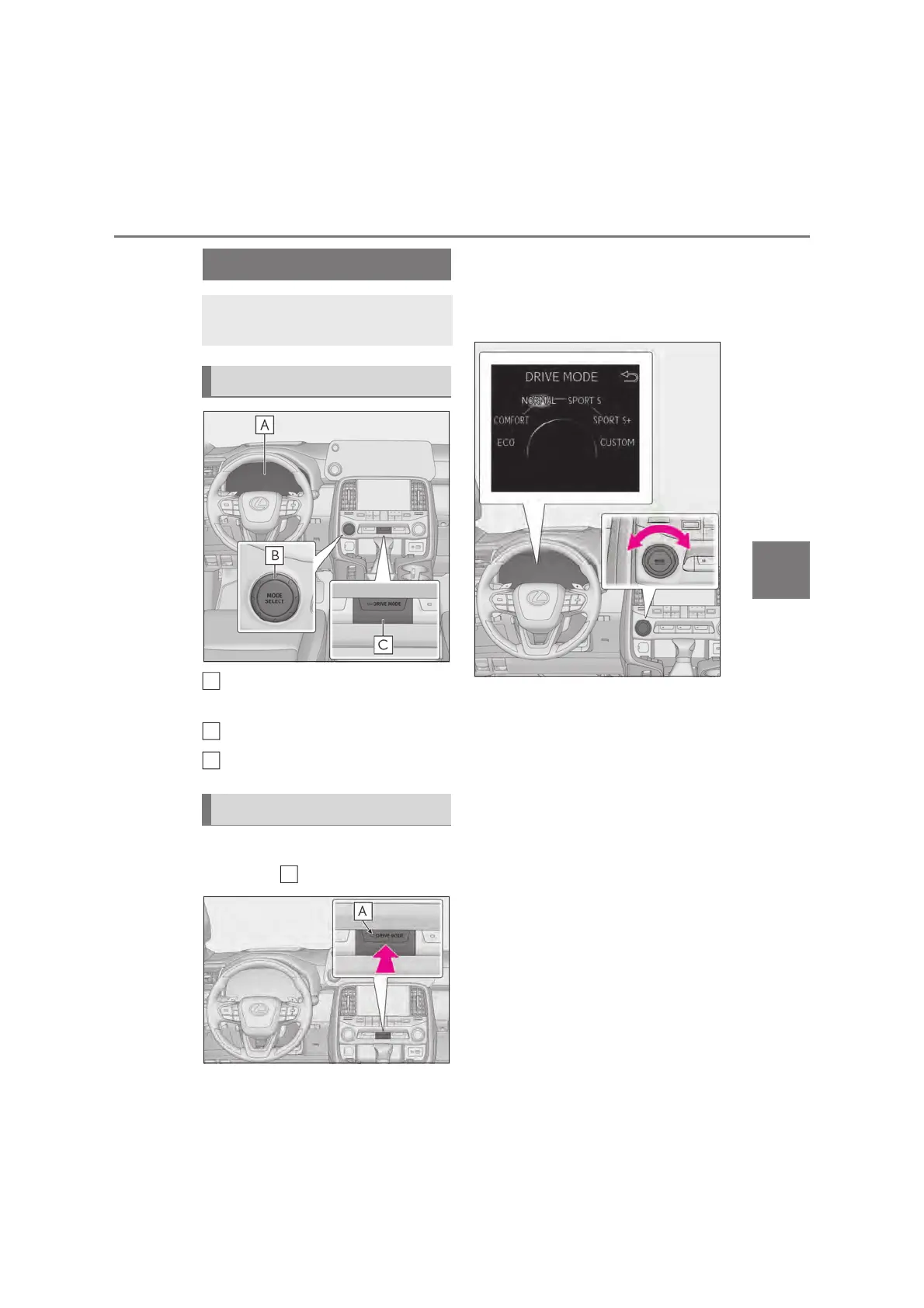
Multi-information display
(oP.124)
MODE SELECT switch
DRIVE MODE switch
Press the DRIVE MODE switch.
The indicator on the switch will turn on.
Select the driving modes on the
multi-information display while
turning the MODE SELECT switch
left and right.
• Normal mode
Provides an optimal balance of fuel econ-
omy, quietness, and dynamic performance.
Suitable for city driving.
•Comfort mode
By controlling the suspension, riding com-
fort is further enhanced. Suitable for city
driving. The comfort mode indicator
comes on.
• Eco drive mode
Helps the driver accelerate in an eco-
friendly manner and improve fuel economy
through moderate throttle characteristics
and by controlling the operation of the air
conditioning system (heating/cooling). The
Eco drive mode indicator comes on.
•SPORT S mode
Assists acceleration response by con-
trolling the transmission. This mode is suit-
Driving mode select switch
The driving modes can be selected
to suit driving condition.
System components
Selecting the driving mode
A
A



 To Next Page