4
4-5. Using the driving support systems
Driving
When the four-wheel drive control
switch is in H4 and Multi-terrain Select
is off, the various screens display infor-
mation to support several different
driving situations, such as when check-
ing for obstacles when moving forward
The moving view screen and the see-
through view screen provide support
when checking the areas of around the
vehicle while parking. These screens
display an image of the vicinity of the
vehicle combined from the 4 cameras.
The screen will display a 360° view
around the vehicle from either inside
the vehicle or from a birds-eye view at
an angle.
To display the moving view/see-
through view screen, press the VIEW
switch when the shift lever is in the P
position and the Lexus parking assist-
sensor is enabled.
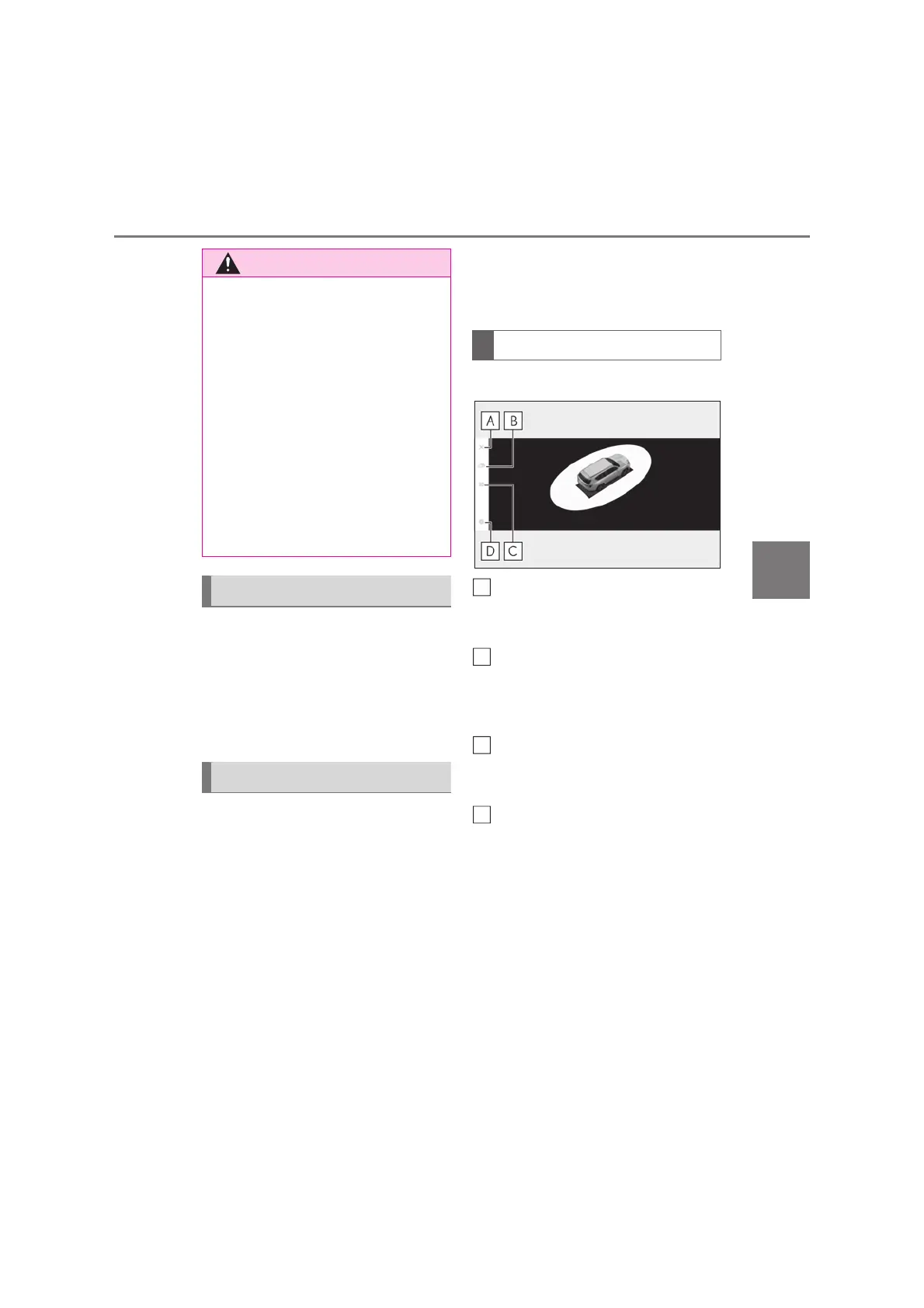
X Moving view
Display off button
Changes the screen back to the previously
displayed screen, such as the audio screen.
Display mode switching button
Select to change the display mode
between the moving view and the see-
through view.
Rotation pause/resume button
Pauses and resumes the rotation of the dis-
play.
Setting button
Changes settings, such as the automati-
cally display cornering view, the vehicle
body color, the Lexus parking assist-sen-
sor detection distance. (oP.390)
Q Under vehicle terrain view (rear side)
display
O The image displayed is one that was
previously taken at a point in front of
the current vehicle position. In cases
such as when objects move after the
image is taken, the image displayed on
the screen may differ from the actual
state. In addition, when driving in the
dark such as at night, there are cases
when obstacles cannot be confirmed
from the image.
O The area covered by the camera is lim-
ited. When driving, be sure to check
the vehicle’s surroundings with your
own eyes and the vehicle’s mirrors.
Screen display and functions
Checking around the vehicle
Screen display
A
B
C
D



 To Next Page