5
5-1. Display
Interior features
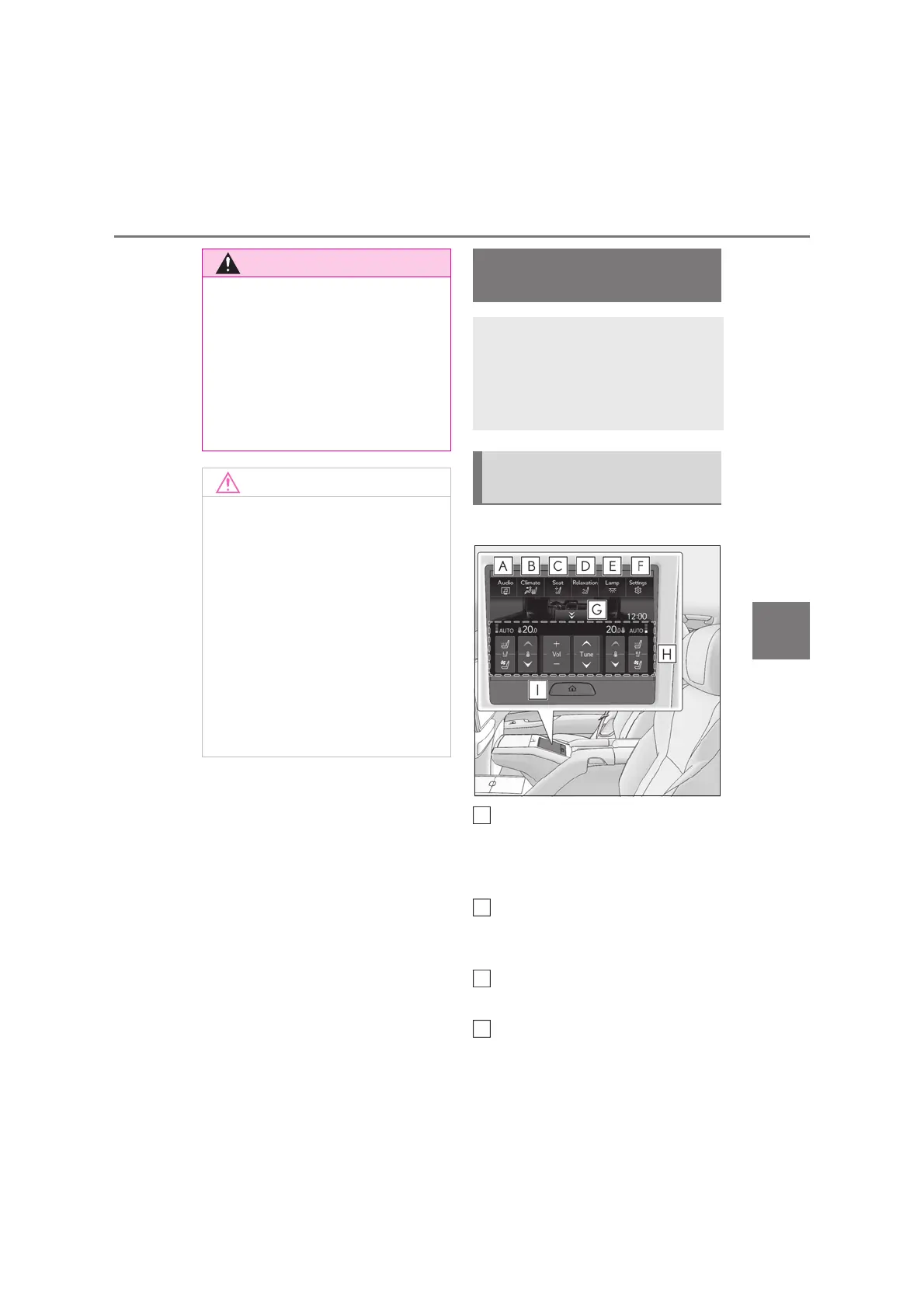
Q Home screen
Touch to display the audio control
screen.
Refer to “Multimedia Owner’s
Manual”.
Touch to display the rear air condi-
tioning control screen. (oP.465,
469)
Touch to display the rear seat
adjustment screen. (oP.179, 208)
Touch to display the relaxation seat
control screen. (oP.182)
Q Use when driving
For safety reasons, drivers should avoid
performing operations as much as possi-
ble while driving. Performing operations
while driving may cause the driver to
mistakenly operate the steering wheel,
which may lead to an accident. Stop the
vehicle before using. Furthermore, avoid
looking at the screen as much as possible
while driving.
Q Cleaning the screen
If the screen becomes dirty, wipe it gently
using a soft dry cloth such as an eyeglass
cleaner for plastic lenses.
Pressing it excessively by hand or rub-
bing it with a hard cloth may scratch the
surface. Note that the LCD is coated.
The screen may be damaged if exposed
to substances such as gasoline or alka-
line solutions.
Q Preventing battery discharge
Do not operate the screen for a long
period of time when the engine is
stopped.
Rear Multi Operation Panel
(4-passenger models)
The Rear Multi Operation Panel
built-into the rear armrest can be
used to operate the rear audio sys-
tem, air conditioning system, seat,
relaxation seat or lights.
Rear Multi Operation Panel
overview
A
B
C
D



 To Next Page