5-6. Using the other interior features
Press a programmed HomeLink
®
button to operate a garage door.
Within 1 minute of pressing the
HomeLink
®
button, after the
garage door operation has
stopped, press the “Learn” or
“Smart” button on the garage door
opener motor. Within 5 seconds of
the establishment of 2-way com-
munication with the garage door
opener, both garage door opera-
tion indicators in the vehicle will
flash rapidly (green) and the light
on the garage door opener motor
will blink twice, indicating that 2-
way communication is enabled.
Q Reprogramming a single
HomeLink
®
button
When the following procedure is per-
formed, buttons which already have
devices registered to them can be
overwritten:
Press and hold the desired
HomeLink
®
button.
When the HomeLink
®
indicator
starts flashing orange, release the
HomeLink
®
button and perform
“Programming HomeLink
®
” step
(it takes 20 seconds for the
HomeLink
®
indicator to start flash-
ing).
Q Before programming
O Install a new battery in the transmitter.
O The battery side of the transmitter must
be pointed away from the HomeLink
®
buttons.
Press the appropriate HomeLink
®
button. The HomeLink
®
indicator light
should turn on.
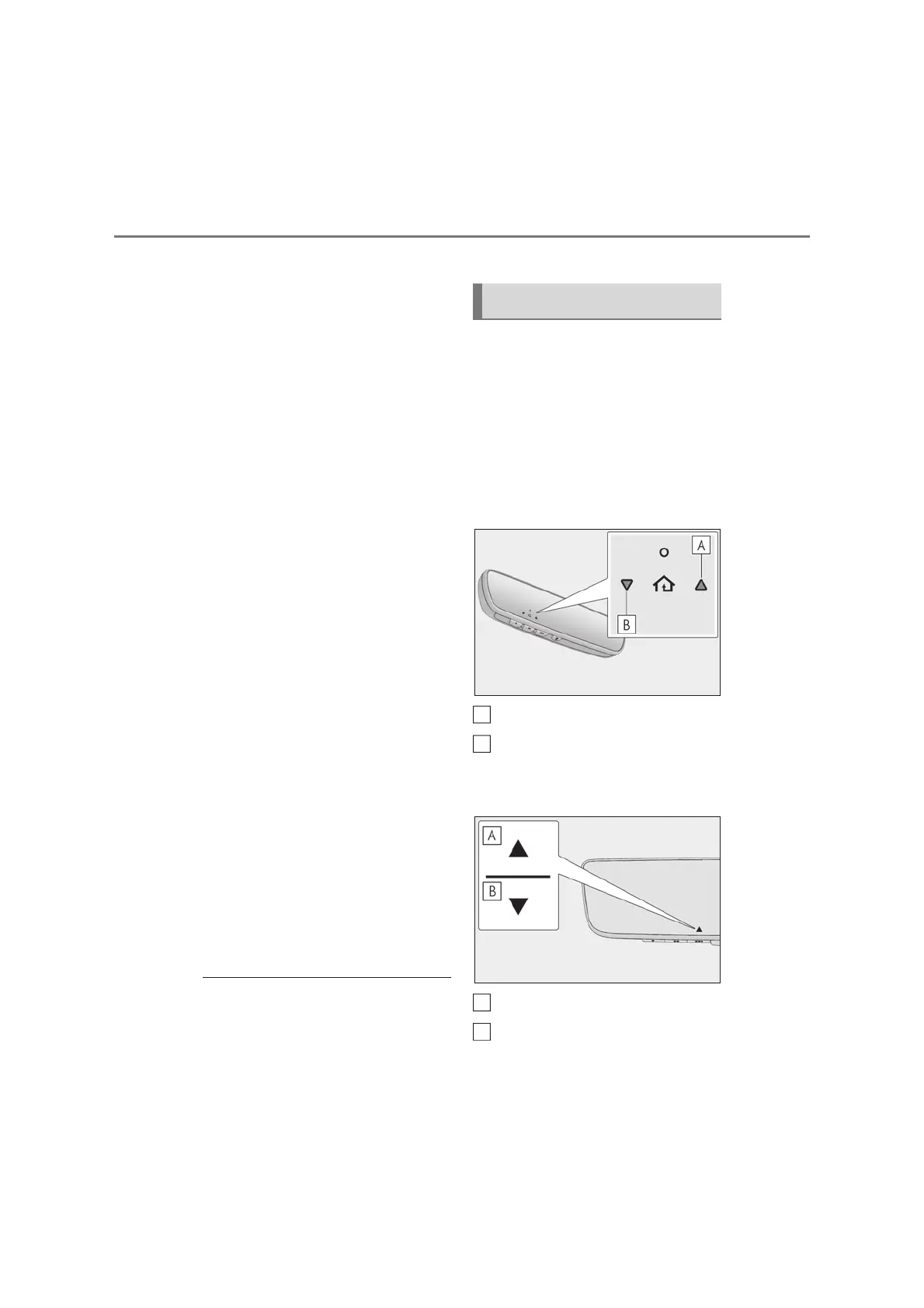
The status of the opening and closing
of a garage door is shown by the
garage door opener indicators.
X Vehicles with inside rear view mir-
ror
Opening
Closing
X Vehicles with Digital Rear-view
Mirror
Opening
Closing
This function is only available if the garage
Operating HomeLink
®
A
B
A
B



 To Next Page