5
5-1. Display
Interior features
X When the Multi-terrain Select is
turned off
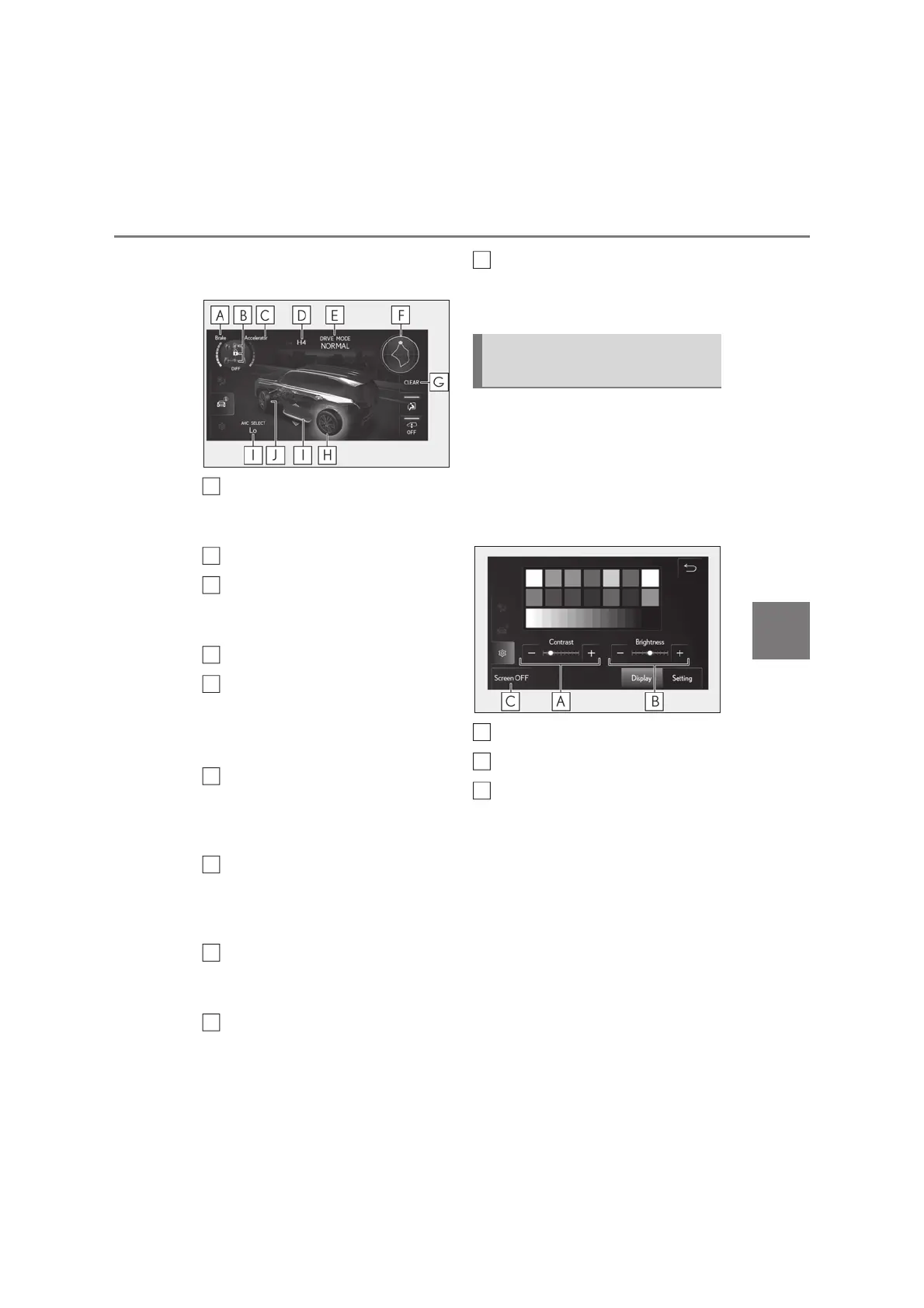
Brake pedal display
Displays the amount of depression of the
brake pedal.
Differential lock operation display
Accelerator pedal display
Displays the amount of depression of the
accelerator pedal.
Transfer mode display
Driving mode select display/Crawl
Control mode display/Downhill
assist control system set speed dis-
play
G-force display
Displays the G (acceleration) in the front,
rear, right and left directions that is applied
to the vehicle.
Resetting the lateral G-forces
The record of the G (acceleration) in the
front, rear, right and left directions that is
applied to the vehicle can be reset.
Active TRC operation display
The tires with Active TRC operating are
shown in orange.
AHC (Active Height Control Sus-
pension) display
Front tire direction display
Displays the estimated direction of the
front tires.
Settings such as screen operation
restrictions and screen brightness can
be adjusted.
Q Adjusting image quality
Select “Display” and then select each
adjustment switch.
Adjust contrast.
Adjust brightness.
Touch to turn the screen off.
To display the screen again, touch the
screen and touch the button in the center
of the screen.
Q Changing settings
Select “Setting” and then select the set-
ting for each item.
A
B
C
D
E
F
G
I
Front Multi Operation Panel
settings
J
A
B
C



 To Next Page