2-1. Instrument cluster
*
: If equipped
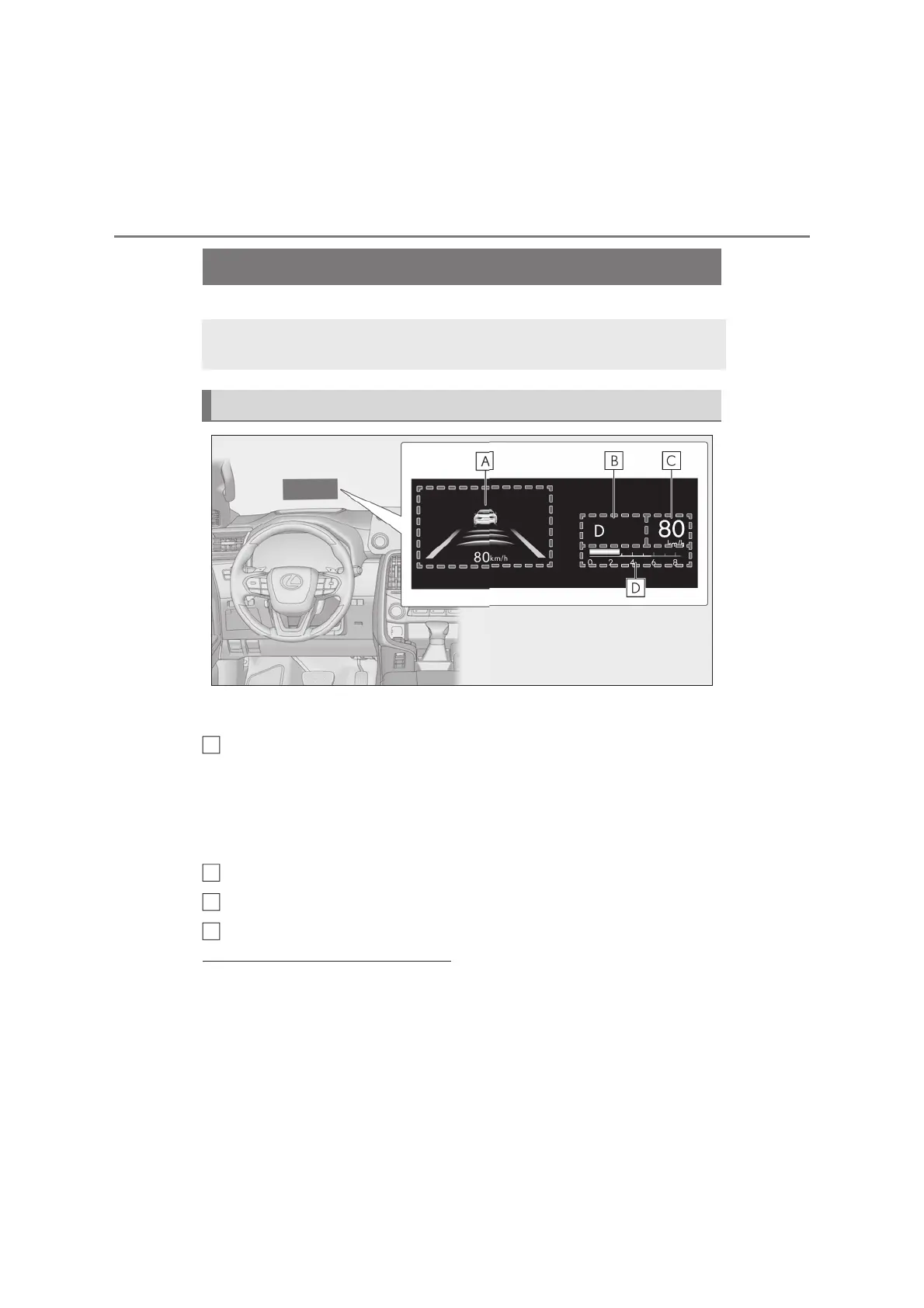
Illustrations used in this text are intended as examples, and may differ from the image that is
actually displayed by the head-up display.
Driving support system display area (oP.132)/Navigation system-linked dis-
play area (if equipped)
Displays the following items which are linked to the navigation system:
• Route guidance to destination
•Street name
• Compass (heading-up display)
Shift position area (oP.233)
Speedometer
Eco Driving Indicator/Tachometer display area (oP.133)
Q Head-up display will operate when
The engine switch is in ON.
Q When using the head-up display
The head-up display may seem dark or hard
to see when viewed through sunglasses,
especially polarized sunglasses. Adjust the
brightness of the head-up display or
remove your sunglasses.
Q Street name display (vehicles with navi-
gation system)
Only street names which are included in the
The head-up display projects a variety of driving-related information and the
operating state of the driving support systems on the windshield.
System components
A



 To Next Page