4-5. Using the driving support systems
*
: If equipped
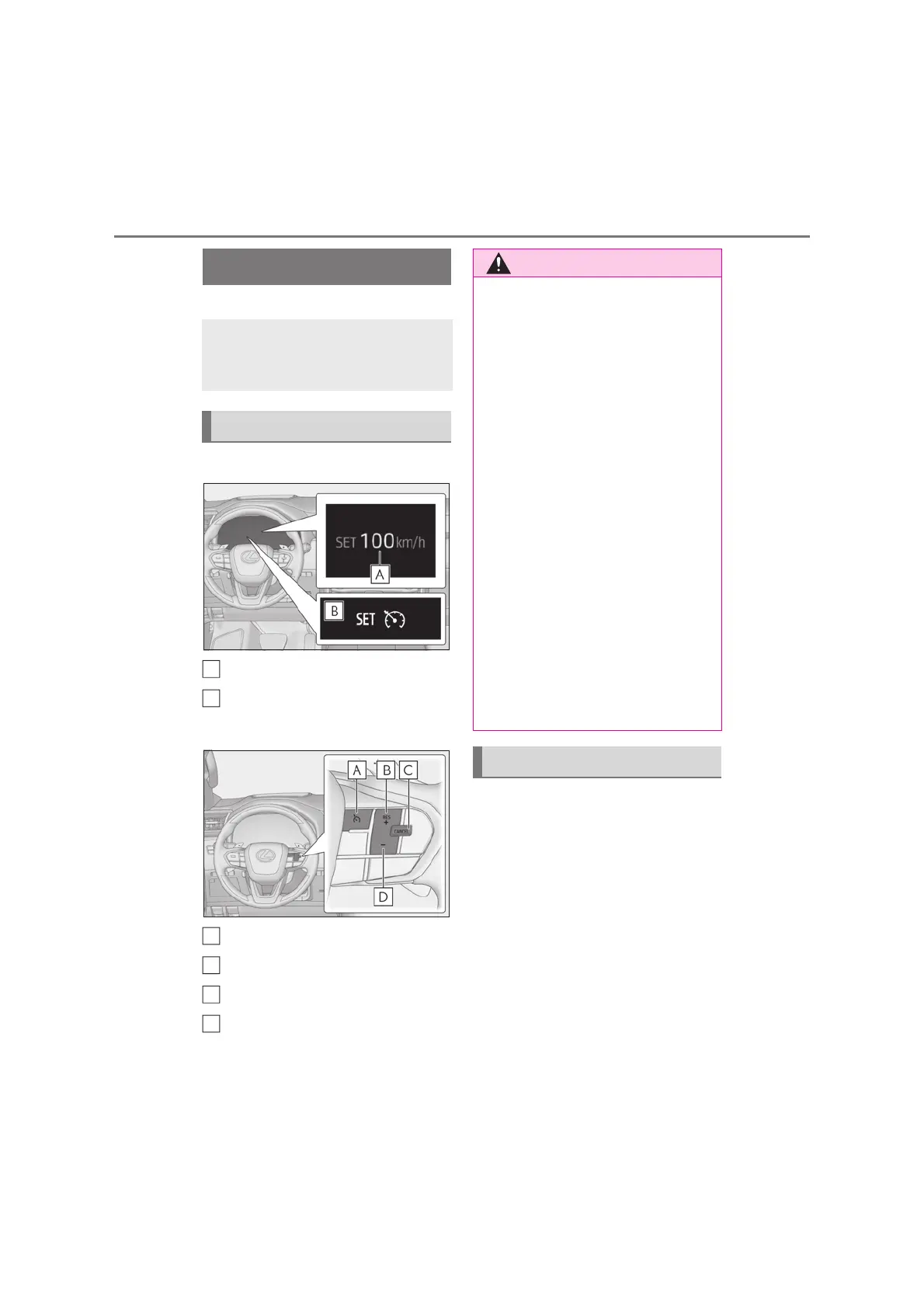
Q Meter display
Set speed
Indicators
Q Operation switches
Cruise control main switch
“+RES” switch
Cancel switch
“-SET” switch
Press the cruise control main
switch to activate the cruise con-
trol.
Cruise control indicator will be displayed.
Press the switch again to deactivate the
Use the cruise control to maintain a
set speed without depressing the
accelerator pedal.
System Components
A
B
A
B
C
D
Q To avoid operating the cruise control
by mistake
Switch the cruise control off using the
cruise control main switch when not in
use.
Q Situations unsuitable for cruise con-
trol
Do not use cruise control in any of the
following situations.
Doing so may result in loss of control and
could cause an accident resulting in
death or serious injury.
O In heavy traffic
O On roads with sharp bends
O On winding roads
O On slippery roads, such as those cov-
ered with rain, ice or snow
O On steep hills
Vehicle speed may exceed the set
speed when driving down a steep hill.
O When your vehicle is towing a trailer
or during emergency towing
Setting the vehicle speed



 To Next Page