4
4-5. Using the driving support systems
Driving
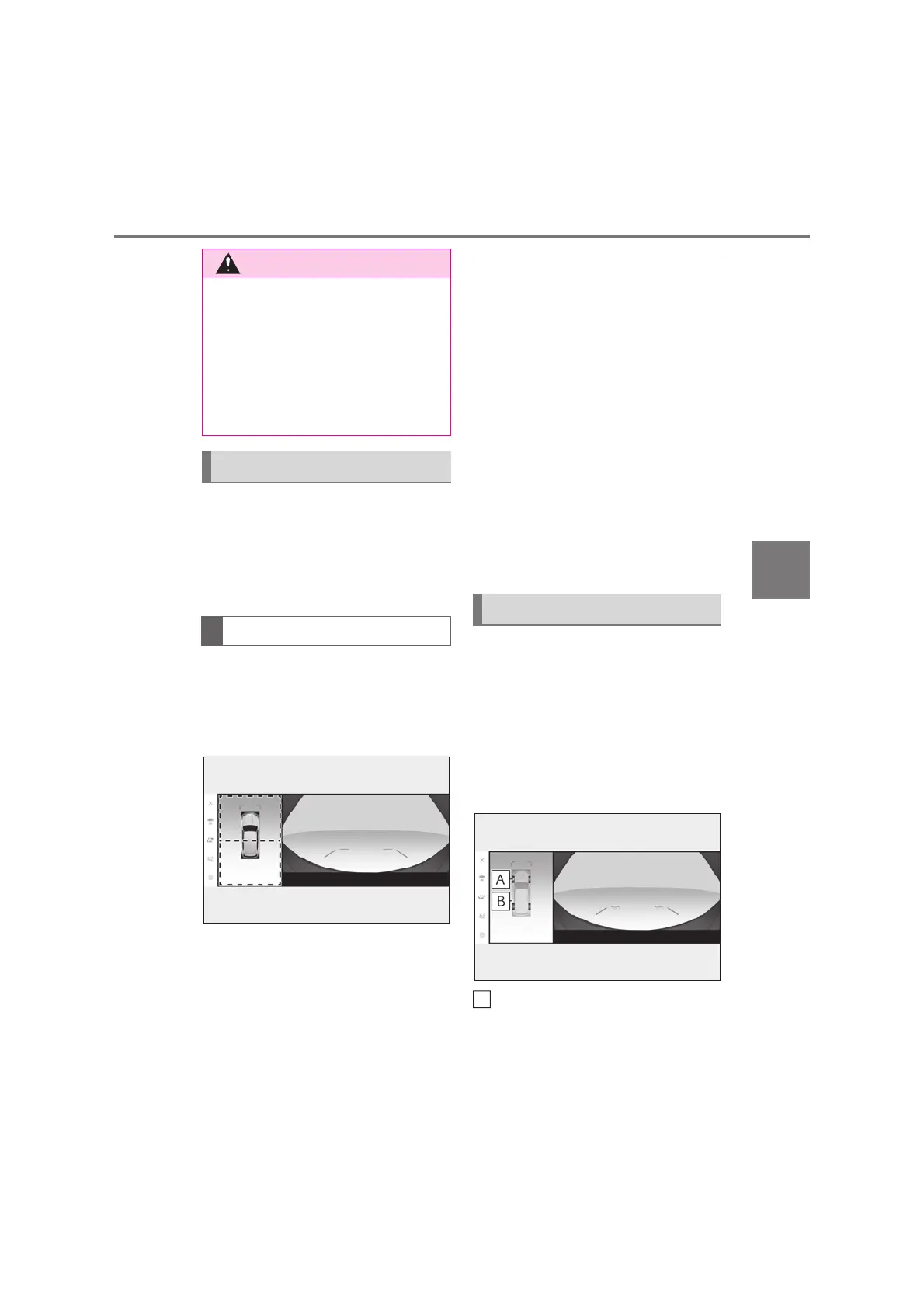
If displayed objects are too small to see
clearly when the panoramic view is dis-
played, the area around the front side
or rear side of the vehicle can be mag-
nified.
Turn the Lexus parking assist-sen-
sor on.
Select the area on the panoramic
view display you wish to magnify.
z Selecting one of the 2 areas within
the dotted lines will magnify that
area. (Dotted lines are not displayed
on the actual display.)
z To return to the normal view, select
the panoramic view display again.
Q Magnifying the display
O The magnifying function is enabled when
all of the following conditions are met:
• The wide front view & panoramic
view/Side Clearance View & panoramic
view/rear view & panoramic view/wide
rear view & panoramic view is displayed.
• The vehicle speed is below approxi-
mately 12 km/h (7 mph).
• The Lexus parking assist-sensor is avail-
able.
O In the following situations, the magnified
display will be canceled automatically:
• The vehicle speed is approximately 12
km/h (7 mph) or higher.
• The Lexus parking assist-sensor is
unavailable.
O When the display is magnified, the guide
lines will not be displayed.
A composite of camera vision cap-
tured in the past from the current vehi-
cle position to assist understanding of
the situation under the vehicle, tire
positions, and so on can be displayed.
The vision is displayed in panoramic
view, side clearance view, or cornering
view.
Tire tracks
Displays the tire position guides linked to
the steering wheel.
Q Guide lines
When a sensor indicator on the Lexus
parking assist-sensor display illuminates
in red or a buzzer sounds continuously,
be sure to check the area around the
vehicle immediately and do not proceed
any further until safety has been ensured,
otherwise an unexpected accident may
occur.
Magnifying function
Magnifying the display
Under vehicle terrain view



 To Next Page