4
4-5. Using the driving support systems
Driving
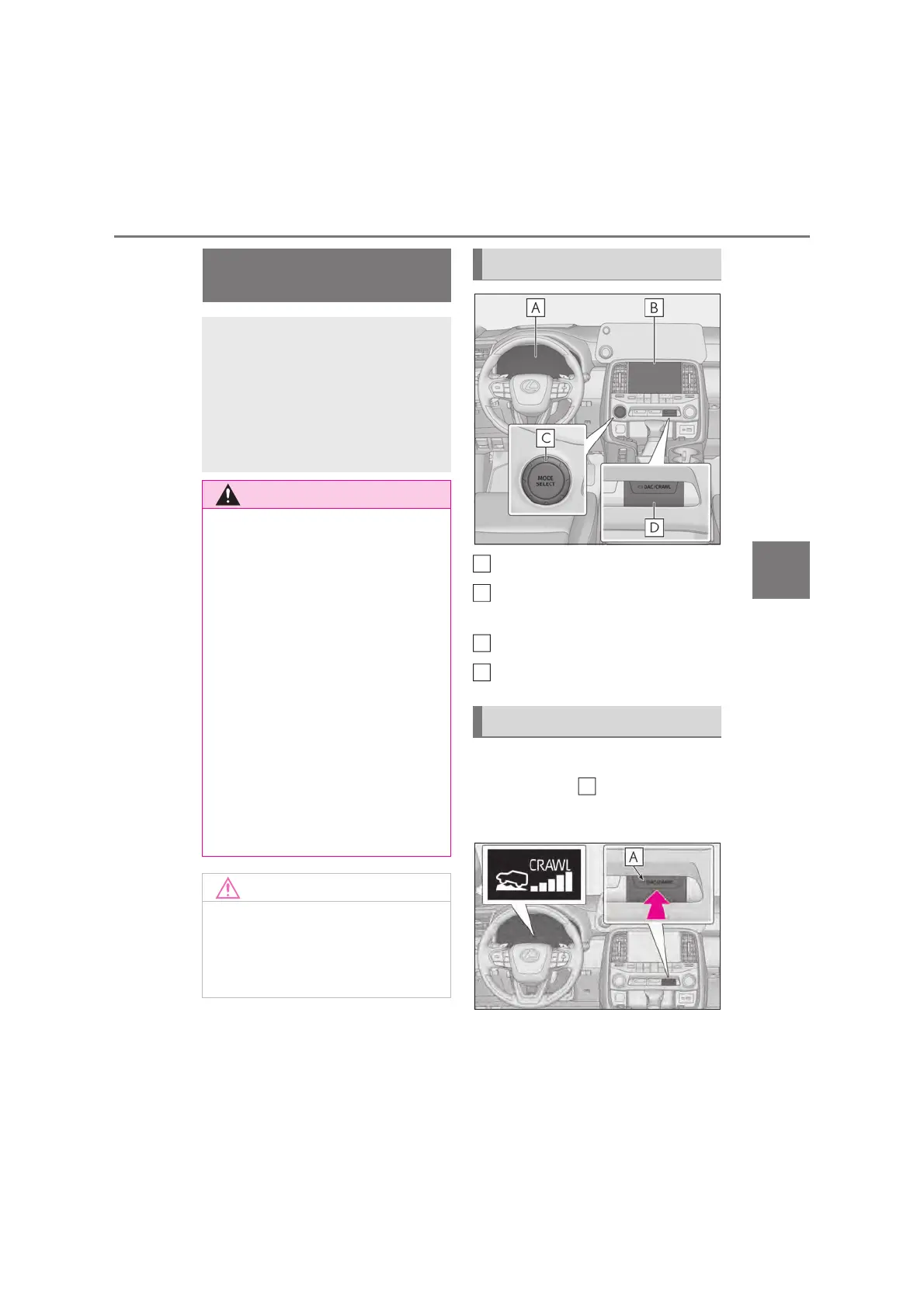
Meter (oP.116, 124)
Front Multi Operation Panel
(oP.446)
MODE SELECT switch
DAC/CRAWL switch
Press the DAC/CRAWL switch.
The indicator light and the Crawl Con-
trol indicator on the meter will come on,
and the slip indicator light will flash.
Crawl Control (with Turn
Assist function)
Allows travel on extremely rough
off-road surfaces at a fixed low
speed without pressing the accel-
erator or brake pedal. Minimizes
loss of traction or vehicle slip when
driving on slippery road surfaces,
allowing for stable driving.
Q When using Crawl Control (with Turn
Assist function)
Do not rely solely on the Crawl Control
(with Turn Assist function). This function
does not extend the vehicle’s perfor-
mance limitations. Always thoroughly
check the road conditions, and drive
safely.
Q These conditions may cause the sys-
tem not to operate properly
When driving on the following surfaces,
the system may not be able to maintain a
fixed low speed, which may result in an
accident:
O Extremely steep inclines.
O Extremely uneven surfaces.
O Snow-covered roads, or other slippery
surfaces.
Q When using Turn Assist function
The Turn Assist function is a function to
assist turning performance when driving
off-road. The function may be less effec-
tive on paved road surfaces.
System components
Turning Crawl Control on
A
B
C
D



 To Next Page