3-2. Opening, closing and locking the doors
3-2.Openin g, closing and locking the doors
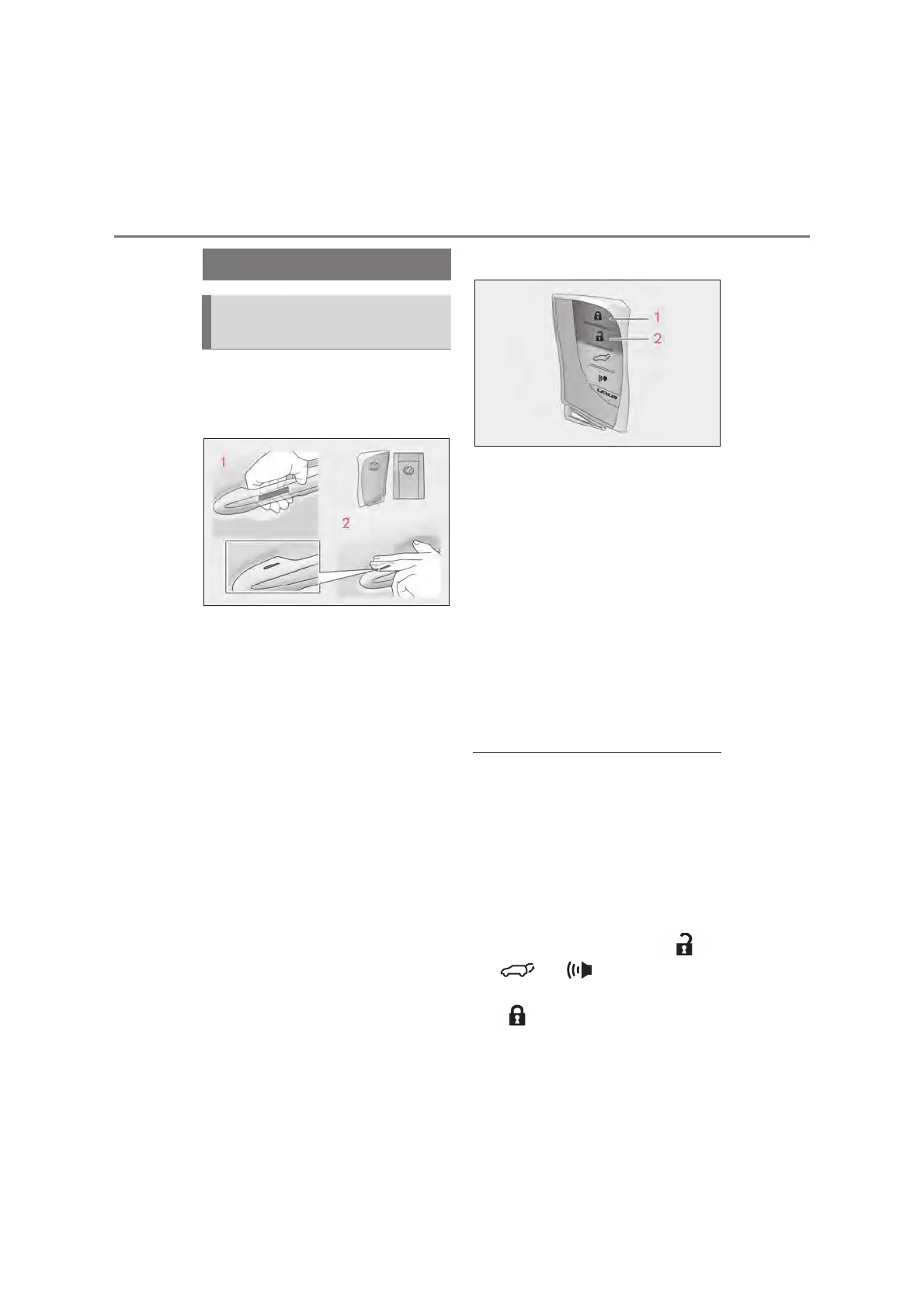
Q Using the entry function
Carry the electronic key to enable this
function.
Grip the driver’s door handle to
unlock the door. Holding the
driver’s door handle for approxi-
mately 2 seconds unlocks all the
doors. Grip the passenger’s door
handle to unlock all the doors.
*
Make sure to touch the sensor on the back
of the handle.
The doors cannot be unlocked for 3 sec-
onds after the doors are locked.
*
: The door unlock settings can be
changed.
Touch the lock sensor (the indenta-
tion on the upper part or lower part
of the handle) to lock the doors.
Check that the door is securely locked.
Q Using the wireless remote control
Locks all the doors
Check that the door is securely locked.
Press and hold to close the windows and
moon roof
*1, 2
Unlocks all the doors
Pressing the button unlocks the driver’s
door. Pressing the button again within 3
seconds unlocks the other doors.
Press and hold to open the windows and
moon roof
*1, 2
*1
: These settings must be customized at
your Lexus dealer.
*2
: If equipped
Q Switching the door unlock function
It is possible to set which doors the entry
function unlocks using the wireless remote
control.
Turn the engine switch off.
Cancel the intrusion sensor and tilt sen-
sor of the alarm system to prevent unin-
tended triggering of the alarm while
changing the settings. (oP.109)
When the indicator light on the key sur-
face is not on, press and hold ,
or for approximately 5
seconds while pressing and holding
.
The setting changes each time an operation
is performed, as shown below. (When
Unlocking and locking the doors
from the outside



 To Next Page