4-5. Using the driving support systems
*
: If equipped
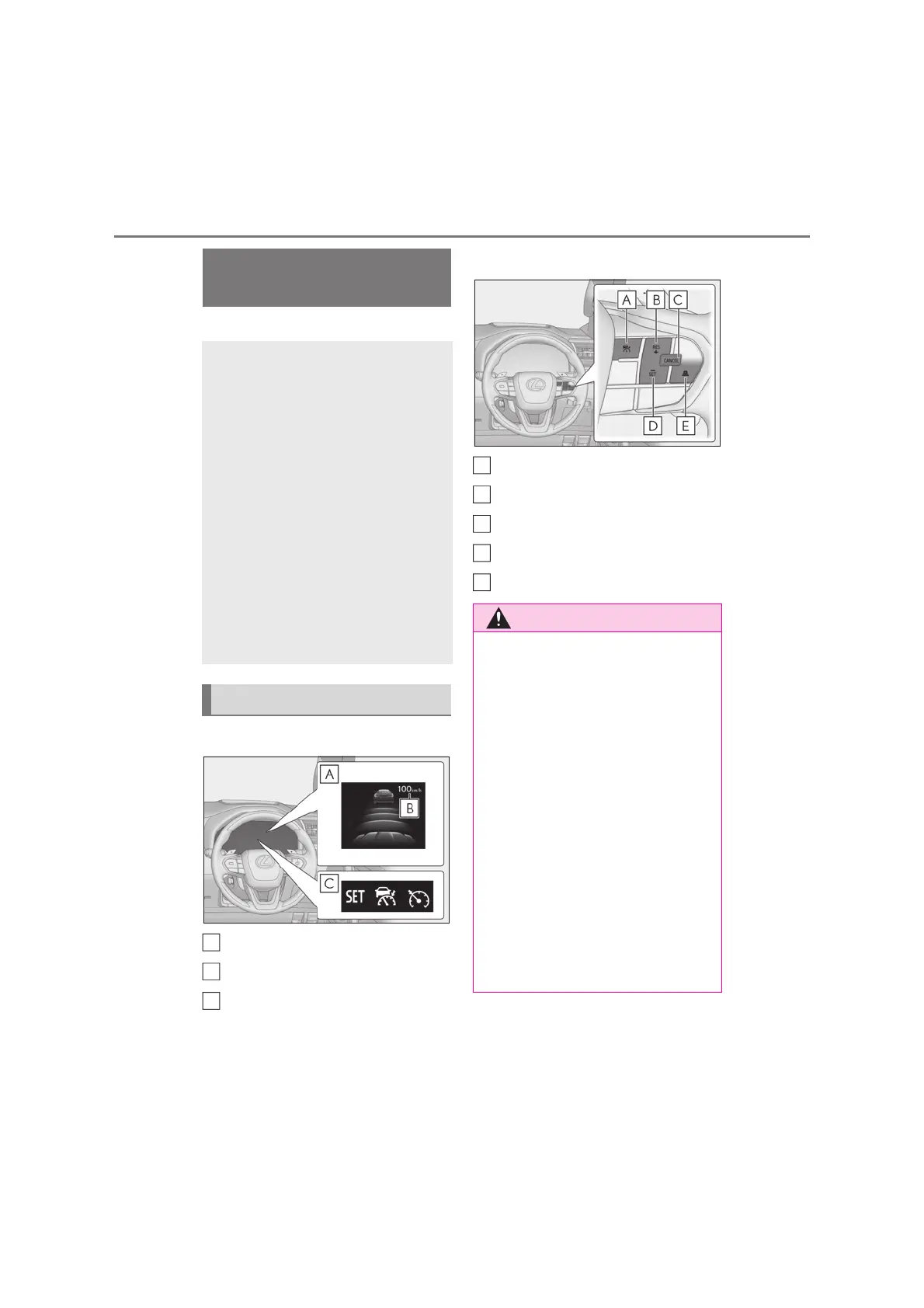
Q Meter display
Multi-information display
Set speed
Indicators
Q Operation switches
Cruise control main switch
“+RES” switch
Cancel switch
“-SET” switch
Vehicle-to-vehicle distance switch
Dynamic radar cruise con-
trol
*
In vehicle-to-vehicle distance con-
trol mode, the vehicle automati-
cally accelerates and decelerates
to match the speed changes of the
preceding vehicle even if the accel-
erator pedal is not depressed. In
constant speed control mode, the
vehicle runs at a fixed speed.
Use the dynamic radar cruise con-
trol on freeways and highways.
z Vehicle-to-vehicle distance con-
trol mode (oP.296)
z Constant speed control mode
(oP.300)
System Components
A
B
C
Q Before using dynamic radar cruise
control
O Driving safely is the sole responsibility
of the driver. Do not rely solely on the
system, and drive safely by always pay-
ing careful attention to your surround-
ings.
O The dynamic radar cruise control pro-
vides driving assistance to reduce the
driver’s burden. However, there are
limitations to the assistance provided.
Read the following conditions carefully.
Do not overly rely on this system and
always drive carefully.
• When the sensor may not be correctly
detecting the vehicle ahead: oP.302
• Conditions under which the vehicle-
to-vehicle distance control mode may
not function correctly: oP.303
A
B
C
D
E



 To Next Page