3-3. Adjusting the seats
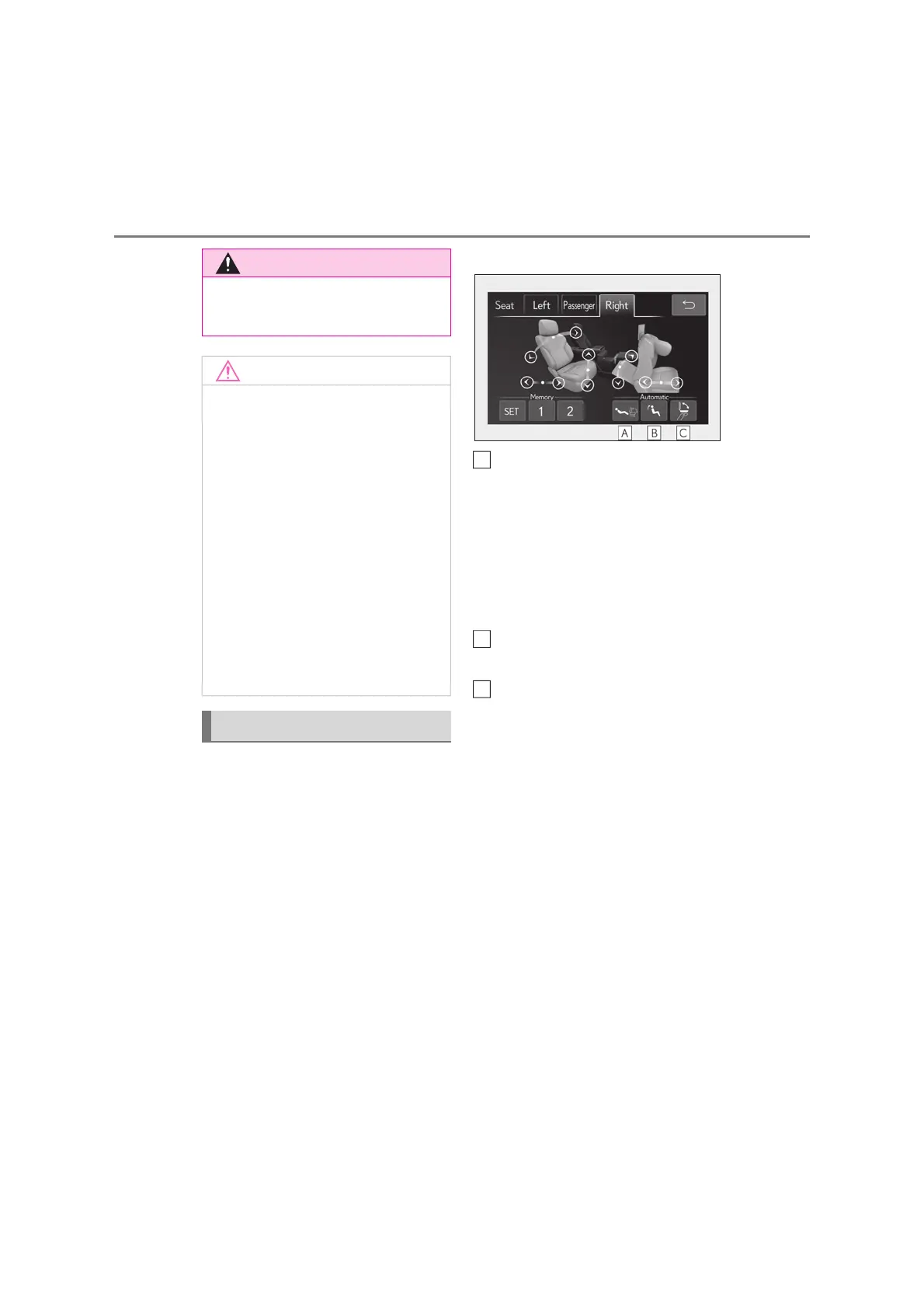
Q Automatic operation
The seat can be moved to preset posi-
tions.
Display the home screen on the
Rear Multi Operation Panel
(oP.449) and then select “Seat”.
Select “Left” or “Right”.
Select the desired preset button.
When the operating conditions are not
met, the preset buttons will be grayed out.
Fold forward the seatback of the
seat with ottoman, and then fold the
seatback of the rear seat (relax
mode)
The seat with ottoman moves forward, and
the head restraint also folds forward.
To stop the front passenger seat while it is
moving, touch “STOP”.
Moves the rear seat to the upright
position (Business Mode)
Folds the rear display (rear seat
with ottoman)
Press it again to extend them to the original
position.
Q Manual operation
Display the home screen on the
Rear Multi Operation Panel
(oP.449) and then select “Seat”.
Select “Left” or “Right”.
O Do not allow anyone to put their hands
or feet under the rear seat when stow-
ing the ottoman.
Q To prevent an ottoman malfunction
O Do not place any objects in the rear
seat footwell that could prevent the
operation of the ottoman.
O Do not place heavy luggage on the
ottoman.
O Do not place any objects under the
ottoman while it is raised for use. These
objects may interfere with the ottoman
being folded, causing damage to the
ottoman or the objects themselves.
Q To prevent a rear display malfunction
(rear seat with ottoman)
Do not attempt to move the rear display
by hand, as doing so may damage the
rear display.
Adjustment procedure
A
B
C



 To Next Page