4
4-5. Using the driving support systems
Driving
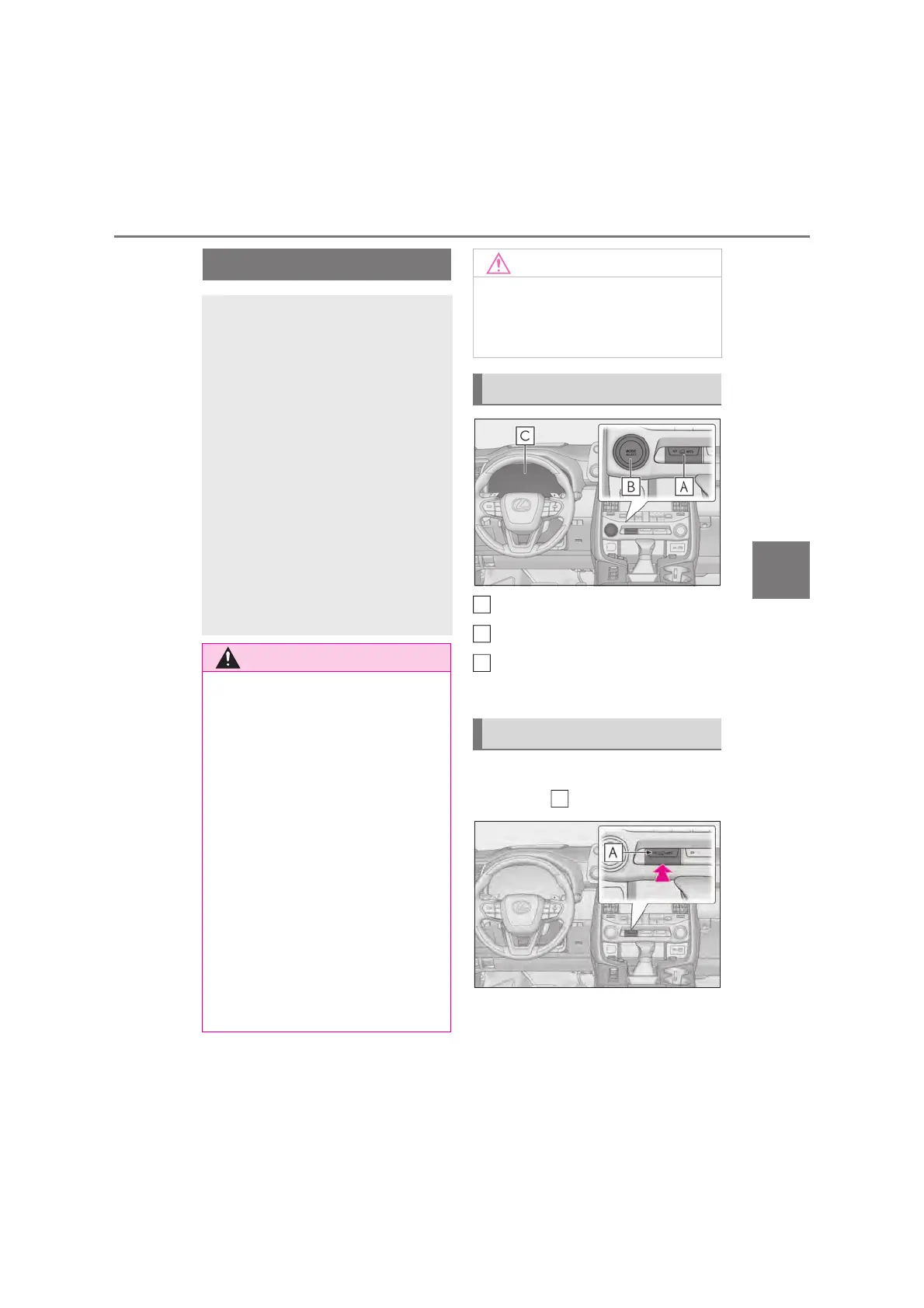
MTS switch
MODE SELECT switch
Multi-information display
Selected mode is displayed.
Press the MTS switch.
The indicator on the switch will turn on.
Select the driving modes on the
multi-information display while
Multi-terrain Select is a system that
improves drivability in off-road situ-
ations.
Select a mode that most closely
matches the type of terrain on which
you are driving from several modes.
Brake control, drive force control
and suspension control can be opti-
mized in accordance with the
selected mode.
When AUTO mode is selected,
brake control, drive force control
and suspension control are opti-
mized automatically according to
the road conditions.
Q When using the Multi-terrain Select
Observe the following precautions to
avoid an accident that could result in
death or serious injuries:
O Check that the selected mode indica-
tors are illuminated before driving.
Multi-terrain Select will not operate
when the indicators are off.
O The road conditions listed (oP.423)
are for reference only. There is a
chance that the function may not be
the most appropriate in terms of road
conditions such as pitch, slipperiness,
undulation, etc. Thoroughly check the
road conditions before driving.
O Multi-terrain Select is not intended to
expand the limits of the vehicle. Check
the road conditions thoroughly
beforehand, and drive safely and care-
fully.
Q Precaution for use
The Multi-terrain Select is intended for
use during off-road driving. Do not use
the system at any other time.
System components
Switching modes
A
B
C
A



 To Next Page